
Guide
Content Optimization Tools: The Complete Guide to Choosing and Using the Right One

Content optimization tools such as Surfer SEO, Frase, Clearscope and MarketMuse analyze pages already ranking for a keyword and tell you which terms, topics and structural elements your draft needs to compete. The guide compares pricing and features across the tools worth considering in 2026 and explains how to pick the right one for your budget and team.
- Set your budget range before comparing content optimization tools
- Match the tool to your workflow bottleneck, not just budget
- Consider who on your team will use the tool day to day
- Treat the first month as a trial and check the results
Content optimization tools are software platforms, such as Surfer SEO, Frase, Clearscope and MarketMuse, that analyze the pages already ranking for a keyword and tell you exactly which terms, topics and structural elements your draft needs to compete. If you've ever published a page that hit every keyword on your checklist and still sat on page three, the problem probably wasn't effort. It was direction: you were optimizing against your own instincts instead of against what Google was already rewarding.
This guide covers what these tools do, compares pricing and features across the ones worth your money in 2026 and walks through how to pick the right one for your budget and your team, whether that's a solo blogger on a free plan or an agency running content for a dozen clients.
What Is a Content Optimization Tool?
A content optimization tool analyzes the pages currently ranking for a target keyword. It then generates specific recommendations: target word count, related terms to include, questions competitors answer and structural gaps your draft needs to close. Think of it as an editor who has already read every top-ranking competitor and tells you exactly what's missing before you hit publish.
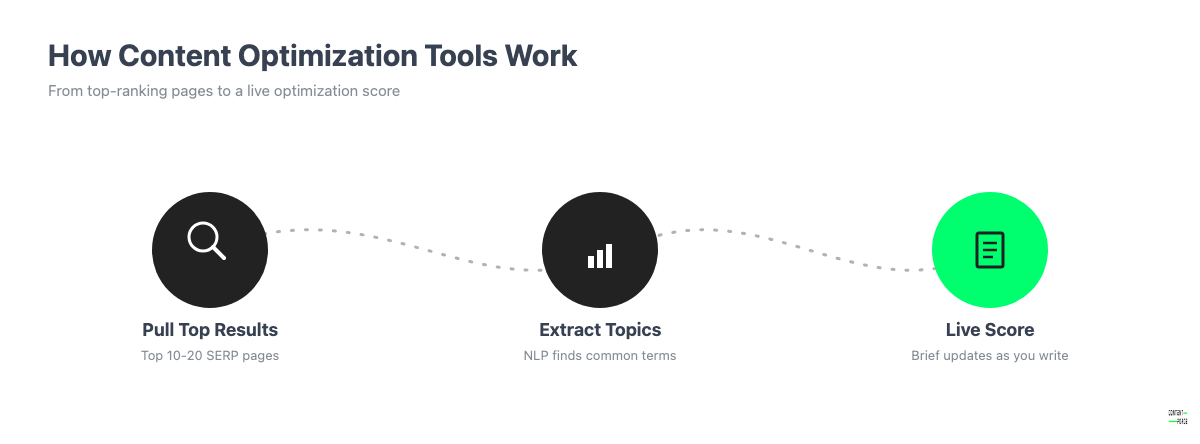
Most tools follow the same two-step process. First, they pull the top 10 to 20 organic results for your keyword and run them through natural language processing to extract common topics and headings. Second, they turn that analysis into a content brief or a live editor score: a checklist of terms to work in, a target length range and often an "optimization score" that updates as you type.
That second step is what separates these tools from a basic SEO plugin.
What Is the Difference Between a Content Optimization Tool and an SEO Plugin Like Yoast or Rank Math?
Yoast and Rank Math check your own page against fixed technical rules. Is there a meta description? Does the focus keyword appear in the first paragraph? Is the readability score green? They never look outside your own site. Content optimization tools do the opposite: they analyze what's already ranking on the actual SERP and tell you which topics your specific competitors cover that you don't. If you're already running Yoast or Rank Math and still not ranking, a content optimization tool is usually the next tool to add. It's not a replacement for the plugin you already have.
Comparing the Best Content Optimization Tools: Pricing, Features and Best-Fit Use Cases
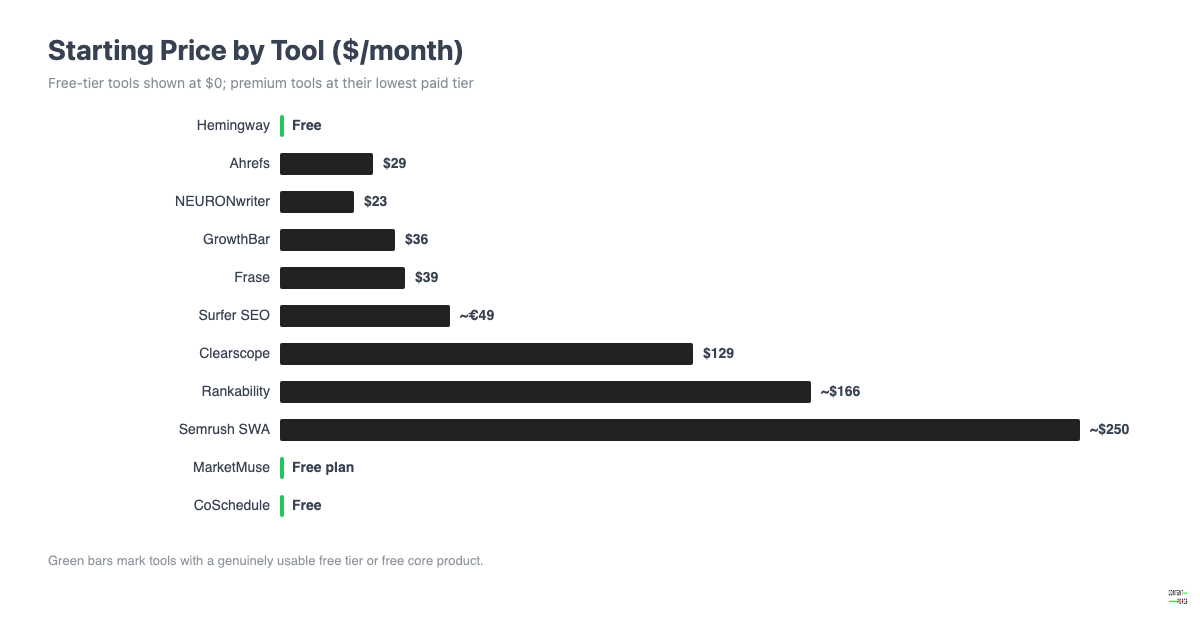
The table below covers the tools worth considering in 2026, split across premium AI-driven platforms and free or low-cost options. Prices are current as of publication. SaaS pricing changes often, so treat these as a starting reference and confirm on the vendor's site before you buy.
| Tool | Starting Price | Free Option | Standout Feature | Best For |
|---|---|---|---|---|
| Surfer SEO | €49/mo (Discovery) | No free plan, paid trial only | Content Score editor with live SERP-based recommendations | Content teams that want an all-in-one write-and-optimize workflow |
| Frase | $39/mo (Starter, annual) | 7-day free trial | AI content briefs generated from top 10 SERP results | Teams that want briefs and drafts in one tool |
| Clearscope | $129/mo (Essentials) | No free tier | Clean, distraction-free content grading interface | Agencies and enterprise teams that need a polished, client-facing report |
| MarketMuse | Free plan available | Yes, limited (10 queries/mo) | Topic modeling and content inventory at scale | Teams planning large content clusters, not just single articles |
| Rankability | Starting around $99/mo | No free tier confirmed | Price-to-value focused optimization scoring | Teams that want a lower-cost alternative to Clearscope with similar depth |
| GrowthBar | $36/mo (Standard) | 7-day free trial | AI blog drafting bundled with keyword tracking | Solo bloggers and small teams wanting drafting plus optimization in one plan |
| NEURONwriter | $23/mo (Bronze) | 7-day trial at Gold tier | Content and SERP analysis with built-in internal linking suggestions | Budget-conscious teams that still want a full-featured editor |
| Semrush SEO Writing Assistant | Bundled in Semrush Guru (~$249.95/mo) | Limited free checks | Plagiarism, readability and tone checks alongside SEO scoring | Teams already paying for Semrush's broader SEO suite |
| Hemingway Editor | Free (desktop) | Yes, core editor is free | Readability grading and plain-language flagging | Anyone who wants tighter, more readable sentences before publishing |
| Ahrefs | Free limited tools | Yes, free tools + trial | SERP-level competitor data feeding into content decisions | Teams that want keyword research and content data from one platform |
| CoSchedule Headline Studio | Free (10 headlines/mo) | Yes | Headline scoring against emotional and SEO criteria | Anyone optimizing titles and headlines specifically |
Surfer SEO
Surfer's Content Editor scores your draft in real time against the terms, headings and structure of the top-ranking pages for your keyword. The score updates as you type, so you're not waiting on a static report. It plugs into Google Docs and WordPress, which means writers can optimize without leaving their normal workflow. Pricing starts at €49 a month for the Discovery plan, covering solo use. It scales up through Standard (€99), Pro (€182) and Peace of Mind (€299) as you add users, content audits and API access. There's no free plan, only a "start for free" signup that leads into a paid trial. Budget-conscious teams should expect to pay from day one. Surfer is the tool most frequently named alongside Frase in practitioner discussions as the step up from a basic SEO plugin, which makes it a safe default pick if you only add one tool. Our Surfer SEO pricing guide breaks down what each plan really costs.
Frase
Frase builds a content brief automatically by scraping the top 10 results for your keyword and extracting common questions, headings and statistics. Then it hands you an editor with a live optimization score. It's one of the few tools here that also includes AI drafting in the same interface, so you can go from brief to first draft without switching software. The Starter plan runs $39 a month billed annually, or $49 month-to-month for one seat and ten articles a month. Professional jumps to $103 a month annually for three seats and forty articles. Every plan includes a genuine 7-day free trial with no credit card required, which makes Frase one of the easier tools to test before committing.
Clearscope
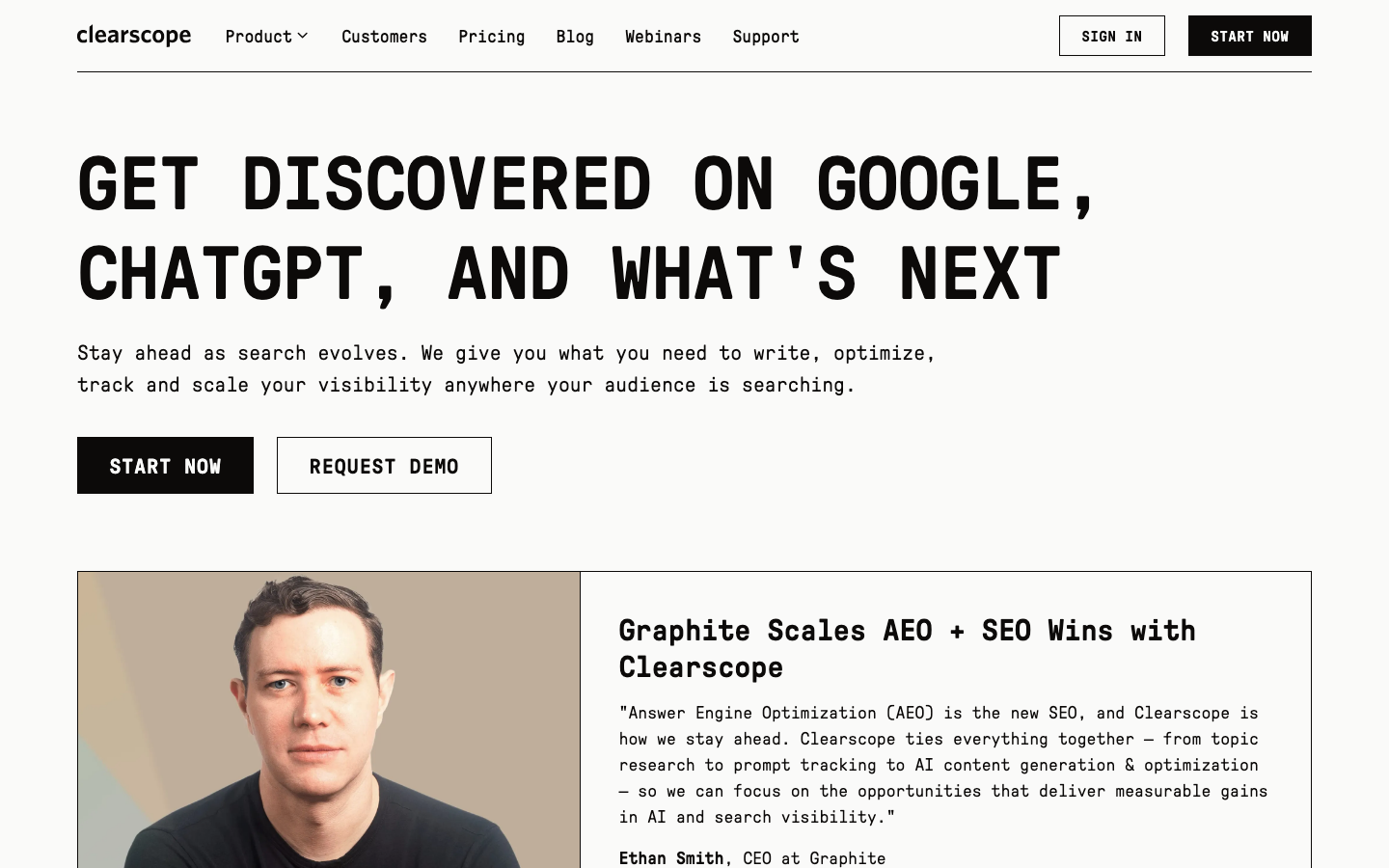
Clearscope is built around one idea: keep the interface clean and the report readable enough to hand directly to a client without translation. It grades content against a term list pulled from top-ranking pages and assigns a letter-style grade instead of a raw percentage. That tends to land better in client reporting than a bare number. Pricing starts at $129 a month for the Essentials plan (50 tracked prompts, 50 pages, 20 monthly content briefs), rising to $399 a month for Business. There's no published free trial. That puts Clearscope at the premium end of this list, best justified when the cost gets billed back to a client or a well-funded content budget.
MarketMuse
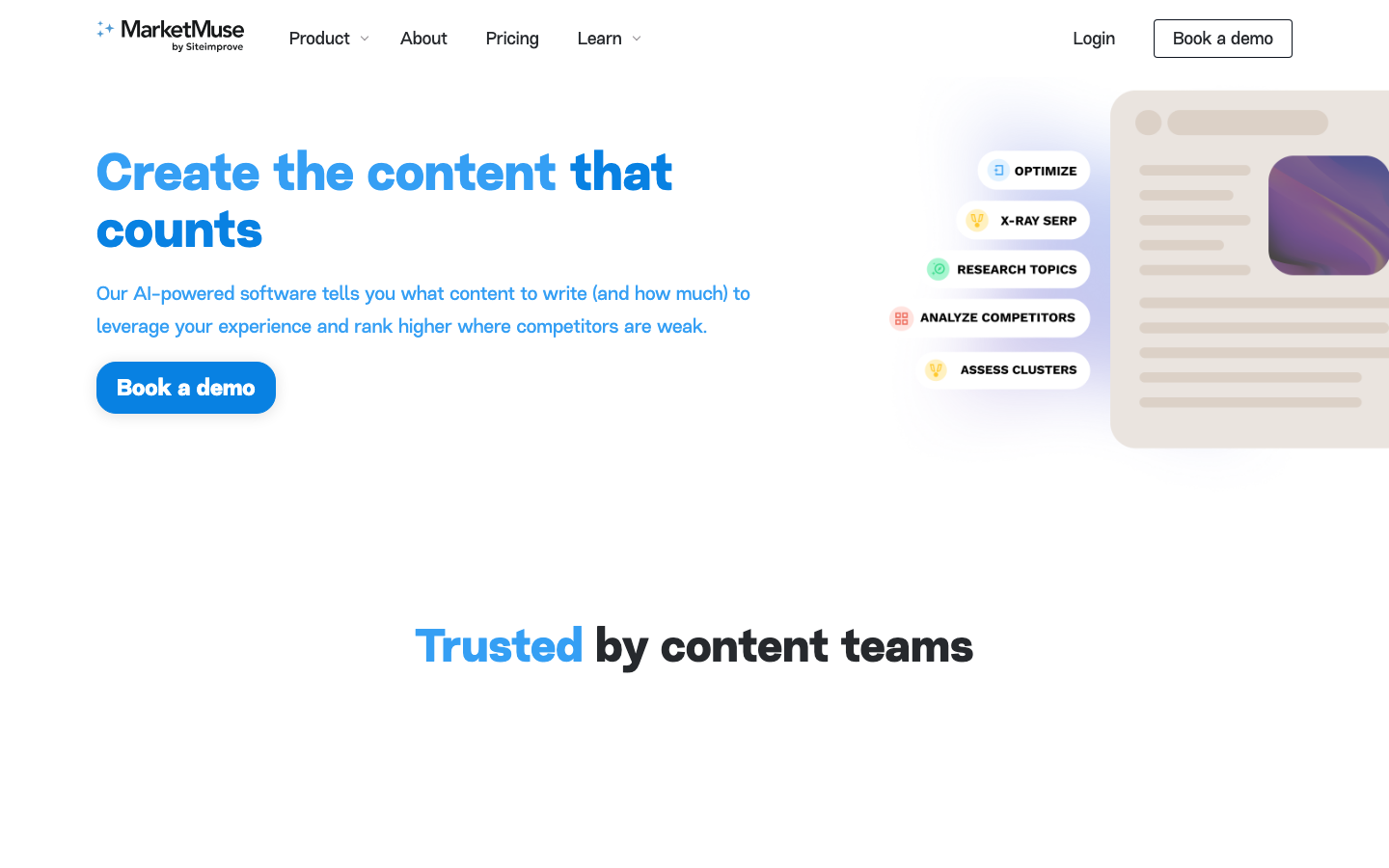
MarketMuse leans harder into topic modeling than any other tool here. Instead of optimizing one article at a time, it maps your entire site's content against a topic's full competitive landscape and flags subtopics you haven't covered anywhere. That makes it less useful if you just need to fix one blog post and more useful if you're planning a content cluster or auditing an existing library for gaps. It's also the only premium-tier tool on this list with a genuinely usable free plan: one user, ten queries a month, limited applications. That's enough to evaluate the tool before paying for the Optimize, Research or Strategy tiers. MarketMuse doesn't publish exact pricing for those publicly; you'll need to book a call.
Rankability
Rankability positions itself as a price-to-value alternative to Clearscope and Surfer, with optimization scoring, keyword-to-content mapping and a stated focus on delivering more analysis for less money. Pricing runs around $99 a month at the entry tier. There's no confirmed free plan. Rankability publishes its own comparison content and ranks itself first among competitors, so treat any of its testing-methodology claims with the same skepticism you'd apply to a vendor grading its own homework. Verify specific feature claims against the product itself during a trial.

GrowthBar
GrowthBar bundles AI article drafting, keyword tracking and a Chrome-extension-based competitor research tool into one of the more affordable premium plans on this list. As of publication, GrowthBar had been acquired by SEOptimer and was described as continuing to run standalone while the merge is completed. Functionality could shift over the next year. The Standard plan is $36 a month, or $20.30 annually for 25 AI blog articles and keyword tracking on one site. Pro moves to $74.25 a month for team accounts and broader tracking. All tiers include a 7-day free trial.
NEURONwriter
NEURONwriter is one of the least expensive full-featured content optimization editors available, starting at $23 a month for the Bronze plan: two projects, 25 content analyses monthly. It includes built-in internal linking suggestions based on your existing site content, a feature most competitors sell as a separate add-on or skip entirely. A 7-day trial is available at the Gold tier, so you can test the higher feature set before deciding which plan you actually need.
Semrush SEO Writing Assistant
If you already pay for Semrush's broader SEO platform, the SEO Writing Assistant is bundled into the Guru plan, priced around $249.95 a month based on current published rates, rather than sold as a standalone product. It checks plagiarism, readability and tone alongside a real-time SEO score and it integrates directly with Google Docs and WordPress. Semrush also offers SEO Content Template, which builds a brief from your top 10 ranking competitors, and ContentShake AI, which generates full drafts and content ideas. None of these are worth buying in isolation just for content optimization. They only make financial sense if you're already using Semrush for keyword research, site audits or competitor tracking and want the writing tools folded into a plan you already pay for.
Hemingway Editor
Hemingway isn't a competitive-analysis tool. It never looks at other ranking pages. But it solves a real problem the other tools on this list don't: readability. It flags long, hard-to-parse sentences, passive voice and adverb overuse and assigns your text a grade-level score. The core web editor is free with no account required. Hemingway Editor Plus, a desktop app with grammar checking and tone adjustments, offers a two-week free trial with no credit card required before you're asked to pay. If your drafts already hit competitive term coverage but read stiff, Hemingway is a useful five-minute pass before publishing. It's not a replacement for a full optimization tool.
Ahrefs
Ahrefs is best known as a backlink and keyword research platform, but its free tools and Webmaster Tools tier earn it a spot here. Content decisions should start with keyword data, not end with it. Search volume, keyword difficulty and the subtopics competing pages already rank for shape what you brief a writer to cover before a single word gets written. Paid plans start around $29 a month for a limited starter tier and scale into full platform access above $129 a month. If you're choosing one tool to cover both keyword research and content direction, Ahrefs plus a dedicated optimization editor is a common pairing, not a replacement for one.
CoSchedule Headline Studio
Headline Studio does one job well: it scores headlines against a blend of emotional, common, uncommon and power words, then estimates how the headline is likely to perform for clicks and for search. The free tier gives you ten scored headlines a month, enough for occasional use. Paid plans start at $4 a month for higher volume. It won't help you structure body content. But if your click-through rates are lagging despite solid rankings, it's a fast, nearly free fix worth layering on top of whatever optimization tool handles the body copy.
How to Choose the Right Content Optimization Tool for Your Team
Before you pick a tool, answer three questions. What's your budget? How big is your team? What's the actual bottleneck in your content process? A tool that's perfect for a five-person agency will be overkill and overpriced for a solo blogger. A free tool that's fine for one writer will fall apart the moment three people need to collaborate on the same brief.
Start with budget. If you're spending nothing, Hemingway's free editor, Ahrefs' free tools and CoSchedule's free headline tier cover readability, keyword direction and headlines without a subscription. Under $50 a month, NEURONwriter's Bronze plan or GrowthBar's Standard tier both get you a real optimization editor with AI assistance. Between $50 and $150 a month (or the EUR equivalent for Surfer, whose plans are priced in euros), Surfer's Standard plan, Frase's Professional plan and Clearscope's Essentials plan are all realistic; this is where most serious solo creators and small teams end up. Above $150 a month, you're looking at Clearscope Business, Rankability's higher tiers or a full Semrush subscription with the SEO Writing Assistant bundled in. That range only makes sense once content is a meaningful revenue driver.
Next, match the tool to your workflow stage, not just your budget:
- If your bottleneck is knowing what to write about, prioritize MarketMuse or Ahrefs for topic and keyword research before you open a document.
- If your bottleneck is turning a brief into a finished draft fast, Frase or GrowthBar's built-in AI drafting saves the most time.
- If your bottleneck is getting existing drafts past an editor or a client, Clearscope's clean grading report is built for that conversation.
- If your bottleneck is readability rather than topic coverage, add Hemingway on top of whichever optimization tool you choose. It solves a different problem, so the two aren't in competition.
Finally, think about who actually uses the tool day to day. A solo freelancer rarely needs more than one editor-style tool, NEURONwriter, GrowthBar or Frase at the low end, plus a free readability pass in Hemingway. An in-house content team of two to five writers needs a shared workspace with multiple seats. That points toward Surfer's Standard plan or Frase's Professional tier, both built around team collaboration rather than single-user accounts. An agency managing several clients needs reporting that's presentable outside the team. Clearscope's client-friendly grading or Surfer's higher tiers with audit and API access scale better across accounts.
Whatever you choose, treat the first month as a trial even if the vendor doesn't call it one. Run the same article through the tool's brief. Write to its recommendations. Then check whether the finished piece actually reads better and covers more than what you'd have written without it. The tools in this guide are genuinely useful, but the value comes from how you use the recommendations, not from the subscription itself.