
Alternatives · 8 tools
The Best Alternatives to Grammarly in 2026 (Tested and Compared)

Grammarly alternatives worth testing in 2026 include ProWritingAid for long-form writers, LanguageTool for a strong free multilingual plan, Hemingway Editor for readability, and Wordtune or QuillBot for AI rewriting, after Grammarly Premium price increases and a smaller free plan pushed many users to look elsewhere. Writer and DeepL Write round out the list for teams and multilingual business writing.
- From
- €10/mo
Price from the vendor's pricing page, checked Sep 28, 2026.
Grammarly has over 40 million users and a 4.7/5 rating on G2. That kind of adoption does not happen without the product being genuinely useful. But in 2025 and 2026, the value equation shifted. Pricing increased, the free plan covers less than it used to, and a new generation of writing tools has matched or exceeded Grammarly's core features at lower cost or with more relevant capabilities for specific writing types.
We tested eight alternatives across grammar accuracy, browser integration, free plan usability, pricing, and use-case fit. Whether you write novels, business emails, academic papers, or multilingual content, there is a better-suited tool for your workflow below.
Why People Are Looking for a Grammarly Alternative
Most users switching from Grammarly cite one or more of these specific problems:
- Price increases. Grammarly Premium now costs $12/month billed annually ($144/year) or $30/month on a monthly plan. For casual writers, that is hard to justify when free tools like LanguageTool handle everyday grammar just as well.
- Limited free plan. The free tier surfaces fewer suggestions than it used to and pushes upgrade prompts more aggressively. Users who relied on Grammarly free a few years ago find it noticeably weaker today.
- Better AI competition. Tools like ProWritingAid and Wordtune now match or exceed Grammarly's grammar checking while adding deeper style analysis or AI rewriting at the same or lower price.
- False positive suggestions. Grammarly's aggressive flagging of stylistic choices frustrates writers who want tone flexibility, particularly in creative or informal writing.
- Privacy concerns. Grammarly processes your text on their servers. For users writing business documents, contracts, or personal content, this has become a real consideration.
How We Evaluated These Alternatives
We assessed each tool against five criteria that matter for real writing workflows:
- Grammar accuracy on complex sentence structures, not just obvious typos
- Browser and app integration (Chrome extension, Word, Google Docs, Scrivener)
- Free plan usability and what you can actually do without paying
- Pricing value compared to Grammarly's current rates
- Use-case fit, because a novelist needs different things than a business analyst
We tested eight tools including ProWritingAid, LanguageTool, Hemingway Editor, QuillBot, Wordtune, DeepL Write, Ginger, and Writer.
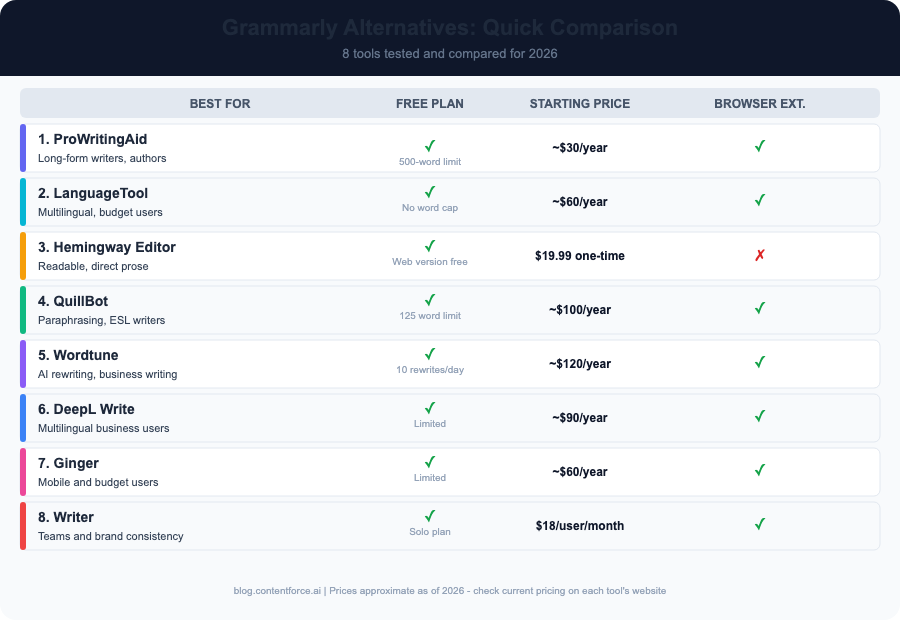
Quick Comparison: Grammarly Alternatives at a Glance
| Tool | Best For | Free Plan | Starting Price | Browser Extension |
|---|---|---|---|---|
| ProWritingAid | Long-form writers, authors | Yes (limited) | ~€120/year | Yes |
| LanguageTool | Multilingual, budget users | Yes (strong) | ~€60/year | Yes |
| Hemingway Editor | Readable, direct prose | Yes (web) | $19.99 one-time | No |
| QuillBot | Paraphrasing, ESL writers | Yes | ~$100/year | Yes |
| Wordtune | AI rewriting, business writing | Yes (10/day) | ~$84/year | Yes |
| DeepL Write | Multilingual business users | Yes | ~$90/year | Yes |
| Ginger | Mobile and budget users | Yes (limited) | ~$60/year | Yes |
| Writer | Teams and brand consistency | Yes (solo) | $18/user/month | Yes |
1. ProWritingAid - Best for Long-Form Writers and Authors
ProWritingAid is the most thorough Grammarly alternative for anyone writing at length. Where Grammarly focuses on grammar and tone, ProWritingAid adds a layer of structural analysis that fiction writers and content creators find genuinely useful.
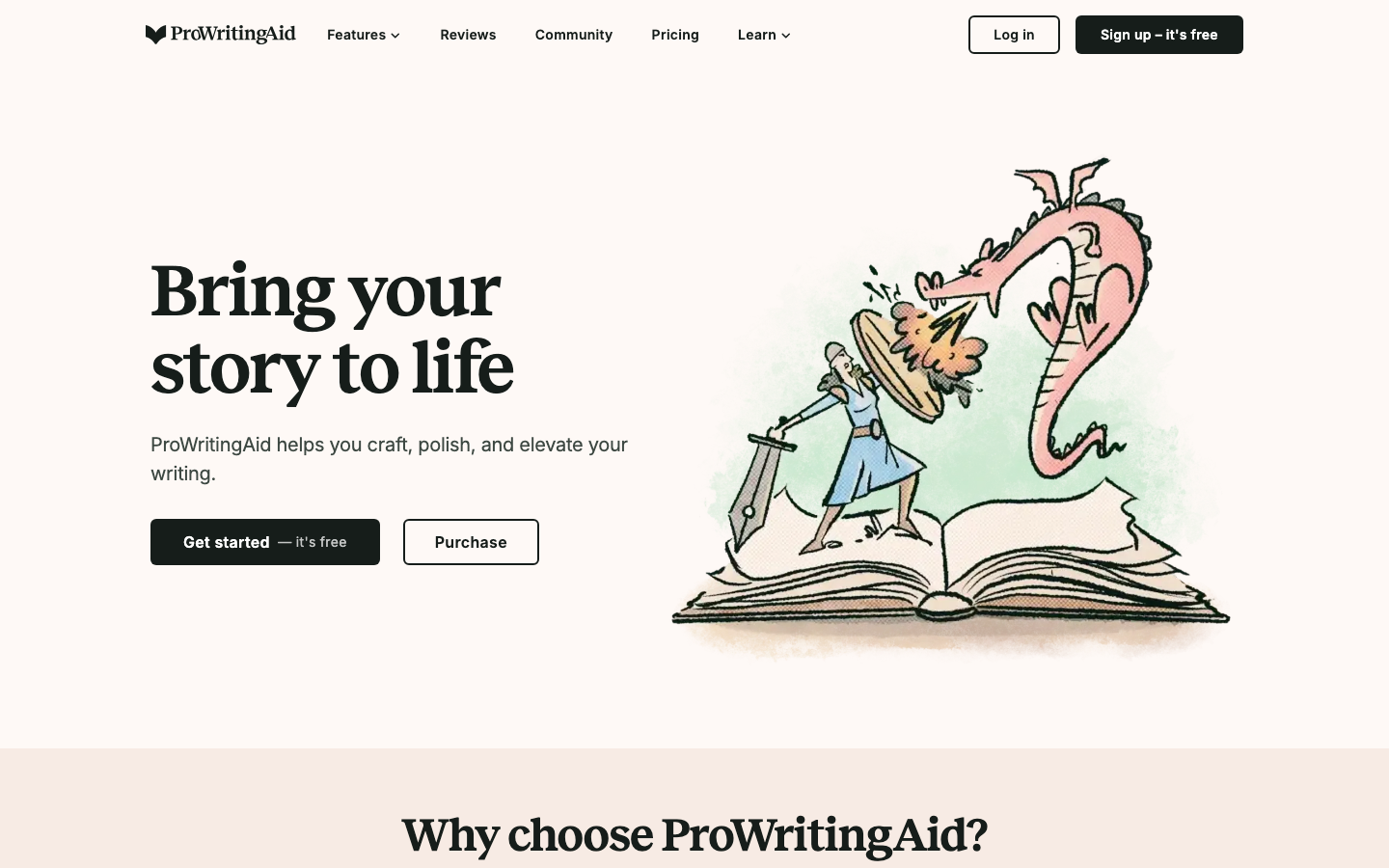
The tool generates over 20 writing reports covering sentence length variation, overused words, pacing, dialogue tags, and consistency. Its integration with Scrivener makes it one of the few writing tools that fits into a professional long-form writing workflow. The plagiarism checker is included in premium rather than gated behind a higher tier as it is with some competitors.
Key features:
- 20+ writing analysis reports including style, pacing, and readability
- Integration with Scrivener, Microsoft Word, Google Docs, and Chrome
- Real-time grammar and style checking
- Genre-specific suggestions for fiction, academic, and business writing
- Plagiarism checker included in premium
Pricing: Free plan (500-word limit per check); Premium at approximately €120/year (annual, about €10/month) or €399 (lifetime option occasionally available). See current pricing at prowritingaid.com.
Pros: Deepest writing analysis on this list; Scrivener integration is unique among alternatives; plagiarism checker is included Cons: Interface is less polished than Grammarly; browser extension less seamless; can feel overwhelming for casual writers
Best for: Novelists, bloggers, academic writers, and long-form content creators who want more than grammar checking Not for: Users who need lightweight, always-on browser checking without setup
Verdict: If you write anything over 1,000 words regularly, ProWritingAid is worth the investment. The gap between its €120/year price and Grammarly's $144/year is hard to ignore when the analysis depth is this much greater.
ContentForce runs a live SERP analysis, writes the full article or refreshes an existing post and syncs it to WordPress. You approve every change in a diff first. From €49/month, 7-day free trial.
Paragraph Rewriter: three versions side by side, every factual claim preserved. Free, no signup.
2. LanguageTool - Best Free Grammarly Alternative
LanguageTool is the strongest genuinely usable free alternative to Grammarly. Its free plan works across the browser, desktop apps, and Google Docs without a word cap, which already puts it ahead of Grammarly's current free tier. The free LanguageTool browser extension handles everyday grammar at a level comparable to what Grammarly offered on its free plan a few years ago.
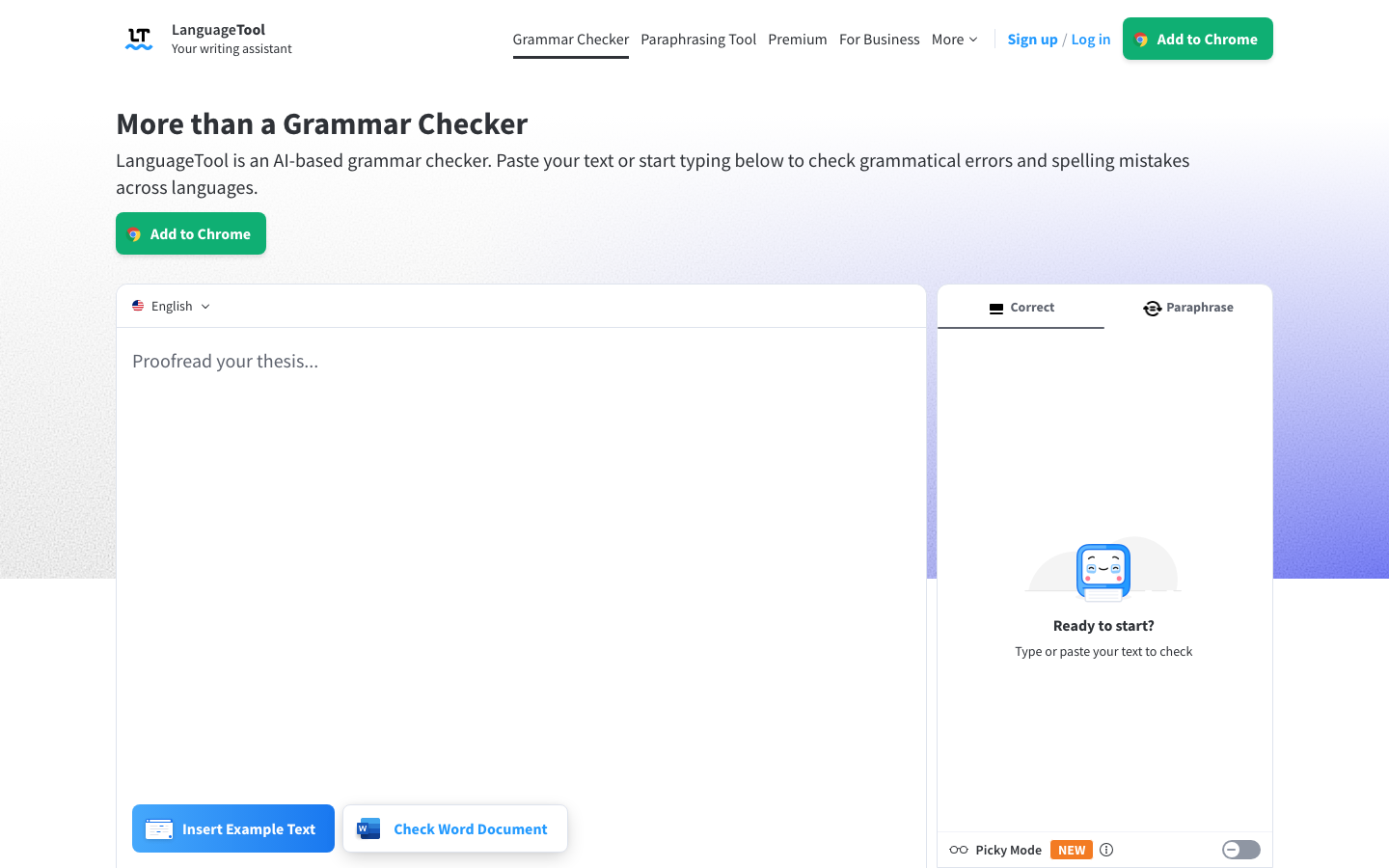
It supports 30+ languages, making it the default recommendation for non-native English writers or anyone who switches between languages regularly. Unlike Grammarly, LanguageTool allows per-document language switching on its desktop app, which is useful for bilingual writers. An enterprise self-hosted option is available for users with privacy requirements around text processing.
Key features:
- Grammar and style checking in 30+ languages
- Browser extensions for Chrome, Firefox, Safari, and Edge
- Microsoft Office and Google Docs add-ins
- Desktop app for Mac and Windows with offline functionality
- Privacy-respecting self-hosted option for enterprise users
Pricing: Free (no word cap, browser + Office integration); Premium at approximately $60/year for extended style rules and additional language support. See current pricing at languagetool.org.
Pros: Best free plan of any tool on this list; genuinely multilingual with per-document language switching; offline mode available; strong privacy options Cons: Premium style suggestions are thinner than Grammarly's at the same price point; fewer AI rewriting features than competitors
Best for: Non-native English writers, multilingual users, budget-constrained users, and anyone who wants the best free grammar checker available Not for: Users who need deep AI rewriting or long-form style analysis reports
Verdict: LanguageTool is the first tool anyone should try when leaving Grammarly's free plan. LanguageTool's free plan is strong enough that many users will not need to upgrade.
3. Hemingway Editor - Best for Readable, Direct Prose
Hemingway Editor does one thing and does it well: it tells you when your writing is too complex. The tool highlights passive voice, adverbs, hard-to-read sentences, and very hard-to-read sentences using color-coded feedback. It does not suggest rewrites the way Grammarly does.
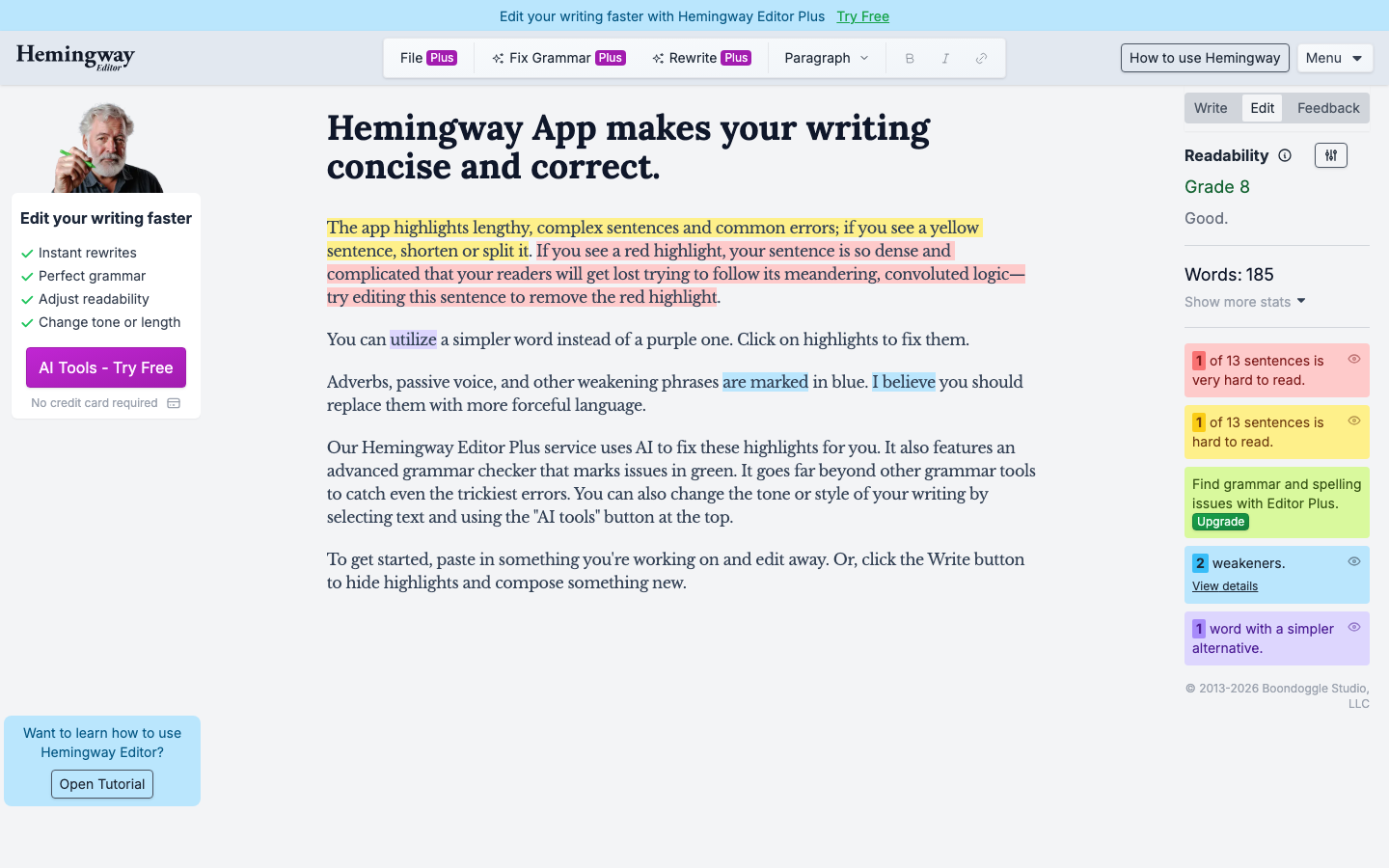
The web version at hemingwayapp.com is completely free with no account required. The Hemingway Editor desktop app is a one-time purchase that adds offline use, direct WordPress and Medium publishing, and HTML and Markdown export. There is no subscription.
Key features:
- Color-coded readability feedback (passive voice, adverbs, sentence complexity levels)
- Flesch-Kincaid reading grade level score
- Word count, reading time, and sentence variation indicators
- Direct WordPress publishing (desktop app)
- One-time purchase, no subscription
Pricing: Free at hemingwayapp.com (web version, no account required); $19.99 one-time payment for the desktop app (Mac and Windows).
Pros: Zero ongoing cost; changes your relationship with sentence complexity; no account required for the web version; one-time desktop price Cons: Does not check grammar or spelling; no browser extension; most useful during editing, not real-time writing
Best for: Journalists, bloggers, and business writers who want tighter, more direct prose Not for: Users who primarily need grammar and spell checking
Verdict: The Hemingway Editor free web version has no reason not to be part of every writer's toolkit. Use it as a final pass for readability after writing in another tool.
4. QuillBot - Best for Paraphrasing and ESL Writers
QuillBot started as a paraphrasing tool and has grown into a full writing suite. Its grammar checker is solid, but its real strength is rewriting existing text using multiple AI modes: Standard, Fluency, Formal, Creative, Simple, Expand, and Shorten. For ESL writers who know what they want to say but struggle with phrasing, the Fluency mode in particular produces natural-sounding English from awkward drafts.
The free plan allows paraphrasing up to 125 words and includes the grammar checker. Premium removes the word limit and unlocks all modes. QuillBot's Summarizer tool works well for condensing long research sources.
Key features:
- 8 AI paraphrasing modes (Standard, Fluency, Formal, Creative, Simple, Expand, Shorten, Custom)
- Grammar checker included
- Summarizer for research and long documents
- Built-in translator
- Browser extension and Google Docs integration
Pricing: Free (125-word paraphrase limit, limited modes); Premium at approximately $100/year for unlimited words and all modes.
Pros: Best paraphrasing tool on this list; Fluency mode is uniquely useful for ESL writers; Summarizer is strong; generous free tier for testing Cons: Free tier word limit is restrictive; not designed for generating original long-form content; grammar checker less detailed than ProWritingAid
Best for: ESL writers, students, researchers, and anyone rewriting or rephrasing existing text Not for: Writers creating original long-form content from scratch
Verdict: If you write in English as a second language, QuillBot's Fluency mode is the single most useful tool on this list. No other alternative targets ESL fluency issues this directly.
5. Wordtune - Best for AI-Powered Rewriting
Wordtune focuses on helping you rewrite sentences to sound more natural, more formal, or more concise. It is less of a grammar checker and more of a writing collaborator that offers alternative phrasings for sentences you have already written.
The free plan includes 10 rewrites per day, which works for light users. Premium removes that cap and adds a Summarizer, AI text continuation, and article and book summaries.
Key features:
- AI sentence rewriting with tone and length controls (Casual, Formal, Shorter, Longer)
- Summarizer for articles and documents
- Browser extension with inline suggestions
- Google Docs integration
- AI writing continuation
Pricing: Free (10 rewrites/day); Unlimited plan at $6.99/month billed annually (about $84/year) for unlimited rewrites and full features. See current pricing at wordtune.com.
Pros: Inline rewrites feel natural and useful for editing; tone controls are practical for business writing; Summarizer works well Cons: One of the more expensive annual plans on this list; not a grammar checker; free tier is too limited for serious use
Best for: Business professionals editing emails and reports, marketing copywriters, and anyone who wants sentence-level AI feedback Not for: Users who primarily need grammar checking or comprehensive style analysis
Verdict: Wordtune's tone controls make it most useful for business communication. At about $84/year, it is one of the pricier tools here and the case for it over Grammarly is only clear if AI rewriting is your primary need.
6. DeepL Write - Best for Multilingual Business Writing
DeepL Write comes from the company behind DeepL Translator, one of the most respected machine translation tools available. It focuses on improving grammar, clarity, and style, with particular strength for non-native speakers who need text to read like it was written natively in English or another target language.
The tool integrates with DeepL Translator, so you can write in one language, refine it, and translate it within the same workflow. For international teams, this is genuinely useful. Supported languages include English, German, French, Spanish, Portuguese, Italian, Dutch, and Polish.
Key features:
- Grammar and style improvement with native-level phrasing suggestions
- Integration with DeepL Translator for cross-language workflows
- Supports English, German, French, Spanish, Portuguese, Italian, Dutch, and Polish
- Business tone optimization
- Browser extension
Pricing: Free (limited); Pro starting at approximately $90/year.
Pros: Exceptional quality for multilingual business users; native-language-quality phrasing for non-native speakers; trusted brand with DeepL's translation reputation Cons: Fewer languages than LanguageTool's 30+; limited creative writing support; not a full grammar checker
Best for: International business users, non-native English writers, and multilingual content teams Not for: Fiction writers, readability-focused writers, or users who only write in English
Verdict: For business users writing in English as a second language, DeepL Write and LanguageTool are the two strongest options. DeepL Write wins on output quality; LanguageTool wins on language breadth and the free plan.
7. Ginger - Best for Grammar on a Budget
Ginger is a long-standing grammar checker that covers the basics without the premium pricing of Grammarly. It includes a read-aloud feature that lets you hear your text, which helps catch errors your eyes miss. A translation function supports over 60 languages. The mobile keyboard app for iOS and Android makes it one of the few tools on this list useful for on-the-go writing.
Key features:
- Grammar and spell checking
- Sentence rephrasing suggestions
- Text-to-speech read-aloud
- Translation support (60+ languages)
- Mobile keyboard app for iOS and Android
Pricing: Free (limited); Premium at approximately $60/year for unlimited checking and rephrasing.
Pros: Read-aloud feature is genuinely useful for catching errors; mobile keyboard covers a use case other tools don't; lower price than Grammarly Cons: Less accurate than top-tier tools on this list; fewer features than ProWritingAid or LanguageTool; slower feature updates
Best for: Casual writers, students, and mobile-first users who want grammar checking without a Grammarly-level subscription Not for: Professional writers who need deep style analysis or seamless desktop software integration
Verdict: Ginger is the practical choice for mobile writers or casual users who want basic grammar help at a lower cost. For anything beyond basics, LanguageTool's free plan offers better accuracy.
8. Writer - Best for Teams and Brand Consistency
Writer is built for content teams rather than individual writers. It functions as a grammar checker combined with a brand style guide enforcer, letting companies define preferred terminology, voice, and style rules, then flagging deviations across everyone who uses the tool.
For individuals, Writer's free solo plan provides basic grammar checking. For teams, it scales into a company-wide writing standard tool with workflow integrations including Figma, Contentful, Slack, Chrome, and major CMS platforms.
Key features:
- Grammar and style checking with customizable brand guidelines
- Team-wide style guide enforcement
- Terminology management across multiple writers
- Integrations with Figma, Contentful, Slack, and Chrome
- API access for custom content workflows
Pricing: Free solo plan; Team plans starting at $18 per user per month.
Pros: Only team-oriented writing tool on this list; brand guideline enforcement works well for agencies and content teams; strong integration ecosystem Cons: Expensive for team use; overkill for individual writers; free solo plan basic compared to LanguageTool
Best for: Content teams, marketing agencies, and companies that need consistent brand voice across multiple writers Not for: Individual casual writers who do not work in a team context
Verdict: If you manage a content team and Grammarly's team plans feel overpriced or under-featured for brand governance, Writer is the most purpose-built alternative available.
Should You Stay on Grammarly?
For most individual writers, Grammarly Premium is no longer the obvious default it once was. But it still wins on a few dimensions.
Grammarly's browser extension works more reliably across more websites and web apps than any alternative. The plagiarism checker is more integrated and easier to use than most competitors. The tone detector on Premium is the most sophisticated available. And the overall polish of the interface remains higher than most tools on this list.
Where Grammarly falls short is value for specific use cases. Long-form writers get significantly more from ProWritingAid at less than a quarter of the price. Users who primarily need a free tool with no word cap get more from LanguageTool's free plan. Multilingual users get more from DeepL Write or LanguageTool. And users who want AI sentence rewriting get more focused capability from Wordtune or QuillBot.
Stay on Grammarly if: You write short-form content across many websites, you need a built-in plagiarism checker in your daily workflow, or you value a single polished tool over assembling a stack.
Switch if: You write long-form content, you are price-sensitive, you write in multiple languages, you want AI sentence rewriting rather than grammar correction, or you work in a team that needs style guide enforcement.
How to Choose the Right Grammarly Alternative
The right tool depends on what you actually write and how you write it.
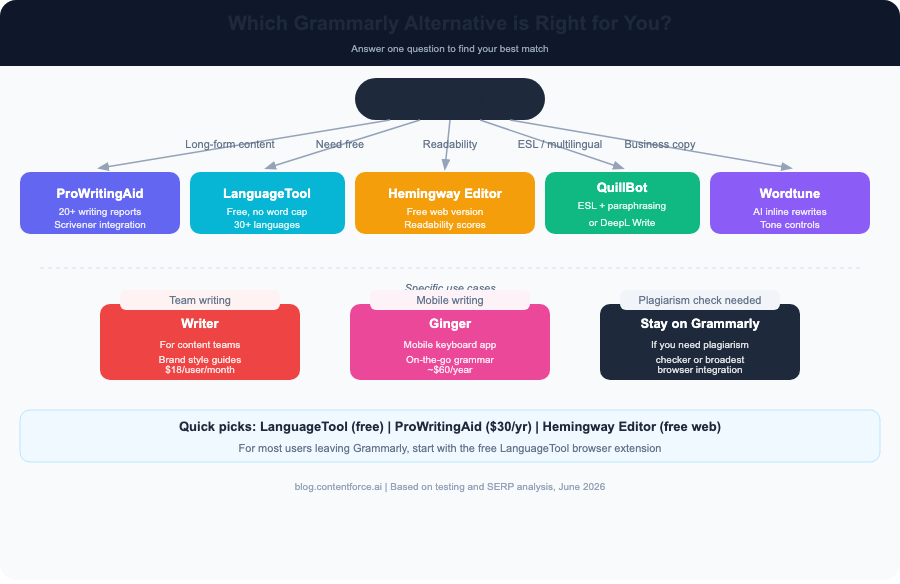
- "I write novels, articles, or long-form content" - ProWritingAid. Its depth of analysis for anything over 1,000 words is unmatched.
- "I need free" - LanguageTool. LanguageTool's free plan has no word cap and works in your browser and in Office.
- "I want clearer, simpler sentences" - Hemingway Editor. Use Hemingway free at hemingwayapp.com for readability, then LanguageTool for grammar.
- "I am not a native English speaker" - QuillBot (for paraphrasing into natural English) or DeepL Write (for business-quality native-level output).
- "I write business emails and marketing copy" - Wordtune. Inline AI rewrites for tone and length are what you need.
- "I work in a content team" - Writer. The only tool here built for multi-writer brand consistency.
- "I mostly write on my phone" - Ginger. Its mobile keyboard covers a use case no other tool here addresses.
For most individuals who want a free Grammarly replacement that works everywhere, LanguageTool is the right starting point. For writers who want to go deeper on their craft, ProWritingAid is worth every euro of its €120/year price.
FAQ
Is there a better free alternative to Grammarly? Yes. The free LanguageTool alternative has no word cap and works across browsers and Microsoft Office. Its free tier is more useful than Grammarly's current free plan. See languagetool.org for the free plan details.
Is ProWritingAid better than Grammarly? For long-form writing, yes. ProWritingAid provides 20+ analysis reports on style, structure, and readability that Grammarly does not offer. For quick grammar checking across many websites, Grammarly's browser extension is still more seamless.
What does Grammarly do that most alternatives don't? Grammarly's plagiarism checker and the breadth of its browser extension across 500,000+ apps are still ahead of most alternatives. Its tone detector is also more sophisticated than free alternatives offer.
Is Hemingway Editor free? The Hemingway Editor web version at hemingwayapp.com is completely free with no account required. The Hemingway desktop app costs $19.99 as a one-time purchase with no subscription.
Can I use multiple writing tools together? Yes. Many writers combine tools: Hemingway Editor for readability, LanguageTool for grammar, and QuillBot or Wordtune for rewriting. This approach costs less than Grammarly Premium and provides more capability overall.
Which Grammarly alternative is best for ESL writers? QuillBot is the top choice for ESL writers because its Fluency paraphrasing mode helps rephrase drafts into natural-sounding English. LanguageTool is the second option, particularly for writers who also need grammar checking in their native language.