
Tool list · 10 tools
The Best AI Workflow Tools in 2026 (Tested and Compared)

Zapier is the best AI workflow tool for non-technical teams that need broad app coverage, while n8n suits developers who want full control and self-hosting, and Gumloop leads for AI-native reasoning inside each workflow step. The list ranks ten tools on setup ease, AI integration depth, integration breadth, pricing, and reliability.
Quick overview: If you want the short answer before diving in: Zapier is the best choice for non-technical teams that need broad app coverage; n8n is the best pick for developers who want full control and self-hosting; Gumloop is the strongest AI-native option that puts LLM reasoning inside each workflow step. Keep reading for the full breakdown.
What Are AI Workflow Tools?
AI workflow tools are platforms that connect your apps, data sources, and AI models so you can automate multi-step tasks without switching between tools manually. Instead of copying data from a form submission into a CRM, sending a Slack message, and drafting a follow-up email yourself, an AI workflow tool handles the entire chain automatically.
The difference between today's tools and the rule-based automation of five years ago is significant. Early automation tools like IFTTT followed rigid "if X then Y" logic. Modern AI workflow tools add LLM reasoning at one or more steps in the chain, which means the automation can read text, make decisions, write content, and adapt to context rather than just moving data from A to B.
Rule-Based vs. AI-Native Workflow Automation
Understanding this distinction is the most important thing before choosing a tool:
Rule-based automation (Zapier, Make, Power Automate) connects apps through triggers and actions. When a new row appears in a Google Sheet, send an email. When a form is submitted, create a task in Asana. These tools are fast, reliable, and battle-tested. They do not understand the content they're moving.
AI-native automation (Gumloop, Relay.app, Lindy AI) puts an LLM at one or more steps in the workflow. The tool can read a customer email, decide whether it needs escalation, draft a personalized response, and route it to the right team member. The automation reasons about the content, not just the structure.
Most tools in 2026 sit somewhere between these poles. n8n, for example, is a developer-first rule-based platform that added strong AI agent capabilities. Make recently expanded its AI step library. The clearest rule-based vs. AI-native split is between Zapier (rule-based) and Gumloop (AI-native).
Types of AI Workflow Tools
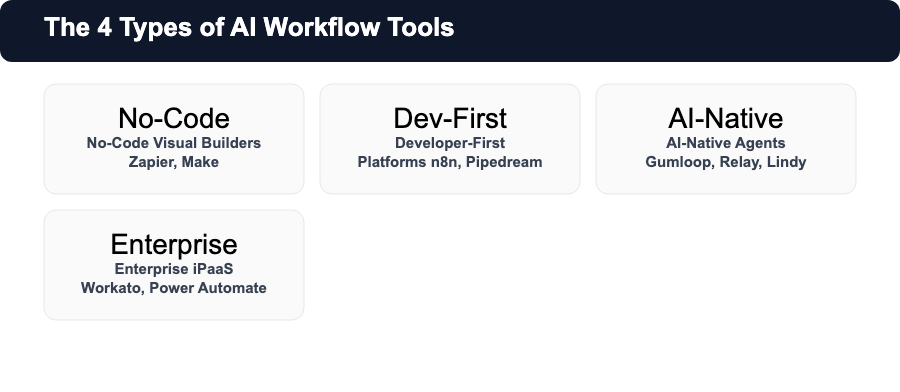
The market has consolidated around four categories:
- No-code visual builders (Zapier, Make): Drag-and-drop interface, no technical skills required, best for connecting popular SaaS apps
- Developer-first platforms (n8n, Pipedream): Code when you need it, UI when you do not, best for technical teams that need flexibility
- AI-native agents (Gumloop, Relay.app, Lindy AI): Built around LLM reasoning at each step, best for content, support, and knowledge work
- Enterprise iPaaS (Workato, Power Automate): Enterprise-grade security, compliance, and governance, best for large organizations
What Makes a Good AI Workflow Tool?
Before comparing individual tools, here are the six criteria we used to evaluate everything on this list:
- Ease of setup: Can a non-developer build a working automation in under an hour? Trigger-action builders (Zapier, Make) pass this test; code-first platforms (Pipedream) require more setup time.
- AI/LLM integration quality: How deeply is AI woven into the workflow? Does it feel like a bolt-on "send to ChatGPT" step, or is reasoning genuinely embedded?
- Integration depth: How many apps does it connect to natively? More integrations means less custom code for common tools.
- Pricing transparency: Is there a real free tier, or is the free plan so limited it barely counts? Can you predict your monthly bill?
- Reliability and error handling: What happens when a step fails? Good tools surface errors clearly and let you retry individual steps.
- Use-case fit: Is the tool designed for personal productivity, small teams, or enterprise-scale operations? Using an enterprise platform for a two-person startup is overkill in both cost and complexity.
Outline, title, intro, conclusion, FAQ, rewriter and summarizer, each on its own page. No signup.
The 10 Best AI Workflow Tools in 2026
1. Zapier: Best No-Code Automation for Wide Integration Needs
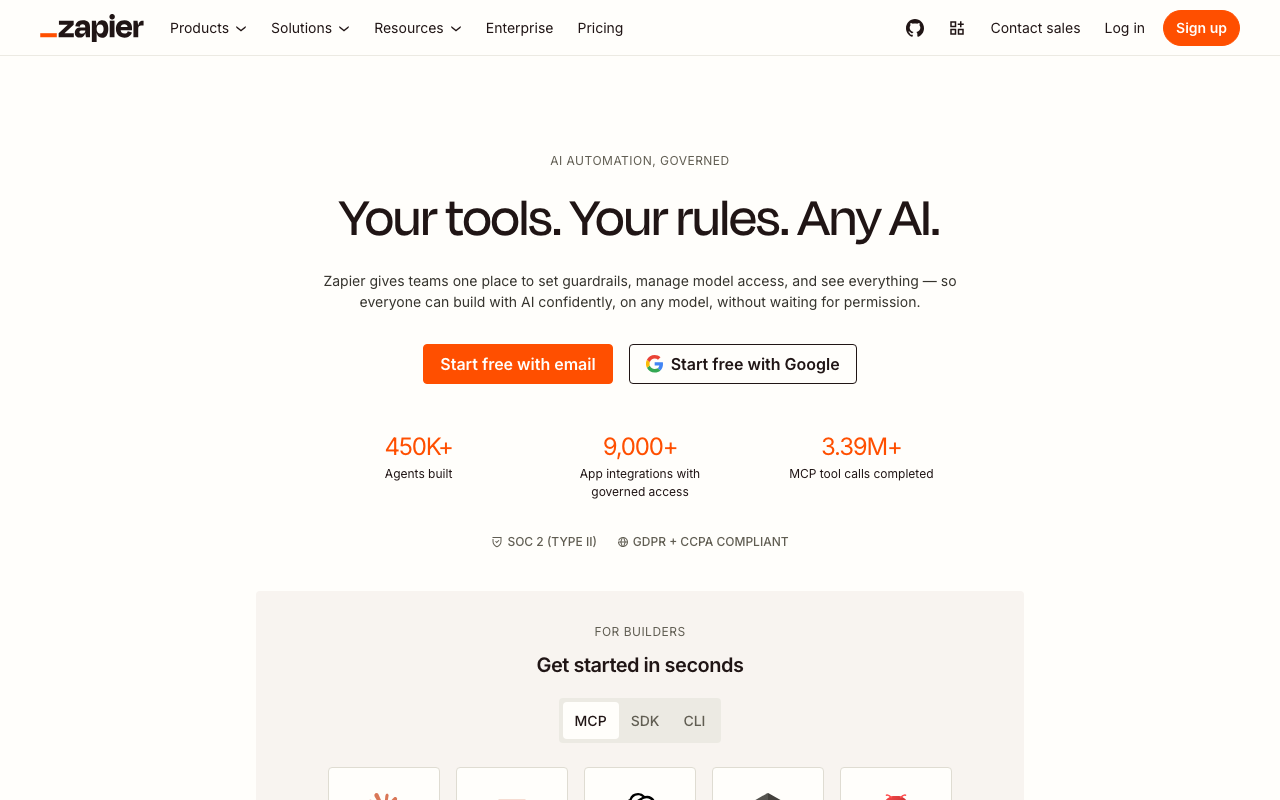
Zapier remains the most widely used automation platform in 2026, and for good reason. With connections to more than 9,000 apps, it covers virtually every SaaS tool a business uses. If you need to connect two popular tools without writing a line of code, Zapier almost certainly supports both.
The platform follows a trigger-action model called "Zaps." A trigger event in one app (new email, new spreadsheet row, new form submission) fires one or more actions in other apps. Zapier has added AI steps via its AI by Zapier integration, which lets you include GPT or Claude calls inside a Zap, but AI is an add-on to the rule-based engine, not native to the platform.
Zapier Tables and Zapier Interfaces (included in paid plans) let you build simple databases and front-ends alongside your automations, which reduces the need for external tools.
Where Zapier excels: Breadth. If you need to connect a combination of apps that no other tool covers natively, Zapier is the safest bet. The 9,000+ app ecosystem also means that new SaaS products add Zapier integrations as standard.
Zapier Pricing
- Free: 100 tasks per month, single-step Zaps only
- Starter: ~$20/month, 750 tasks, multi-step Zaps
- Professional: ~$50/month, 2,000 tasks, unlimited Zaps
- Team and Company: Custom pricing with team collaboration features
Best For
Non-technical teams, marketers, and small businesses that use a wide stack of SaaS tools and want to connect them without writing code. Not the best pick if you need heavy AI reasoning or developer-grade flexibility.
Pros and Cons
Pros:
- Largest app ecosystem (9,000+)
- Very easy to learn; strong documentation
- Reliable and battle-tested for rule-based automation
- AI step library expanding steadily
Cons:
- Task-based pricing gets expensive at scale
- Free plan is limited (100 tasks/month)
- AI integration feels added-on rather than native
- No self-hosting option
2. n8n: Best Developer-First Workflow Automation
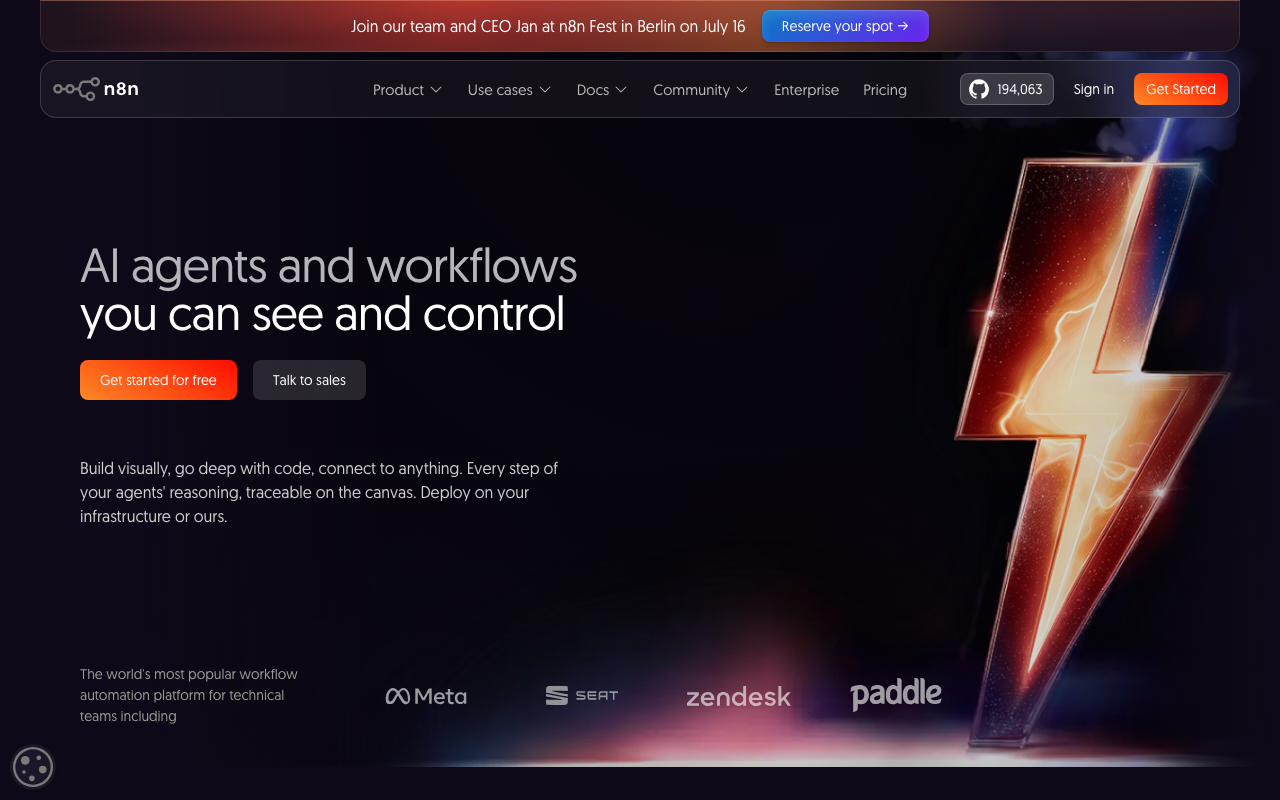
n8n is the tool serious technical teams choose when they need more control than Zapier can offer. It combines a visual workflow builder with the ability to write JavaScript or Python at any step, which means you get a no-code canvas for simple steps and full code access for anything complex. It also connects to more than 700 apps natively and supports self-hosting on your own infrastructure.
The self-hosting option is the biggest differentiator. Organizations that cannot send data through third-party cloud services: legal firms, healthcare companies, and financial institutions can run n8n on their own servers. Even without self-hosting, n8n's cloud plan is competitively priced.
n8n has built strong AI agent capabilities on top of its core engine. You can build multi-step AI agents that call LLMs, search vector stores, query databases, and make decisions based on outputs. The canvas shows the full reasoning trace of every agent run, which makes debugging far easier than black-box AI tools.
The platform has more than 190,000 GitHub stars, which is the strongest community signal in the automation space, and a G2 rating above 4.5 out of 5.
n8n Pricing
- Free cloud: 2,500 executions per month, unlimited workflows and users
- Starter: ~$20/month, 5,000 executions, plus RBAC and logging
- Pro: ~$50/month, 10,000 executions, external storage and execution data
- Enterprise: Custom, adds SSO, audit logs, and dedicated support
- Self-hosted: Free (Community Edition) or Enterprise license for advanced features
Best For
Developers, technical teams, and data-driven organizations that need workflow automation with full code access, self-hosting options, and strong AI agent capabilities. Not the best pick for non-technical users who want a purely drag-and-drop experience.
Pros and Cons
Pros:
- Full code access (JavaScript, Python) at any step
- Self-hosting available on Community Edition (free)
- 700+ native integrations
- Strong AI agent framework with tracing
- Most generous free tier by execution count
Cons:
- Steeper learning curve than Zapier or Make
- UI can feel complex for simple use cases
- Community Edition requires server setup and maintenance
3. Make (formerly Integromat): Best Visual Builder on a Budget
Make is the best choice when you want visual, no-code automation at the lowest price point. Its Core plan starts at $9 per month and includes access to more than 3,000 app integrations, a powerful visual debugger, and multi-branch routing that lets a single trigger flow down different paths depending on conditions.
The visual canvas makes it easy to see exactly what each workflow does. Branches, filters, and error handlers are visible as separate paths on the canvas rather than buried in settings menus. When a workflow fails, the debugger shows you exactly which step broke and what data it received, which reduces troubleshooting time considerably.
Make added an AI step library in 2024 and has expanded it since. AI steps let you call OpenAI, Anthropic, or other LLM providers from inside a scenario, which covers most common AI automation needs. It is not as deeply AI-native as Gumloop, but it handles the majority of cases at a fraction of the cost.
Make Pricing
- Free: 1,000 operations per month, 2 active scenarios
- Core: $9/month, 10,000 operations, unlimited scenarios
- Pro: $16/month, 10,000 operations, plus custom variables and priority execution
- Teams: $29/month per member, team collaboration
- Enterprise: Custom pricing
Best For
Small businesses and solo operators who want no-code automation with more flexibility than Zapier's free tier at a lower price than Zapier's paid plans. Also good for teams that need visual workflow debugging.
Pros and Cons
Pros:
- Lowest starting price for a full-featured no-code builder
- Strong visual debugger
- 3,000+ app integrations
- Multi-branch routing built into the canvas
Cons:
- Operation-based pricing can be unpredictable for high-volume workflows
- AI integration is add-on, not native
- Smaller app ecosystem than Zapier (3,000 vs. 9,000+)
4. Gumloop: Best AI-Native Workflow Builder
Gumloop is designed from the ground up for AI-first automation. Rather than treating AI as an optional step inside a rule-based flow, Gumloop puts LLM reasoning at the center of every workflow. Each node in a Gumloop automation can receive, process, and produce AI-generated content, which makes it the best option for tasks that require reading, writing, classifying, or reasoning about text.
The key differentiator is how Gumloop handles AI API costs. On the Pro plan, Gumloop provides its own API access, which means you do not need to connect your own OpenAI or Anthropic keys to start using AI steps. This reduces setup friction significantly for teams that want AI capabilities without managing multiple vendor accounts.
Gumloop also supports MCP (Model Context Protocol) server hosting, which lets you build AI agents that connect to external tools and data sources using the standardized MCP interface. This positions it well for teams building more complex AI pipelines that need to pull live data into agent decisions.
The tool is newer than Zapier or n8n and has a smaller integration library, but for workflows where AI reasoning is the primary requirement, it competes with or exceeds anything else on this list.
Gumloop Pricing
- Free: 5,000 credits per month, unlimited flows and agents
- Pro: $37/month, expanded credits, built-in API access (no external keys required)
- Enterprise: Custom pricing
Best For
Teams and creators who want AI-native workflow automation: content repurposing, AI research pipelines, automated writing tasks, and any workflow where the primary value is LLM reasoning rather than simple app connectivity.
Pros and Cons
Pros:
- AI reasoning built into every workflow step
- Built-in API access on Pro (no external LLM keys)
- MCP server hosting for advanced AI agents
- Generous free tier (5,000 credits/month)
Cons:
- Smaller integration library than Zapier or Make
- Newer platform with less documentation and community support
- Not the best pick for simple rule-based connectivity without AI steps
5. Relay.app: Best for Human-in-the-Loop AI Workflows
Relay.app solves a problem that most automation tools ignore: sometimes a human needs to review, approve, or modify an AI output before it goes further. Relay builds human approval steps directly into the workflow canvas, making it the best tool for cases where full automation is not yet appropriate or where compliance requires human sign-off.
A typical Relay workflow might look like this: an AI step reads an incoming support ticket, drafts a response, and then pauses the workflow for a human to approve or edit the draft before it is sent. This pattern is extremely useful for customer-facing content where a bad AI output would be visible to customers.
Relay also added native MCP server support in 2025, which lets it connect to any MCP-compatible AI tool and data source. With more than 200 built-in connectors and a clean interface that non-developers can navigate, it sits between the pure no-code tools (Zapier) and the AI-native builders (Gumloop).
Relay.app Pricing
- Free: 200 steps per month, 500 AI credits
- Professional: $19/month (annual billing), unlimited runs and AI credits
- Team: From $50/month, collaboration and admin features
- Enterprise: Custom pricing
Best For
Teams that want AI automation but need human review steps built into the flow: content approval, customer communication drafts, and compliance-sensitive tasks. Also good for teams adopting AI workflows gradually.
Pros and Cons
Pros:
- Human-in-the-loop steps built natively into the workflow
- Clean interface accessible to non-developers
- MCP server support for advanced AI connectivity
- Affordable Professional plan
Cons:
- Smaller integration library than Zapier or Make
- Free tier is limited (200 steps/month)
- Less suitable for fully automated high-volume pipelines
6. Pipedream: Best for Developers Who Want Speed and Code Control
Pipedream is an event-driven automation platform built for developers. It combines a visual trigger-action interface with the ability to run custom Node.js, Python, Go, or Bash code at any step. The result is a tool that handles both simple integrations and complex custom logic without forcing you to choose between them.
The platform provides more than 600 pre-built app connections and a growing library of published components that the developer community maintains. For more complex or custom tasks, you write a code step directly in the browser, which executes on Pipedream's infrastructure without any server setup.
Pipedream's free tier is generous: it includes 10,000 credits per month for event processing plus 3 active workflows, which covers a lot of development and testing use. The platform's latency is also lower than many competitors, which matters for real-time integrations like webhooks and API pipelines.
Pipedream Pricing
- Free: 10,000 credits/month, 3 active workflows
- Basic: ~$29/month, unlimited workflows, 100,000 credits
- Advanced: ~$89/month, higher credit limits and priority support
- Business: Custom pricing for enterprise needs
Best For
Developers who want code-first workflow automation with a visual builder for simple steps and full language support for complex tasks. Also good for real-time event-driven use cases like webhook processing.
Pros and Cons
Pros:
- Full language support (Node.js, Python, Go, Bash)
- 600+ pre-built app connections
- Low-latency event handling for real-time use cases
- Strong free tier for developers
Cons:
- Not suitable for non-technical users
- Fewer native app integrations than Zapier or Make
- Debugging complex workflows requires developer experience
7. Microsoft Power Automate: Best for Microsoft 365 Teams
Power Automate is the automation platform that Microsoft 365 subscribers already have access to, and for organizations deeply embedded in the Microsoft ecosystem, it is the most practical choice. It connects natively to Teams, SharePoint, Outlook, Excel, Dynamics, and hundreds of other Microsoft and third-party services, with Copilot AI capabilities built in as of 2024.
The platform distinguishes between cloud flows (app-to-app automation similar to Zapier), desktop flows (automating local Windows applications through robotic process automation), and process mining features for enterprise operations. This breadth makes it one of the most capable enterprise automation platforms available.
The per-user pricing model means costs scale with team size rather than workflow volume, which is favorable for organizations running many complex workflows. Most Microsoft 365 Business plans include a limited version of Power Automate, with the Premium tier adding access to premium connectors and higher execution limits.
Power Automate Pricing
- Included with M365: Basic flows with standard connectors
- Premium: ~$15/user/month, premium connectors, unlimited flows, RPA
- Process Mining: Add-on for enterprise process discovery
Best For
Organizations already using Microsoft 365 who want automation that integrates deeply with Teams, SharePoint, and Outlook. Also strong for enterprises that need RPA (robotic process automation) for desktop and legacy application workflows.
Pros and Cons
Pros:
- Deep Microsoft 365 integration
- Copilot AI capabilities built in
- Includes RPA (desktop flow automation)
- Already included in many Microsoft 365 plans
Cons:
- Interface is less intuitive than Zapier or Make
- Premium connectors require higher-tier subscription
- Best value only if you are already in the Microsoft ecosystem
- Can be overkill for small teams
8. Lindy AI: Best for Building AI Assistants and Personal Workflows
Lindy AI takes a different approach than most tools on this list. Rather than providing a general-purpose automation canvas, Lindy is designed to create AI assistants: personal agents that handle email management, meeting preparation, calendar scheduling, customer support responses, and similar knowledge-work tasks.
The setup is conversational: you describe what you want your "Lindy" to do, and the platform builds the workflow. More advanced users can edit the workflow steps directly, but the primary interface is natural language rather than a visual canvas.
A standout feature on higher plans is computer use: Lindy agents can take actions on websites and desktop applications as if a human were clicking and typing. This means you can automate tasks that do not have an API: scraping data from a website, filling in a web form, or navigating a legacy application.
Lindy AI Pricing
- Free: 7-day trial with full features
- Plus: ~$50/month, 5,000 Lindy credits, core automations
- Pro: ~$150/month, unlimited credits, computer use, priority support
- Enterprise: Custom pricing
Best For
Knowledge workers, founders, and small teams who want an AI assistant that handles personal workflows, from inbox management and meeting prep to customer support drafts, without needing to build traditional automation flows.
Pros and Cons
Pros:
- Conversational setup, accessible to non-technical users
- Computer use feature for automating tasks without APIs
- Strong email, calendar, and meeting integration
- Feels like an AI coworker more than a workflow builder
Cons:
- Not designed for high-volume business process automation
- Credit model can be limiting at lower tiers
- Less flexible than general-purpose builders for complex multi-app workflows
9. Workato: Best Enterprise Automation Platform
Workato is an enterprise integration and automation platform designed for organizations that need IT-grade security, compliance, and scalability alongside business-user-friendly tooling. It bridges the gap between IT and business teams with a no-code builder that non-technical users can operate while maintaining the governance controls that enterprise IT departments require.
The platform is used by thousands of enterprise customers for ERP integration, CRM automation, HR onboarding workflows, and cross-department process automation at scale. Workato includes AI features through its AI@Work product, which adds LLM-powered steps to workflows, and integrates with major AI platforms including OpenAI, Cohere, and AWS Bedrock.
Pricing is custom and requires a conversation with their sales team. It is significantly more expensive than the SMB-focused tools on this list, but for enterprises running hundreds of critical automations across dozens of systems, the governance and support features justify the cost.
Workato Pricing
- Free trial: Available on request
- Paid plans: Custom pricing, typically starts in the thousands per month for enterprise contracts
- Contact sales: Required for pricing
Best For
Large organizations and enterprises that need IT-governed automation at scale with compliance, audit trails, and multi-department collaboration. Not appropriate for small businesses or teams on a tight budget.
Pros and Cons
Pros:
- Enterprise-grade security, RBAC, and audit trails
- AI@Work integrates LLM steps into enterprise workflows
- Strong IT and business user collaboration model
- Deep ERP and CRM integration support
Cons:
- Expensive (custom enterprise pricing, not SMB-accessible)
- Overkill for small teams or simple use cases
- Requires sales engagement to get started
10. StackAI: Best AI Pipeline Builder Without Code
StackAI is the most AI-native tool on this list in terms of modality support. Where most AI workflow tools focus on text, StackAI supports multi-format AI agents that can process text, images, audio, and video within the same workflow. This makes it particularly useful for media and content production workflows where different asset types need to be processed together.
The platform provides a visual AI pipeline builder where you connect LLM steps, data retrievers, vector stores, form inputs, and output blocks without writing code. It is aimed at technical users who want to build AI products and automations without managing model hosting, and at enterprise teams that need AI automation in a controlled, compliance-friendly environment.
The free tier (500 runs per month) is useful for testing, but serious production use typically requires the enterprise plan with VPC deployment options.
StackAI Pricing
- Free: 500 runs per month, access to most features
- Enterprise: Custom pricing, VPC deployment, on-premises options
Best For
Technical teams and AI product builders who need to work with multiple data formats (text, image, audio, video) in a single workflow, without managing model infrastructure. Also good for enterprises that need on-premises AI pipelines.
Pros and Cons
Pros:
- Multimodal AI support (text, image, audio, video)
- Visual pipeline builder with no-code interface
- VPC and on-premises deployment (Enterprise)
- Strong for AI product prototyping
Cons:
- Limited mid-tier pricing options (free vs. enterprise gap)
- Smaller community than n8n or Zapier
- Less suitable for standard app-to-app automation
AI Workflow Tools Comparison Table
| Tool | Best For | Free Tier | Starting Price | AI-Native | Self-Hosted | Code Required |
|---|---|---|---|---|---|---|
| Zapier | No-code, wide integrations | Yes (100 tasks/mo) | ~$20/mo | No | No | No |
| n8n | Developers, self-hosting | Yes (2,500 exec/mo) | ~$20/mo | Partial | Yes | Optional |
| Make | Budget no-code | Yes (1,000 ops/mo) | $9/mo | No | Partial | No |
| Gumloop | AI-native workflows | Yes (5,000 credits/mo) | $37/mo | Yes | No | No |
| Relay.app | Human-in-the-loop | Yes (200 steps/mo) | $19/mo | Partial | No | No |
| Pipedream | Developer code-first | Yes (10,000 credits/mo) | ~$29/mo | No | No | Yes |
| Power Automate | Microsoft 365 teams | Included with M365 | ~$15/user/mo | Partial | No | No |
| Lindy AI | AI assistants | 7-day trial | ~$50/mo | Yes | No | No |
| Workato | Enterprise iPaaS | Trial only | Custom | Partial | No | No |
| StackAI | Multimodal AI pipelines | Yes (500 runs/mo) | Custom (Enterprise) | Yes | Yes (Enterprise) | No |
How to Choose the Right AI Workflow Tool
The right tool depends on four questions:
1. What is your technical comfort level? If you or your team cannot write code and do not want to learn, choose Zapier, Make, or Relay.app. They offer the most accessible onboarding. If you have a developer or are technically comfortable, n8n and Pipedream offer far more flexibility at comparable or lower cost.
2. Do you need AI reasoning in your workflows, or just app connectivity? If your automation needs to read emails, classify content, write drafts, or make decisions based on context, choose an AI-native tool (Gumloop, Relay.app, Lindy AI). If you just need to move data between apps when something happens, a rule-based tool (Zapier, Make) works perfectly and is cheaper.
3. What scale are you operating at? For personal productivity and small teams (1-10 people), any of the SMB tools work. Zapier, Make, n8n, and Relay.app all have viable entry plans under $50/month. For enterprise operations with multiple departments, compliance requirements, and IT governance needs, Workato or Power Automate are the appropriate choices.
4. Do you have data residency or security requirements? If you cannot send data through third-party cloud infrastructure (HIPAA, GDPR, financial regulations), only tools with a credible self-hosted option apply. n8n's Community Edition and StackAI's Enterprise plan are the strongest options here.
A simple decision path: Start with n8n if you have a developer. Start with Make if you do not and want the lowest cost. Add Gumloop when you need AI reasoning in your flows. Move to Workato only when enterprise governance requirements make it necessary.
AI Workflow Tools for Content Teams
Content teams have specific automation needs that many general-purpose workflow tools are not optimized for. Here are four workflows where AI workflow tools deliver the most value for content production:
Content brief automation: Zapier or Make can pull keyword data from your SEO tool, feed it into an LLM prompt via Gumloop or an AI step, and output a structured content brief to a Google Doc or Notion page in seconds. This workflow saves 20-30 minutes per article brief.
SEO reporting pipelines: n8n is excellent for automated SEO reporting. Connect it to Google Search Console, Ahrefs, or Semrush via their APIs, run weekly queries, and deliver formatted reports to Slack or email without manual data pulling.
Content repurposing: Gumloop's AI-native builder is particularly strong for this use case. Feed a published article into a workflow, and Gumloop can draft a LinkedIn post, a Twitter thread, an email newsletter version, and a video script, each in the appropriate format and tone, triggered by a single event.
Publishing and distribution: Zapier remains the most practical tool for the final publishing and distribution step, because it supports the broadest range of CMS and social media integrations. Publish a new post and automatically share it to LinkedIn, create an internal Slack announcement, and log it in an Airtable content calendar in one Zap.
For most content teams, the best stack combines two tools: n8n or Zapier for standard app-to-app connectivity and Gumloop or Relay.app for the steps that require AI reasoning. You do not need a single tool to do everything. You need the right tool for each type of step.
Frequently Asked Questions
What is an AI workflow tool?
An AI workflow tool is a platform that connects apps, data sources, and AI models so you can automate multi-step tasks automatically. Unlike simple rule-based automation (which just moves data between apps), AI workflow tools can add LLM reasoning at one or more steps: reading text, making decisions, writing content, and adapting to context. Zapier is the most widely used rule-based automation tool; Gumloop and n8n are leading examples that include deep AI capabilities.
What is the best free AI workflow tool?
n8n offers the most generous free cloud plan at 2,500 workflow executions per month with unlimited workflows and users. Gumloop provides 5,000 credits per month on its free tier, which is the best free option for AI-native workflows. Zapier's free plan is the most limited at 100 tasks per month, but covers the widest range of app integrations. Make's free plan (1,000 operations per month) is the best middle ground for visual no-code automation.
Is Zapier an AI tool?
Zapier is primarily a rule-based automation platform, but it includes AI capabilities through its "AI by Zapier" integration, which lets you include GPT or Claude calls inside a Zap. So Zapier can use AI, but it is not AI-native the way Gumloop or Lindy AI are. In Zapier, AI is one step you can add to a rule-based flow; in Gumloop or Lindy, the entire product is built around AI reasoning.
What is the difference between AI workflow tools and AI agents?
AI workflow tools are platforms for building and running automated sequences of steps; they are infrastructure. AI agents are autonomous software entities that use LLMs to perceive inputs, reason, and take actions in pursuit of a goal. The distinction is blurring: n8n and Gumloop both let you build AI agents on top of their workflow infrastructure. An AI agent is something you build using a workflow tool; the workflow tool is the platform that manages execution, scheduling, error handling, and integrations.