
Tool list · 9 tools
9 Best AI Audio Enhancement Tools Compared

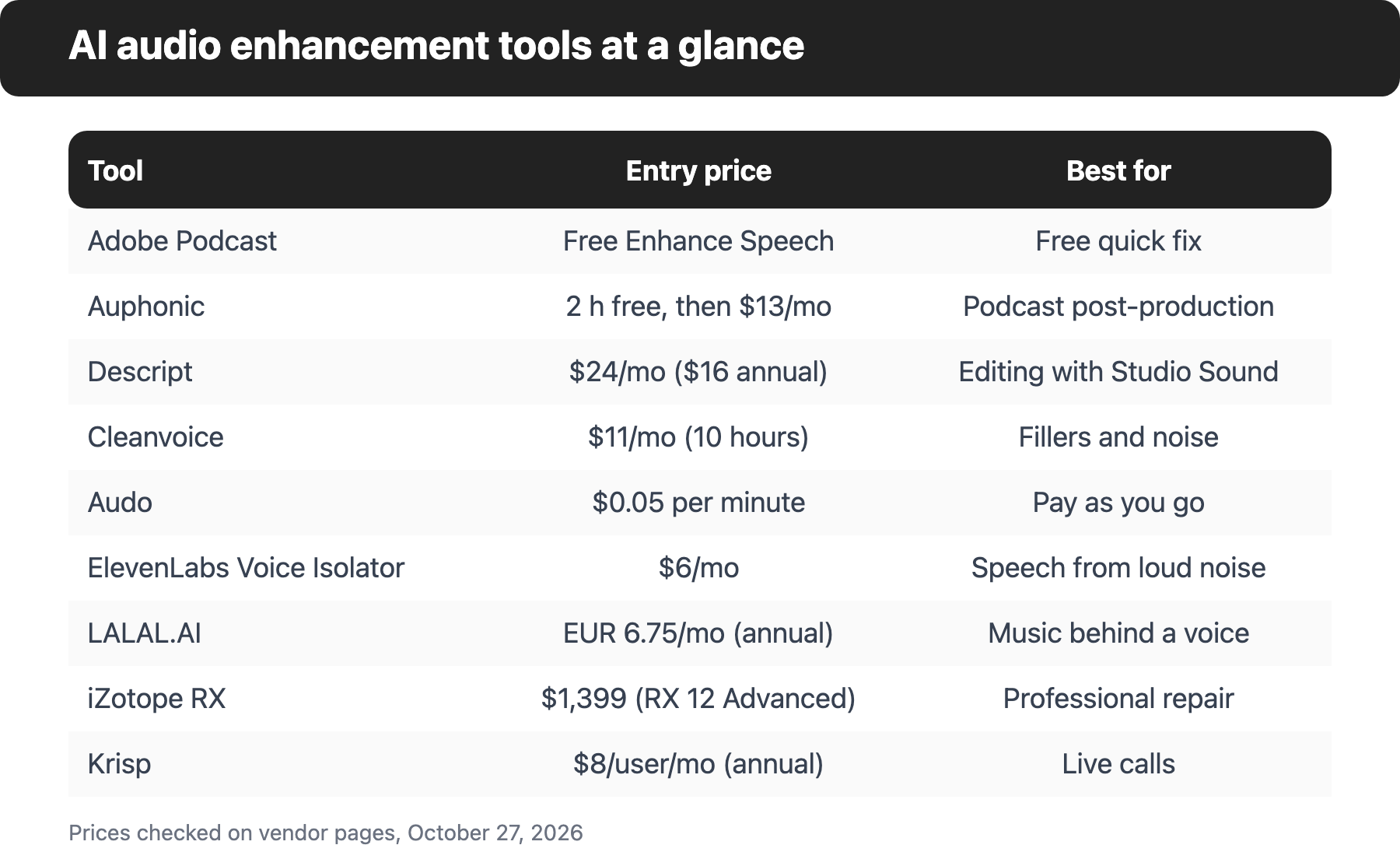
The best AI audio enhancement tools are Adobe Podcast, Auphonic, Descript and Cleanvoice for recorded speech, and Krisp for live calls. The ranking weighs how many cleanup jobs a tool covers, how clear its pricing is and how useful its free option is. Prices were checked on October 27, 2026.
As of October 2026
Price from the vendor's pricing page, checked Sep 28, 2026.
The best AI audio enhancement tool depends on what is wrong with your recording. Adobe Podcast's Enhance Speech is the quickest free fix for spoken audio, Auphonic suits podcasters who want noise reduction, leveling and loudness handled in one automated pass, and Descript fits people who edit as well as clean. Krisp is the odd one out: it cleans live calls, not finished files.
AI can't add what the microphone never captured, but it's remarkably good at removing background noise, echo and uneven levels after the fact. The tools below do that job in different ways and bill for it in different ways, and the billing model is often what really decides the cost.
What are AI audio enhancement tools?
AI audio enhancement tools use machine-learning models to clean up and improve recorded or live audio. Most of them remove background noise and reverb, some rebuild the voice so it sounds closer to a studio recording, and a few also level volume, normalize loudness or cut filler words and silence. Music generation, voiceover and transcription-only tools sit outside this list.
The table below maps each tool to the jobs its own pages list. "No" means the vendor doesn't list that feature, not that it can't exist.
| Tool | Background noise removal | Voice enhancement | Leveling or loudness | Filler words or silence | Free option |
|---|---|---|---|---|---|
| Adobe Podcast | Yes | Yes | No | No | Yes |
| Auphonic | Yes | Yes | Yes | Yes | Yes |
| Descript | Yes | Yes | No | Yes | Limited |
| Cleanvoice | Yes | Yes | Yes | Yes | Trial |
| Audo | Yes | Yes | Yes | Yes | Limited |
| ElevenLabs Voice Isolator | Yes | No | No | No | Yes |
| LALAL.AI | Yes | No | No | No | Limited |
| iZotope RX | Yes | No | Advanced only | Advanced only | No |
| Krisp | Yes (live) | No | No | No | Trial |
How do these tools charge?
Pricing models differ more than the price tags do, so check which one a tool uses before you compare numbers. A cheap plan can be genuinely expensive if it's measured in the wrong unit. Four patterns show up on this list.
Auphonic, Cleanvoice and Descript sell hours: a monthly allowance of processed audio or media time. Audo and ElevenLabs charge per minute of audio, through credits that you draw down. Krisp charges per user per month, because it's built for people on calls rather than for files. iZotope RX is a one-time licence for desktop software, which is the only model here without a recurring fee.
For a weekly podcast, an hours-based plan is usually the easiest to predict. For occasional clips, per-minute credits that don't expire are often cheaper, since you won't pay for hours you don't use.
How do I choose an AI audio enhancement tool?
To choose an AI audio enhancement tool, start with what's wrong with the audio. Background hiss and room echo are a noise and reverb job. Uneven volume between speakers is a leveling job. Ums and long pauses are an editing job. Music bleeding under a voice is an isolation job.
Then check three things on every pricing page: how the tool measures usage (hours, credits or seats), what the free option actually lets you download, and whether you need an API or a plugin for your workflow. Those details move the real cost more than the headline price, and they're easy to miss.
The 9 best AI audio enhancement tools (compared)
Every price and feature below comes from the vendor's own pricing or product page, and we checked them all on October 27, 2026. Prices change often, and some vendors show different currencies by region, so treat the numbers as a snapshot and confirm them before you buy. Frankly, that goes for every software roundup.
The ranking weighs how many cleanup jobs a tool covers, how clear the pricing is and how useful the free option is. It's an editorial ranking, not a lab test: we didn't run listening tests, and nothing here rates audio quality. Use the table to pick by job, then read each entry's limits before you commit.
| Tool | Best for | Free option | Paid plans from (price per month unless noted) |
|---|---|---|---|
| Adobe Podcast | Free quick fix for spoken audio | Enhance Speech is free, audio only | Premium features come with Adobe Firefly Pro, €21.99 per month incl. VAT on Adobe's German page |
| Auphonic | Automated podcast post-production | 2 hours of processed audio per month | $13 per month, or $11 per month billed yearly |
| Descript | Editing with Studio Sound | Free plan, Studio Sound limited | $24 per person per month, $16 billed annually |
| Cleanvoice | Filler words and noise in one pass | 30 minutes, no card needed | $11 per month for 10 hours |
| Audo | Pay as you go | Free portion of each file, daily caps | Credit packs from $5 for the first purchase |
| ElevenLabs Voice Isolator | Pulling speech out of loud noise | Free, personal use only | $6 per month |
| LALAL.AI | Removing music behind a voice | Free plan without full downloads | €6.75 per month billed annually |
| iZotope RX | Professional audio repair | None listed | $1,399 for RX 12 Advanced |
| Krisp | Live calls and meetings | 7-day trial | $8 per user per month billed annually |
1. Adobe Podcast: Best free quick fix for spoken audio
Adobe Podcast puts its Enhance Speech tool behind a free Adobe account, which makes it the quickest way to test whether AI enhancement fixes your recording at all. Adobe says the result sounds as if the voice was recorded in a professional podcasting studio, and that the tool fixes problems after the fact without a perfect mic.
Pricing: Enhance Speech itself costs nothing to start. Video support, bulk upload, adjustable strength and longer files sit in Adobe Podcast Premium, which Adobe bundles into its Firefly Pro plan. Adobe's German plans page showed Firefly Pro at €21.99 per month including VAT; the price will differ by region and Adobe doesn't state a US figure on the page we read.
What it adds: Premium lets you balance speech, music and ambience for a more natural sound, and the page lists up to 4 hours of enhancement a day with files up to 2 hours long and 1 GB. Adobe also offers a browser-based Studio for recording and editing, which it labels beta.
Strengths: No installation and no settings to learn for the free tool. It's a good first test of whether AI enhancement fixes your problem at all.
Limitations: Free Enhance Speech is audio only, with no bulk upload and no strength control. Adobe doesn't list loudness normalization, filler word removal or an API on the page we read, so it handles one job, but it's a simple job to hand over.
2. Auphonic: Best for automated podcast post-production
Auphonic bundles the jobs a podcast episode usually needs into one automated pass: noise and reverb reduction, an adaptive leveler, loudness targets and filler word and silence cutting. You upload a file, choose the algorithms and get a processed file back. Auphonic says its free plan gives you 2 hours of processed audio per month.
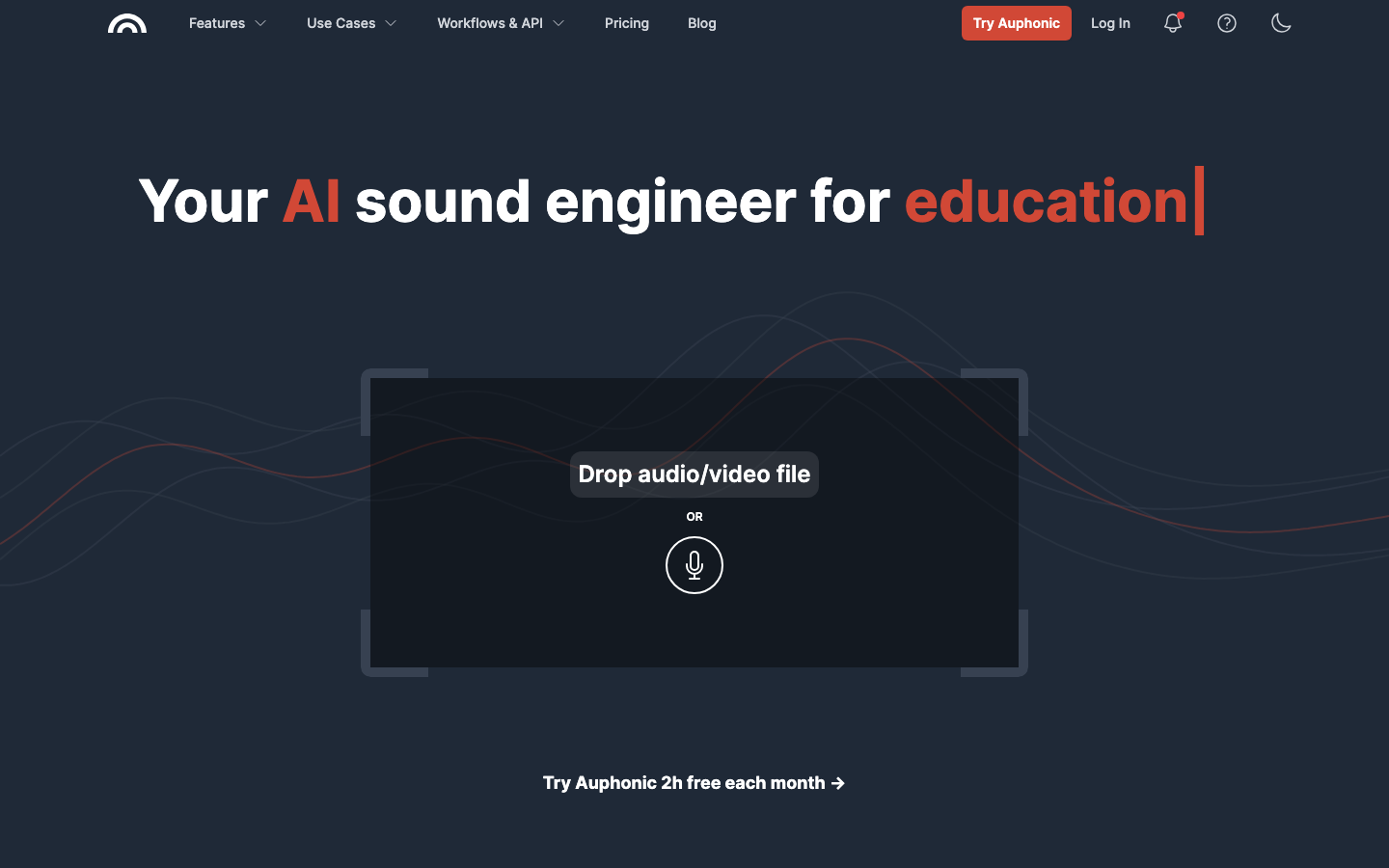
Pricing: The Free plan includes 2 hours of processed audio a month, and free productions come with an Auphonic jingle. Recurring plans reset every month and run from the S plan (9 hours a month, $13 monthly or $11 per month billed yearly) up to XXL at 250 hours. One-time credits start at 5 hours for $12, never expire and are used after recurring credits. Prices exclude VAT, and the page also shows euro prices.
What it adds: The Intelligent Leveler corrects level differences between speakers and between music and speech. Loudness targets follow standards Auphonic names, including EBU R128 and Spotify. Its Studio Voice model reconstructs a cleaner voice and repairs compression artifacts or clipped voices. Auphonic also lists a free API and a free command-line tool.
Strengths: The widest set of cleanup jobs among the pure audio tools on this list, plus an API, a CLI and integrations with Dropbox, Google Drive and publishing services, which is quite rare at this price. The free plan covers every core algorithm, not a cut-down version.
Limitations: It isn't an editor, so you can't fix a single word by hand, and that's the trade-off for automation. Multilingual speech recognition and automatic shownotes and chapters need a paid plan, watch folders and batch productions are paid features, and multitrack productions on the free plan must be under 20 minutes. Recurring credits don't roll over.
3. Descript: Best for editing with Studio Sound
Descript is an audio and video editor first, and Studio Sound is the one-click enhancement inside it. Descript describes Studio Sound as isolating your audio and then regenerating it, which it says removes background noise and echoes and gives studio-quality sound without a professional setup.
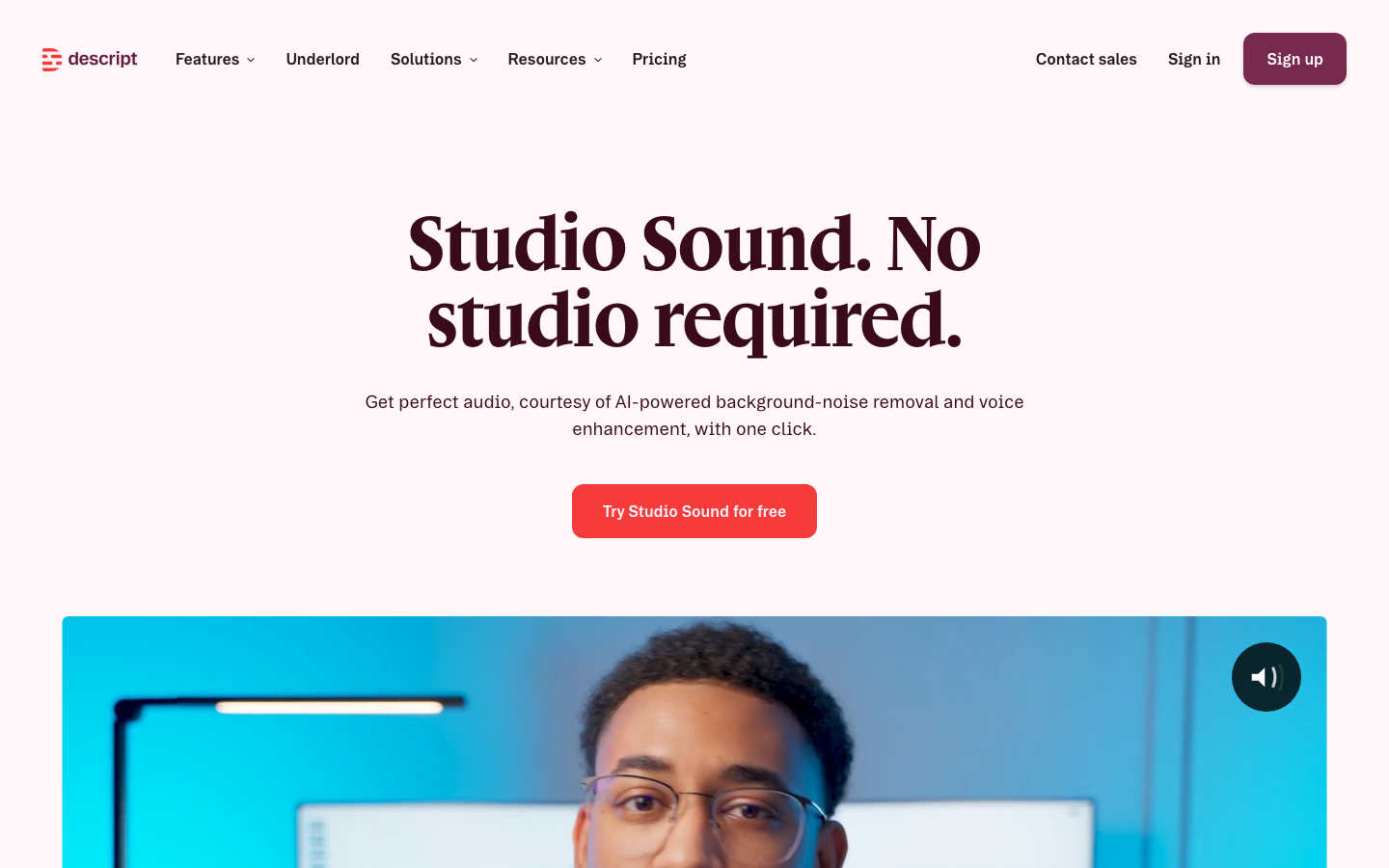
Pricing: The free plan includes 60 media minutes a month and lists Studio Sound as limited. Hobbyist costs $24 per person per month, or $16 billed annually, with 10 media hours and 400 AI credits a month. Creator is $35 monthly or $24 billed annually, and Business is $65 monthly or $50 billed annually. Descript lists dollar prices without naming the currency. Studio Sound uses AI credits.
What it adds: Remove Filler Words sits in the same AI toolkit, alongside text-based editing, so you can cut ums while you fix the sound. Descript says Studio Sound works with any file you can upload.
Strengths: Editing and enhancement in one place, which is the right shape if you cut interviews or video. Studio Sound is one click.
Limitations: It's the most expensive entry here for someone who only wants cleanup, since you pay for a full editor, although the editing is the point for many people. Descript doesn't list loudness normalization, an API or file length limits for Studio Sound on the pages we read.
4. Cleanvoice: Best for filler words and noise in one pass
Cleanvoice is built for spoken-word recordings, and it combines a filler word, stutter and long-pause remover with a background noise remover and an audio enhancer it calls Studio Sound. It also removes mouth sounds and breaths, and supports video podcasts.
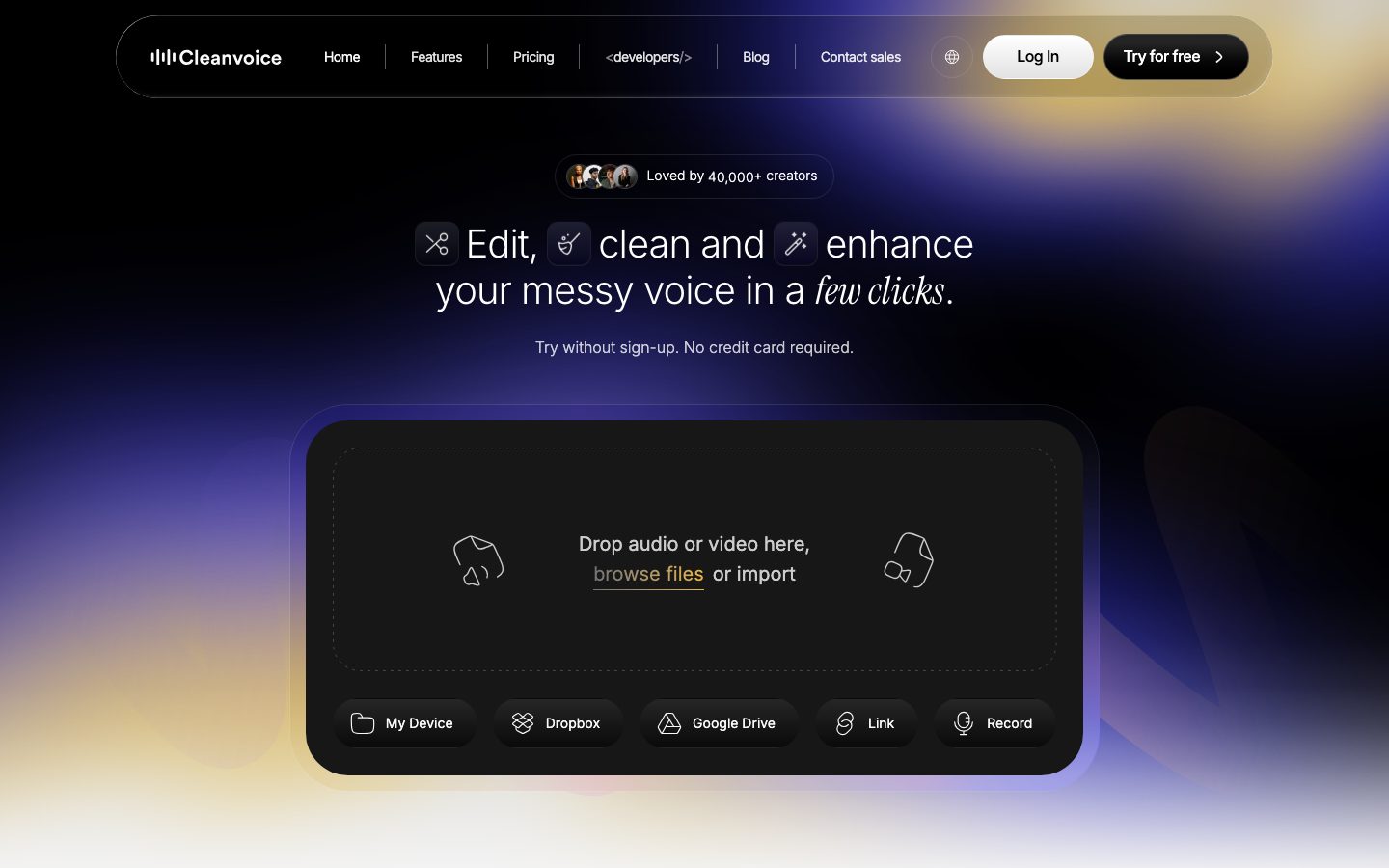
Pricing: New accounts get 30 minutes free with no card. Subscriptions are $11 a month for 10 hours, $28 for 30 hours and $90 for 100 hours. Pay-as-you-go packs cost $11 for 5 hours, $20 for 10 hours and $45 for 30 hours, and those credits stay valid for 2 years. All plans include all features, and prices exclude VAT. The page header also says plans start from €10 a month, so currency can differ at checkout.
What it adds: Multitrack editing applies cuts to every speaker track, timeline export gives you markers for Audacity, Adobe Audition, REAPER and DaVinci Resolve, and a REST API with Python and JavaScript SDKs is available.
Strengths: Every plan includes every feature, so you never need to upgrade for a specific tool. Unused subscription credits roll over, up to three times your plan limit.
Limitations: It's built around cuts, so it's less of a fit if you only need a gentle noise pass, however good the cutting is. Cleanvoice says original and edited files are stored for 7 days, and the web app's file length limit isn't stated.
5. Audo: Best pay-as-you-go option
Audo charges by the minute with no subscription. One credit equals one cent, and the home page quotes $0.05 a minute for noise removal and for voice enhancement. Other tools on the site include leveling speakers, setting loudness, removing filler words and silence, splitting stems and transcribing in 60 languages.
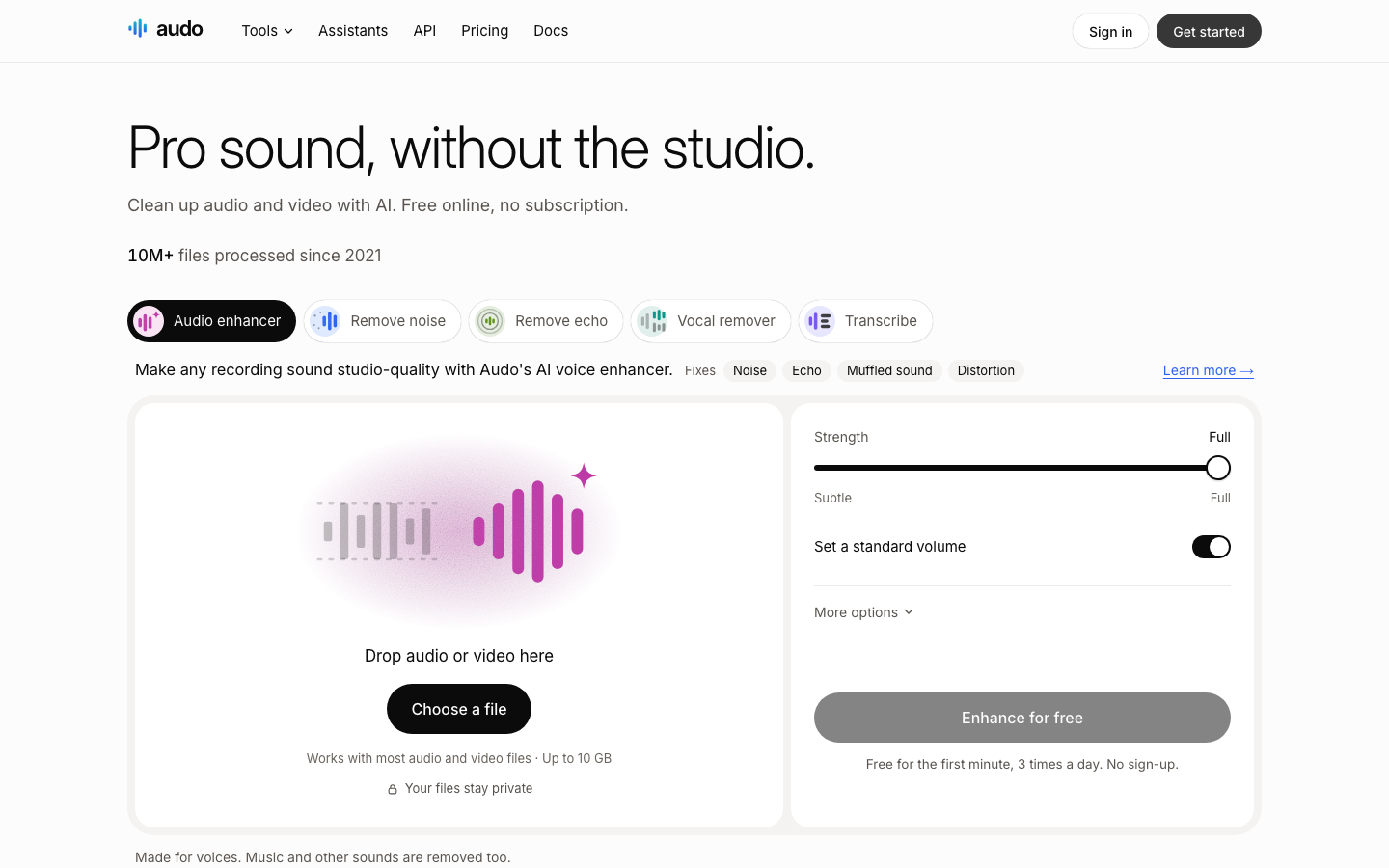
Pricing: Each tool has a free portion of a file and a daily cap: for noise removal and voice enhancement that's the first minute, 3 uses a day, with no sign-up needed. Credit packs run $5 (first purchase only), $10, $25, $50 and $100, and purchased credits don't expire. Noise removal and voice enhancement cost 5 credits a minute, filler word removal 3 and leveling 2.
What it adds: A strength slider on the voice enhancer, from Subtle to Full. A REST API with a free tier for the first part of each file, plus an MCP server for AI assistants such as ChatGPT, Claude and Cursor. Files can be up to 10 GB and 10 hours.
Strengths: The price of each job is shown before you run it, so nothing surprises you at the end of the month. Irregular users and developers who want an API will like that.
Limitations: There's no recurring allowance, so heavy weekly use costs more than an hours-based plan, but occasional use is cheap. Audo says uploads are deleted after 24 hours, and it doesn't list which languages noise removal supports.
6. ElevenLabs Voice Isolator: Best for pulling speech out of loud noise
ElevenLabs Voice Isolator removes ambient noise, mic feedback, street sounds, background chatter, reverb and background music, and extracts the speech in a single pass. ElevenLabs says no manual cleanup or plugins are needed.
Pricing: The Free plan costs $0 and allows personal use only. Starter is $6 a month (a first-month price of $1 appears on the pricing card), Creator is $22 and Pro is $99. The voice isolator page lists roughly 10 minutes of isolation on Free and 30 on Starter, drawn from the plan's credit allowance. Prices appear in dollars without a currency code.
What it adds: Each file can be up to 1 hour and 500 MB, with audio and video formats accepted. The model is available through the ElevenLabs API.
Strengths: Strong at heavy background noise and voices buried under music, and it's easy to automate through the API.
Limitations: ElevenLabs says the tool isn't designed or optimized for isolating vocals from music, so don't use it as a stem splitter. It adds no leveling or loudness tools, and a free plan is limited to personal use.
7. LALAL.AI: Best for removing music behind a voice
LALAL.AI started as a stem splitter, and its Voice Cleaner is the relevant tool here. It removes background music, vocal plosives, mic rumble and other unwanted noise while keeping the voice. A Noise Canceling Level setting offers Mild, Normal and Aggressive, and a De-Echo switch reduces echo and reverb.
Pricing: The Starter plan is free, with 10 minutes in the relaxed queue, files up to 200 MB and no full downloads. Lite costs €6.75 a month billed annually (€81 a year), with 90 fast-queue minutes a month and files up to 2 GB. A higher Pro plan exists, and promotional discounts were running on the pricing page, so check the live price.
What it adds: A preview before you process the full file, desktop apps for Windows, macOS and Linux, mobile apps for iOS and Android, and stem splitting for vocals, drums, bass and other instruments. A VST plugin is listed as a Pro feature.
Strengths: It's the better pick when the problem is music or instruments under speech, and the preview stops you wasting minutes.
Limitations: The free plan doesn't include full downloads, and fast minutes expire every month with no rollover. It doesn't list leveling or loudness features.
8. iZotope RX: Best for professional audio repair
iZotope RX is the heavyweight: an audio repair suite with 50+ modules in a standalone editor and 20+ plugins that load into your editing software. Dialogue Isolate uses neural nets to separate speech, and De-reverb, De-click, De-clip and Spectral Repair handle specific faults.
Pricing: RX 12 comes in Elements, Standard and Advanced editions. Advanced listed at $1,399 on the US store and €1,499 on the German store, and prices vary by country. iZotope shows a "Try for free" link, but we didn't check the trial terms. This is a licence, not a subscription.
What it adds: Dialogue Isolate is in Standard and Advanced but not Elements. Advanced adds a high-quality offline mode, Leveler, Trim Silence and Scene Rebalance. Plugin formats include AU, AAX, VST3 and ARA, and it runs on macOS and Windows.
Strengths: The most control on this list, down to individual frequencies, and no per-minute or per-hour billing.
Limitations: It's desktop software with a learning curve, and the price makes sense only if you repair audio regularly, which won't describe most podcasters. iZotope says De-reverb reduces some of the reverb, not all of it. Web, mobile and API options aren't listed.
9. Krisp: Best for live calls and meetings
Krisp cleans audio in real time. Its AI noise cancellation removes background noise, echo and cross-talk from your microphone before the other side hears it, and it works with conferencing apps such as Zoom, Google Meet, Microsoft Teams, Slack Huddles and Webex. Krisp has moved toward a broader AI meeting assistant, with transcription and notes alongside the noise removal.
Pricing: A 7-day free trial includes unlimited noise cancellation. Core costs $8 per user per month billed annually or $16 billed monthly, and Advanced costs $15 billed annually or $30 monthly. Enterprise pricing is custom.
What it adds: An AI note-taker, transcription and accent conversion, plus an AI Voice SDK for developers with voice isolation and voice activity detection.
Strengths: It fixes the problem at the source, so calls sound clean without any editing afterwards, which is exactly what a call needs.
Limitations: Krisp's pages describe processing live microphone audio and don't describe cleaning an uploaded recording, so it won't fix a finished podcast file. There's no permanent free plan, only the trial.
Outline, title, intro, conclusion, FAQ, rewriter and summarizer, each on its own page. No signup.
Which tools should you combine?
Most people need one tool, but a few benefit from a pair: one for the cleanup pass and one for editing or loudness. Here's how the feature lists above combine.
| Profile | Suggested tool or stack | Why |
|---|---|---|
| One-off clip, no budget | Adobe Podcast | Free, no settings, audio only |
| Weekly podcaster | Auphonic, plus Cleanvoice for heavy cutting | Leveling and loudness in Auphonic, filler words in Cleanvoice |
| Video creator who edits | Descript | Studio Sound and filler word removal in one editor |
| Developer or app builder | Audo or ElevenLabs Voice Isolator | Both list an API, with per-minute billing |
| Music or instruments under speech | LALAL.AI Voice Cleaner | Built to remove background music |
| Audio engineer or post house | iZotope RX | Granular repair, one-time licence |
| Remote worker on calls | Krisp | Cleans the live microphone |
If you're building a wider toolkit, see our roundups of the best AI tools and AI content creation tools.
Frequently asked questions
What software can I use to improve my audio quality?
For spoken audio, Adobe Podcast's Enhance Speech and Auphonic's free plan are the easiest starting points. Adobe Podcast needs only a free account, and Auphonic gives you 2 hours of processed audio a month. Descript and Cleanvoice add editing, and iZotope RX gives engineers manual control.
Is there a free AI audio enhancer?
Several tools have a free option, and here's what each one limits. Adobe Podcast's Enhance Speech is free and audio only, Auphonic gives 2 hours a month, Cleanvoice gives 30 minutes on sign-up, and ElevenLabs Voice Isolator has a free plan for personal use. LALAL.AI's free plan doesn't include full downloads, and Audo gives a free portion of each file with daily caps.
What is the difference between audio enhancement and noise cancellation?
Audio enhancement processes a finished recording, while noise cancellation like Krisp's works on live microphone audio during a call. Enhancement can use the whole file to level, normalize and clean it, which is a real advantage. Live cancellation has to decide in real time, so it's built for calls, not for polishing an episode, and it can't see what comes next.
Can AI fix a bad recording?
AI can fix a bad recording's background noise, echo and uneven levels, and it sometimes rebuilds a thin or clipped voice. It can't recover words that were never captured. Of course, a clean file still can't make a mumbled sentence clear. If the speech itself is drowned out or distorted past recognition, no tool here will restore it, so you'll want to fix the recording setup as well.
Which tool is best for podcasts?
The best AI audio enhancement tools for podcasts are Auphonic and Cleanvoice, the two built around spoken-word episodes. Auphonic covers leveling, loudness targets and noise reduction, and Cleanvoice focuses on removing fillers, pauses and mouth sounds. Descript suits podcasters who prefer to edit by text.
How much does AI audio cleanup cost?
Most paid plans on this list cost roughly $5 to $25 a month, and a few sit outside that range. Audo works out at about $0.05 a minute, Cleanvoice's smallest subscription is $11 a month for 10 hours, Auphonic starts at $13 a month, Descript at $24 per person and LALAL.AI Lite at €6.75 a month billed annually. iZotope RX 12 Advanced is a one-time $1,399 licence. Free plans exist at Adobe Podcast, Auphonic and ElevenLabs, but they cap hours, downloads or commercial use, and several vendors quote prices without VAT.
Does AI audio enhancement make voices sound artificial?
AI audio enhancement can make voices sound artificial, mostly when the settings are aggressive. Heavy noise removal sometimes leaves a processed, watery voice, so start with the lightest setting and compare against the original. LALAL.AI offers Mild, Normal and Aggressive noise canceling levels, Auphonic lets you set noise, reverb and breath reduction separately, Audo's enhancer has a Subtle to Full strength slider, and Adobe's Premium plan adds a strength control. Free tools often give you one fixed setting, and that's a limit worth knowing about.
Are free AI audio enhancers safe for uploads?
Check each vendor's retention policy before you upload private or client audio. Audo says uploads are deleted after 24 hours and free results after 1 hour, and Cleanvoice says original and edited files are stored for 7 days. For the other tools, we didn't find a retention period on the product or pricing pages, so read the privacy policy first. If the recording's confidential, a desktop tool such as iZotope RX keeps the processing on your own machine, and that's one reason engineers choose it.
Is there an AI music enhancer?
An AI music enhancer exists only in a narrow sense, because most tools here are tuned for speech. LALAL.AI's stem splitter and iZotope RX's Music Rebalance work with music, and ElevenLabs says its Voice Isolator isn't optimized for music. If you need music mastering, that's a different category from the speech cleanup tools in this list.