
Tool list · 9 tools
Best Interactive Demo Software: 9 Tools Compared

The best interactive demo software depends on the job: Arcade for fast screenshot demos with a free plan, HowdyGo for HTML demos with unlimited users on a flat fee, and Walnut and Consensus for sales teams with bigger deals. Navattic fits website tours with account identification. The 9 tools were compared on pricing pages, feature pages, help docs and G2 ratings.
As of October 2026
- From
- $42.50/mo
- From
- $159/mo
- From
- $575/mo
Price from the vendor's pricing page, checked Oct 20, 2026.
The best interactive demo software depends on the job. Arcade is the quickest start for screenshot demos and short videos (free plan, Growth from $42.50 a month per seat), HowdyGo is the cheapest way to give a whole team HTML demos ($159 a month with unlimited users) and Walnut and Consensus suit sales teams that personalize demos for bigger deals. Navattic fits website tours with account identification, Demoboost covers many demo formats with EU hosting and Reprise handles technical evaluations. Saleo covers live demos on your real product, while Guidde covers training videos.
We compared 9 tools on their own pricing pages, feature pages and help docs, plus their G2 ratings. Each entry shows how a demo gets built and shared, which plan unlocks HTML capture and CRM sync, what users complain about and who should skip the tool. We checked prices on 20 October 2026, and they're in US dollars.
Which Interactive Demo Software Fits Your Team?
The right interactive demo software for your team depends on its main job: quick tours and how-to clips point to Arcade, HTML demos for a large team to HowdyGo, sales follow-ups to Walnut or Consensus, website tours with account identification to Navattic, technical evaluations to Reprise and live calls to Saleo. Team size comes next. Some tools charge per seat, others sell a flat team plan, and that changes the bill more than the list price does.
Find your job in the left column. Then you'll want to check the entry price and the "skip it if" column before you read the full reviews.
| Main job | Best pick | Entry price | Skip it if |
|---|---|---|---|
| Fast click-through demos, how-to clips and a free start | Arcade | Growth $42.50/month per seat billed annually | You need HTML capture without an enterprise contract |
| HTML demos with unlimited users on a flat fee | HowdyGo | Starter $159/month billed annually | You need CRM sync on the entry plan |
| Personalized demos that reps send after a call | Walnut | Ignite $575/month billed annually | You want a free plan or monthly billing |
| Video demos that reach the whole buying committee | Consensus | Quote only | You need a self-serve plan |
| Self-guided HTML demo on your homepage or product pages | Navattic | Free for 1 demo; Base $500/month billed annually (5 seats) | You only need a few screenshot walkthroughs |
| Many demo formats with EU data hosting | Demoboost | Start Up $375/month billed annually (2 seats) | You want to try it without talking to sales |
| Cloned app environments for technical evaluations | Reprise | Quote only | Your team is small or your product is simple |
| Live demos on your real product with realistic demo data | Saleo | Quote only | You don't run live demo calls |
| Training and how-to videos with an interactive mode | Guidde | Pro $19/month per creator billed annually | You need a marketing demo with lead capture and CRM sync |
9 Interactive Demo Tools at a Glance
The nine tools differ most in how they capture your product, so that's the second column here. Capture method decides how editable and how realistic the finished demo is, and it's often the reason a cheap plan turns out to be the wrong plan. Prices as of October 2026.
| Tool | Capture method | Free plan | Paid plans from | G2 rating |
|---|---|---|---|---|
| Arcade | Screenshots and video; HTML on Enterprise | Yes, 1 published demo | $42.50/month per seat | 4.6 (181 reviews) |
| HowdyGo | HTML; sandboxes as an add-on | No, 14-day trial | $159/month, unlimited users | About 5.0 (under 30 reviews) |
| Walnut | HTML; sandboxes from Accelerate | No | $575/month | 4.5 (150 reviews) |
| Consensus | Branching video demos, HTML or screenshot tours | No | Quote | 4.7 (1,852 reviews) |
| Navattic | HTML, plus screenshots and video for desktop and mobile apps | Yes, 1 seat and 1 demo | $500/month for 5 seats | 4.8 (1,128 reviews) |
| Demoboost | HTML or screenshots, video, sandboxes, live overlay | No | $375/month for 2 seats | 4.8 (123 reviews) |
| Reprise | Browser-captured tours, application clones, data injection | No published plan | Quote | 4.4 (175 reviews) |
| Saleo | Live data overlay on your real product, plus captured tours | No | Quote | About 4.9 (200+ reviews) |
| Guidde | Narrated video with a click-through demo mode | Yes, 25 videos | $19/month per creator | About 4.8 (about 80 reviews) |
Paid prices are per month on annual billing, since that's the default view on most pricing pages. Annual billing saves 15 to 34% against monthly billing, depending on the vendor. G2 figures come from G2's own pages; "about" marks the three tools where we could only see G2's numbers in search results, not on the review page itself.
Outline, title, intro, conclusion, FAQ, rewriter and summarizer, each on its own page. No signup.
What Is Interactive Demo Software?
Interactive demo software is a tool that captures your product and turns it into a clickable, guided demo that buyers explore on their own, without a sales call, a login or a free trial. You click through a workflow once with a browser extension and the tool records every screen. Before you publish, you add tooltips, hotspots and calls to action.
Buyers then find the demo wherever they're already looking. Typical places are:
- the homepage or a product page, as an embedded "take a tour" demo
- a sales email or a LinkedIn message, as a tracked link a rep sends after a call
- a demo center that groups demos by role or use case
- a help center or an in-app guide, as an onboarding walkthrough
Adoption has grown fast among go-to-market (GTM) teams. Navattic's State of the Interactive Product Demo 2026 report found an interactive demo on 18% of about 5,000 B2B SaaS websites. Navattic sells demo software, so treat that figure as a vendor benchmark rather than a neutral census.
The category now has three layers. Interactive demos are the self-guided tours above. Demo automation adds the sales side: a personalized demo per account, tracking of who watched and alerts to the rep. AI demo agents are the newest layer, where an AI talks to the buyer, answers questions and shows the right screens in real time. Most tools in this list sell at least two of the three, though few do all three well.
HTML Capture, Screenshots, Video or Sandbox: Which Demo Type Do You Need?
HTML capture is the right demo type when you'll edit text and data or personalize a demo per account, and screenshot capture is enough for quick walkthroughs. HTML capture copies the page code of each screen, so text, numbers and logos stay editable and hover states keep working. A screenshot demo saves an image at every click instead. It's faster to build and cheaper to buy, but every change means a new capture.
There are five demo types, and each one's built for a different problem:
| Demo type | How it works | Best for | Trade-off |
|---|---|---|---|
| Screenshot demo | Saves an image of the screen at every click and adds hotspots | How-to guides, simple feature tours, quick social clips | Text and data can't be edited after capture |
| HTML demo | Copies the HTML and CSS of each screen into a clickable replica | Website demos, personalized sales demos | Costs more; complex charts and iframes may need several capture attempts |
| Video demo | Recorded or AI-narrated video, sometimes with branching paths | Top-of-funnel awareness, training, buyers who prefer to watch | The viewer watches instead of clicking |
| Sandbox demo | An HTML clone of several screens that viewers explore freely | Technical evaluations, proofs of concept, live calls | Takes longer to build and to keep current |
| Live demo overlay | Replaces the data in your real product during a live call | Complex products shown live by sales engineers | Only works in live calls; there's no self-guided version |
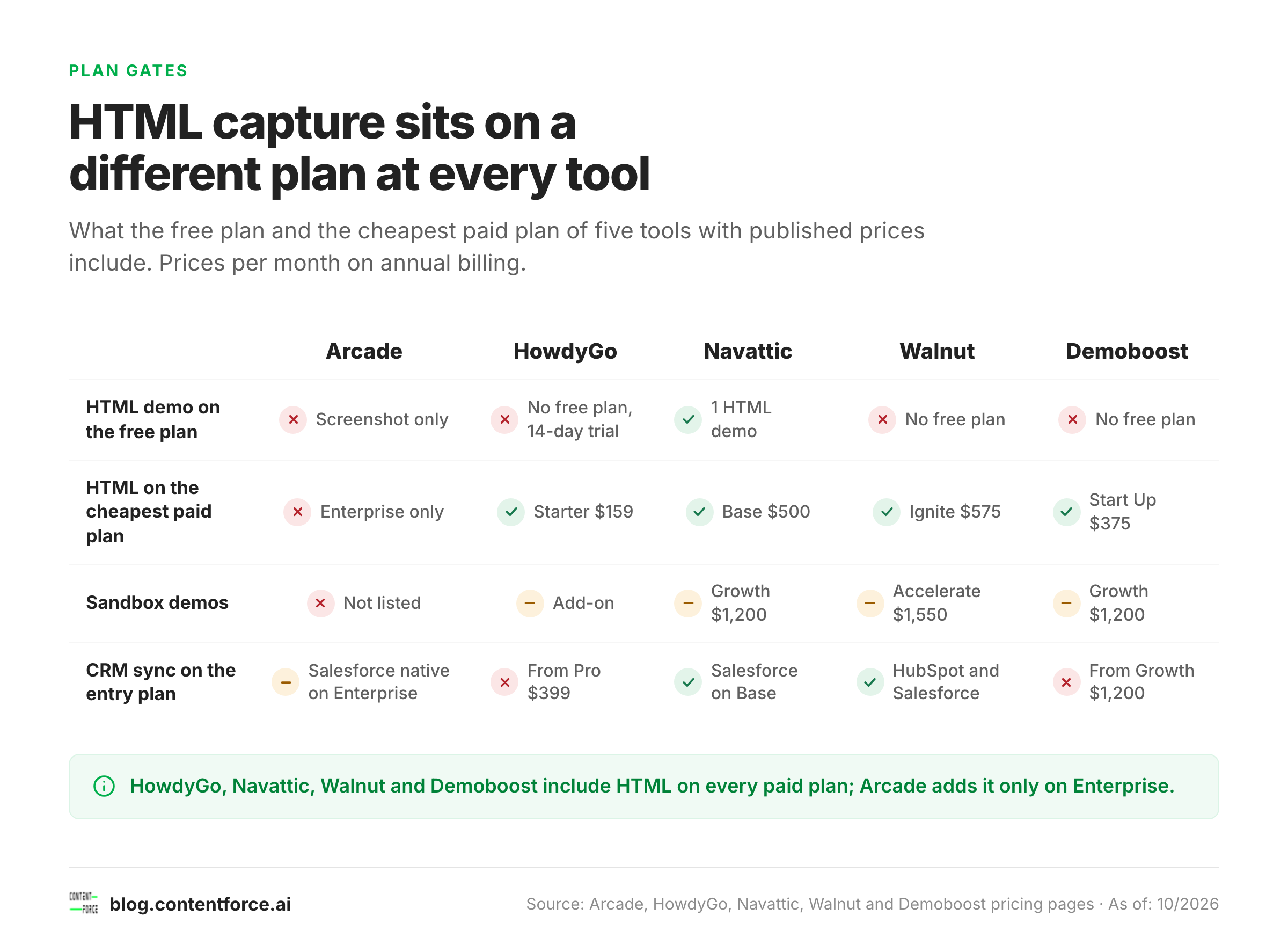
Plan gates matter here more than anywhere else, and they're easy to miss. HowdyGo, Walnut, Demoboost and Navattic include HTML capture on every paid plan, and Navattic's free plan includes one HTML demo. Arcade adds HTML only on Enterprise, and Guidde's click-through mode is built on video. If HTML capture is a must, that one fact rules out the cheapest entry plans in this list.
Sandboxes and overlays are the expensive end, and you'll rarely find them on entry plans. Walnut keeps sandboxes for Accelerate ($1,550 a month), Navattic and Demoboost for Growth ($1,200 a month each), and HowdyGo sells them as an add-on. Live overlays come from Saleo, Reprise's Data Injection and Demoboost's Enterprise plan.
The 9 Best Interactive Demo Tools Reviewed
The order below weighs three things: how many teams a tool fits, how cheaply and quickly you can start, and how strong its reviews are. A lower position doesn't make a tool weaker at its own job; it means the tool fits fewer teams or costs more to get going. Tourial used to appear in many of these lists, but we've left it out: tourial.com now says Tourial is part of Navless.ai, and its free-trial link no longer works.
1. Arcade: Best for Fast Screenshot Demos and Short Videos
Arcade started as an interactive demo tool and now presents itself first as an AI video generator for marketing teams. It still sells interactive demos on their own pricing page, and they're still one of the fastest ways to turn a workflow into a polished click-through.
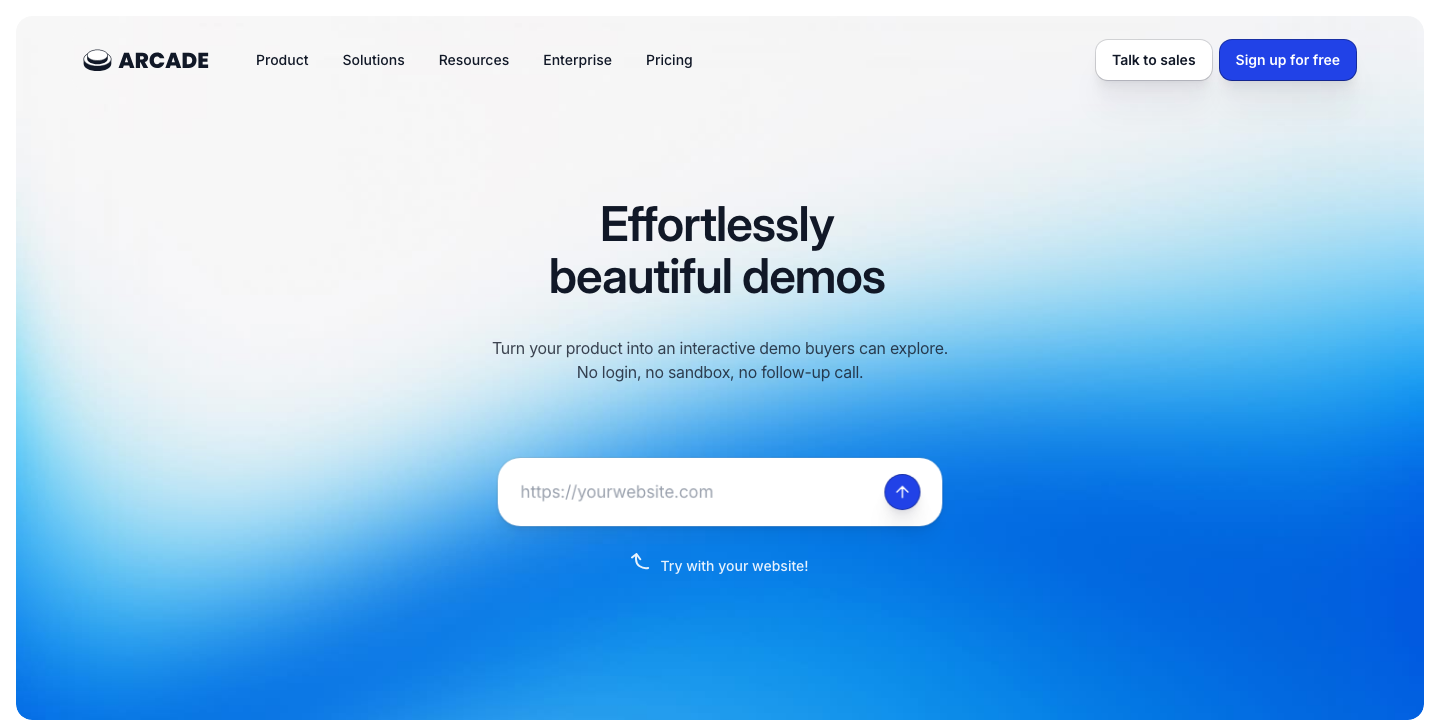
Building a demo. You record with the Chrome extension, the Mac or Windows app or the Figma plugin, and Arcade turns every click into a step. Add hotspots, callouts, pan and zoom, chapters and an AI voiceover, then publish. Demos embed on a website, blog or help center, travel as a link in email or Slack, or export as MP4, GIF or a step-by-step guide.
Why teams pick it. Branching lets viewers choose their own path, and custom variables swap names, logos and data per account (Growth). Analytics show completion rate, CTA clicks and drop-off by step, and Audience Reveal names the companies that viewed a demo. Arcade's AI writes demo copy and voiceovers on every plan and translates demos on Growth.
Integrations. Growth connects to HubSpot, Salesforce, Slack, Segment, Amplitude, Mixpanel, Intercom and Google Analytics. The native Salesforce integration is listed only on Enterprise.
What reviewers report. Arcade has a 4.6 rating from 181 reviews on G2, and its G2 listing may mix reviews of the demo and video products. Speed of creation is what reviewers praise most; it's hard to beat for a two-minute walkthrough. The main complaint is the price gap between tiers, with HTML capture and advanced branding locked to Enterprise.
Price. Free covers 1 user and 1 published demo. Growth costs $42.50 a month per seat billed annually ($50 monthly), for up to 10 users. Enterprise is custom and adds HTML capture, SSO and custom domains. The AI video product has separate credit plans, and it isn't part of a demo subscription.
When Arcade fits:
- Choose Arcade when you're publishing many short demos for social posts, launch pages and help docs.
- Choose Arcade when you also want AI-generated product videos from the same vendor.
When to skip Arcade:
- Skip Arcade when you need HTML demos and don't want an enterprise contract.
- Skip Arcade when you want one predictable bill. Demo and video products are priced separately.
2. HowdyGo: Best for HTML Demos With Unlimited Users
HowdyGo is a bootstrapped Australian demo tool that charges a flat fee per organization instead of per seat. Every plan includes unlimited users and unlimited HTML demos. For a large team, that makes it the cheapest route to HTML demos in this list.

Capture. A Chromium browser extension snapshots the page's HTML and CSS at every click, so one click becomes one step in a fully interactive clone of your app. You edit text, images and charts, add chapters, annotations and lead forms, and share through an embed, a link, a demo collection or an MP4 export. Sandboxes, which HowdyGo describes as isolated HTML and CSS replicas that stay stable when production changes, are an add-on.
Unusual extras. A terminal recorder captures a CLI session as an annotated, interactive demo. No other tool here offers that, and it's a strong fit for developer products. Howdy AI reads the captured HTML to storyboard a demo, write annotations, label sandbox screens and rewrite a demo for a prospect's industry. All AI features come with every plan; higher plans only raise the usage limit.
Integrations. HubSpot, Salesforce, Attio, Marketo, Segment, Zapier, webhooks and Google Analytics. Sending leads to the CRM needs Pro, so it's worth pricing that plan.
Reviews. HowdyGo shows a rating of about 5.0 from fewer than 30 reviews on G2. That base is too small, so it doesn't show a clear pattern of strengths and complaints yet.
Price. Starter costs $159 a month billed annually ($199 monthly) with unlimited users and HTML demos. Pro costs $399 a month billed annually and adds analytics, CRM integrations, custom domains and offline demos. Enterprise is custom. There's a 14-day free trial but no free plan.
When HowdyGo fits:
- Choose HowdyGo when many people across sales, success and support need to build or edit demos.
- Choose HowdyGo when you sell a developer tool and want to demo a terminal workflow.
When to skip HowdyGo:
- Skip HowdyGo when you'll need demo analytics and CRM sync on the entry plan.
- Skip HowdyGo when you'd rather buy from a vendor with a large review base.
3. Walnut: Best for Sales Teams That Personalize Every Demo
Walnut is a sales demo platform that captures your live product as interactive HTML. It's built for what happens after the first call: a personalized demo per buyer, playlists of several demos and deal rooms for the buying group. The price tracker PricingSaaS logged a cut of its entry plan from $750 to $575 a month in June 2026.
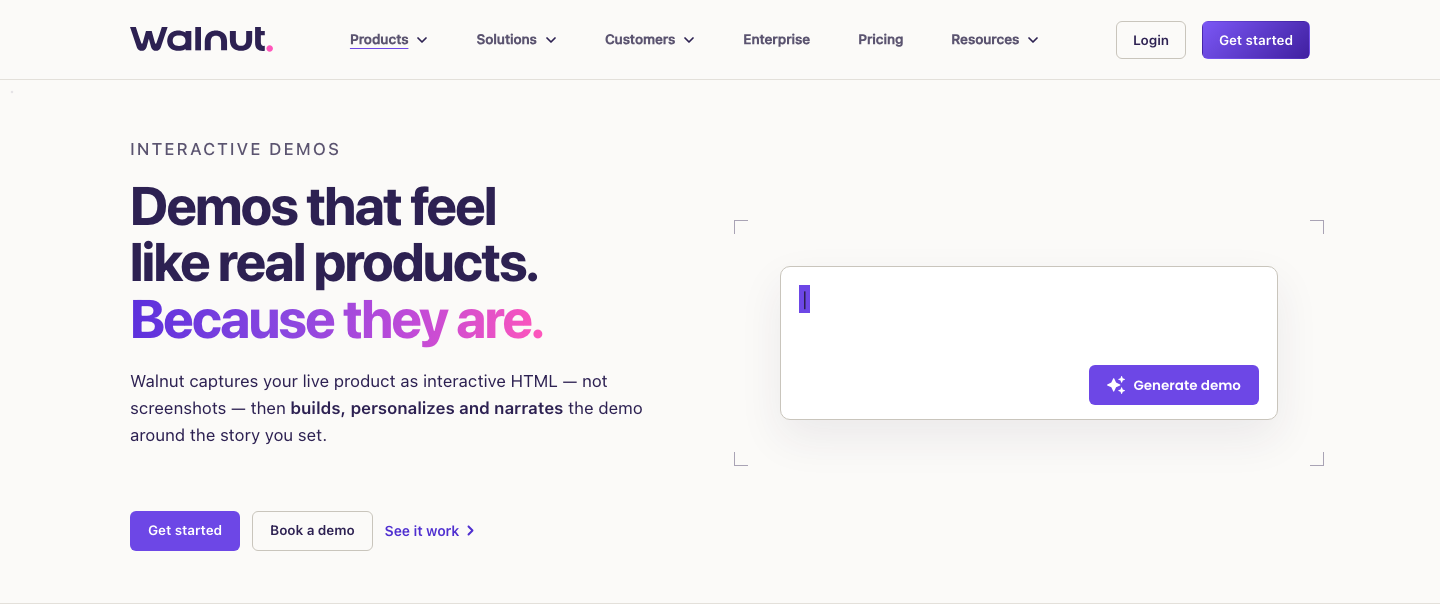
From capture to send. You click through your product, narrating if you like, while Walnut captures the screens as HTML and puts them in order. AI Mode then changes logos, data and terms across all screens from one instruction, such as a short description of the buyer. You'll review the result before it goes out. Reps share a personalized, trackable link per buyer or bundle several demos into a Playlist.
What sets it apart. Playlists turn separate demos into one choose-your-own path. Accelerate adds sandbox demos, AI avatars and InsightsAI, which answers plain-language questions about your demo funnel. AI Buyer Xpert, a paid add-on, answers buyer questions inside a demo from approved content only, and it hands off to a rep when it doesn't know.
CRM and data. Ignite connects HubSpot, Marketo, Pardot and Salesforce. Accelerate's where the advanced Salesforce integration lives, along with Walnut Uncover, which identifies accounts through ZoomInfo, Demandbase, 6sense or Clearbit.
Reviews. Walnut has a 4.5 rating from 150 reviews on G2. Reviewers like the control over the demo story, which they don't get from screenshot tools. A recurring complaint is that demos need rework after each product release.
Pricing. Ignite costs $575 a month billed annually with 3 editor seats, 3 presenter seats and 50,000 AI credits a year. Accelerate costs $1,550 a month billed annually with 6 plus 6 seats. Scale is custom. There's no free plan, there's no published trial and you can't pay monthly.
When Walnut fits:
- Choose Walnut when reps send a tailored demo to every serious opportunity.
- Choose Walnut when you sell to buying committees and want playlists and deal rooms in one tool.
When to skip Walnut:
- Skip Walnut when you mainly need a website tour. Arcade or HowdyGo won't cost as much for that.
- Skip Walnut when you'd like to test the product before a sales conversation.
4. Consensus: Best for Reaching the Whole Buying Committee
Consensus is a demo automation platform, launched as a business in 2015, that started with branching video demos and has grown into a full demo suite. In 2026 it bought Peel, an AI agent company, and Saleo, the live-demo platform reviewed below. It relaunched as one platform on 14 October 2026.
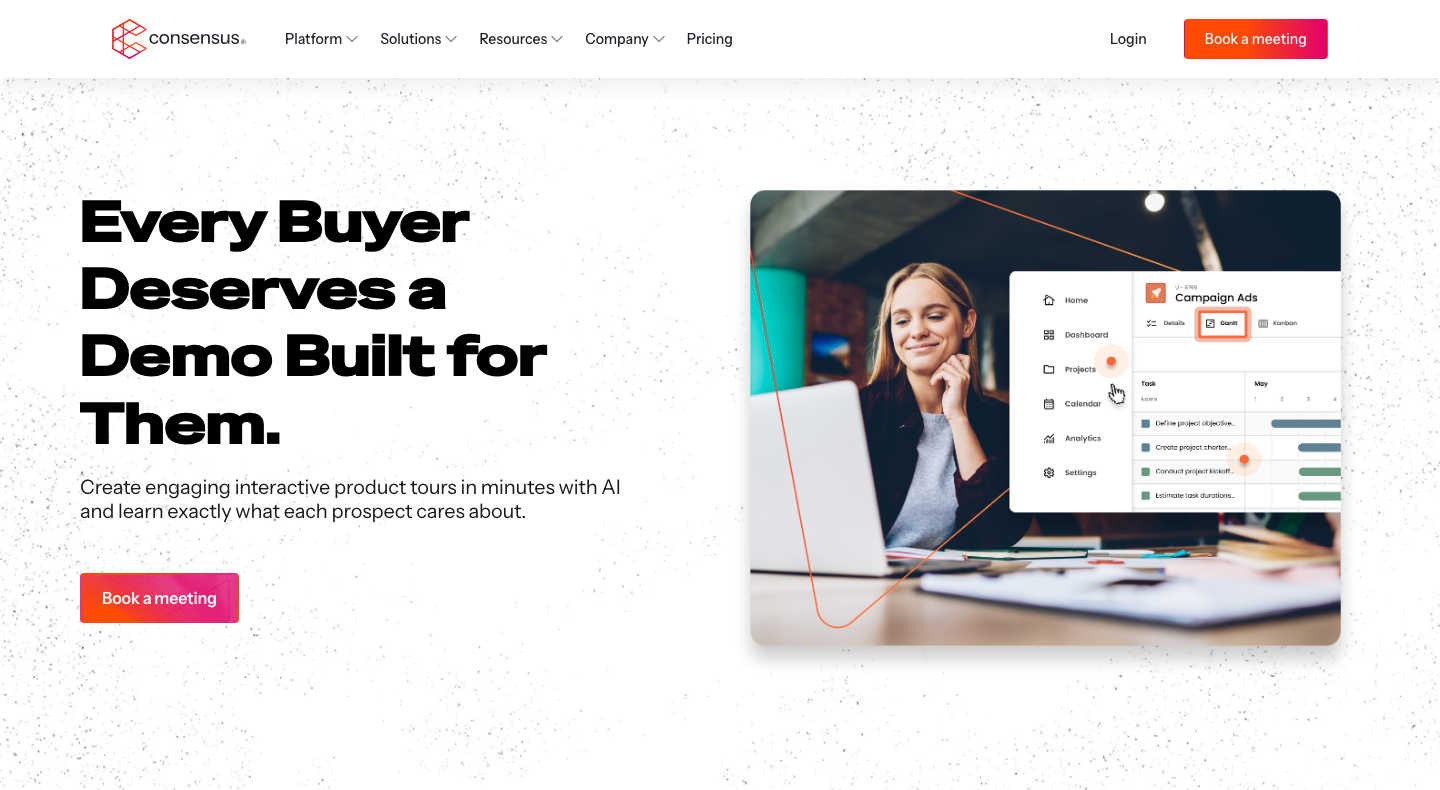
How it works. Demo Creator builds a video demo around branching questions, so each buyer picks the features they care about and gets a personalized path. Interactive tours come from HTML capture, screenshots or video recorded with the Consensus Chrome extensions. Demos sit on a branded DemoBoard and go out as links in email, on the website or in campaigns.
Its edge. Demolytics tracks who watched and what they selected. More useful still, it shows the extra stakeholders who turned up because a champion forwarded the demo internally, so a rep sees the buying group before anyone books a call. AI agents run self-guided demos on the same demo data as live calls and answer technical questions.
Stack. Salesforce, HubSpot, Marketo, Pardot, Eloqua, Gong, Salesloft, Outreach, Highspot, Slack, Gmail and Outlook. Consensus says integrations don't cost extra.
What users say. Consensus has the largest review base here, without question: a 4.7 rating from 1,852 reviews on G2. G2's review summary highlights time saved on demo distribution and the engagement data. The recurring complaint is setup effort and a learning curve for advanced features.
Price. Consensus doesn't publish prices, so you'll need a sales call to get a number. Its pricing page names per-user licenses plus optional usage-based features. The buyer platform Vendr reports a median of about $53,000 a year, and that's an estimate from reported deals, not a list price.
When Consensus fits:
- Choose Consensus when deals involve five or more stakeholders and you need to know who they are.
- Choose Consensus when presales time is the bottleneck and buyers prefer to watch before they click.
When to skip Consensus:
- Skip Consensus when you need a self-serve plan or a budget under $10,000 a year.
- Skip Consensus when you're looking for one simple website demo.
5. Navattic: Best for Website Tours With Account Identification
Navattic is an interactive demo platform built around HTML capture, the method that copies each screen's code instead of taking a picture. Its demos look and behave like your real web app, scrolling and hover states included, which suits the "take a tour" button on a marketing site.
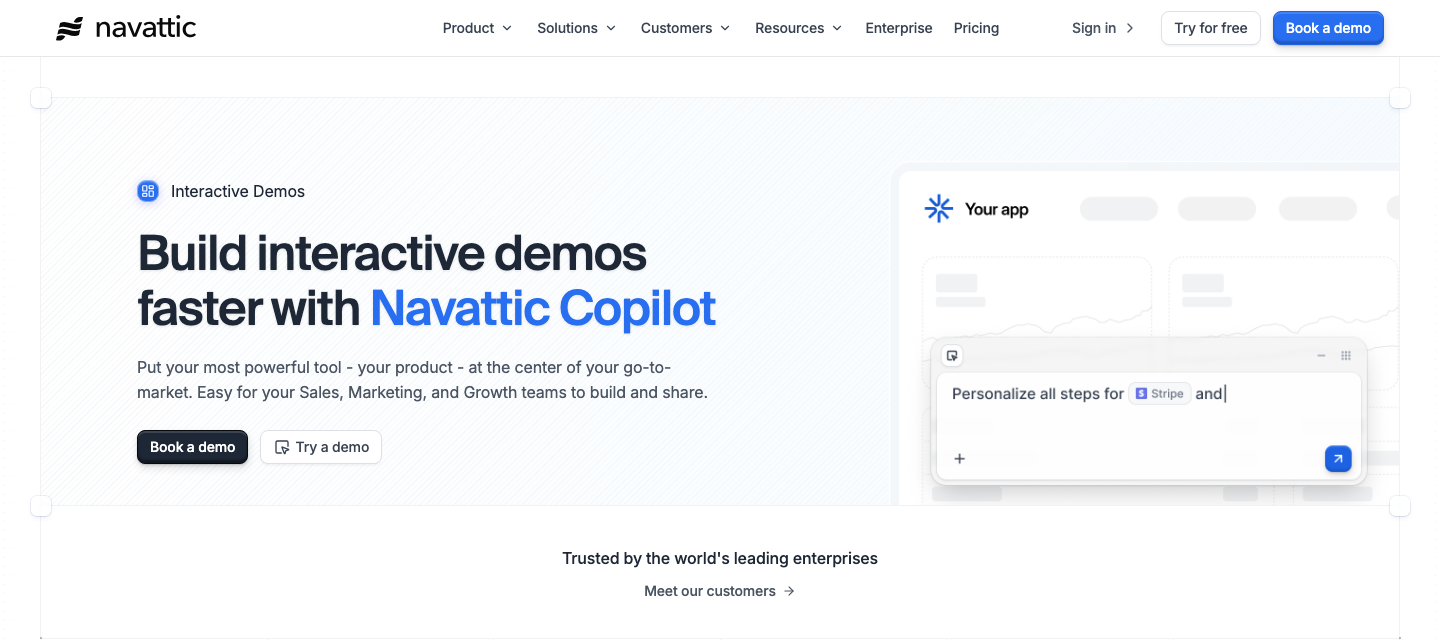
How a demo gets built. You install the Navattic Chrome extension, open your app and click through the workflow. Each click saves an interactive HTML copy of the screen. Desktop and mobile apps get media captures instead (screenshots, GIFs or video). In the editor you change text, blur customer data or replace a chart across many screens at once, then turn the captures into a flow or a checklist demo. Copilot, Navattic's AI assistant, drafts the tooltips and story from your captures and can review a finished demo for missing calls to action.
What stands out. Three features are worth knowing:
- The free Starter plan includes one HTML demo with unlimited views, while Arcade's free plan sticks to screenshots.
- Account identification on Base shows which companies engaged with a demo, even without a form fill, rates their engagement and sends the result to HubSpot or Salesforce.
- Launchpad, part of the Growth plan's sales features, lets reps send demos from Gmail, Outlook, Salesforce, Outreach, Salesloft or LinkedIn and alerts them when a buyer engages. Buyer-circle discovery then shows who else at the account watched.
Integrations. Base connects to Salesforce, Marketo "and 25+ more"; Navattic's integration list includes HubSpot, Slack, Segment, Google Analytics, Chili Piper and ZoomInfo. Growth adds the sales stack: Gong, Salesloft, Outreach, Seismic and Highspot. A Navattic MCP server (Base and up) lets Claude or ChatGPT build demos and pull analytics.
What users say. Navattic holds a 4.8 rating from 1,128 reviews on G2. Reviewers mostly praise how fast non-technical people can build a demo, which isn't true of every HTML tool. The common complaint is a learning curve for newer features, and some reviewers say complex dropdowns, charts or embedded iframes need several capture attempts.
Price. Starter is free (1 seat, 1 demo). Base costs $500 a month billed annually or $600 monthly with 5 seats. Growth costs $1,200 a month billed annually with 10 seats and adds sandbox demos, demo translation, custom domains and SSO. Enterprise is custom, and there's no published trial for the paid plans. Navattic ranks fifth because paid features start at $500 a month without a trial, while Arcade and HowdyGo start cheaper and Walnut and Consensus go further on sales features.
When Navattic fits:
- Choose Navattic when your demo goes on the website and has to look exactly like the product.
- Choose Navattic when marketing wants to see which accounts engaged before they fill out a form.
- Choose Navattic when you'd like to test HTML capture for free before you buy.
When to skip Navattic:
- Skip Navattic when one or two people only need screenshot walkthroughs. $500 a month is too much for that.
- Skip Navattic when your product UI changes every week and nobody owns recapturing demos.
6. Demoboost: Best for Many Demo Formats With EU Hosting
Demoboost is a demo platform run by Demoboost sp. z o.o., a Polish company, that puts the widest mix of formats into one tool: HTML or screenshot demos, video, sandboxes, mobile demos and a live overlay. Its data is hosted in the EU on AWS Frankfurt and the company is ISO 27001 certified. Both help when your buyers send security questionnaires, and they're a rare pairing in this category.
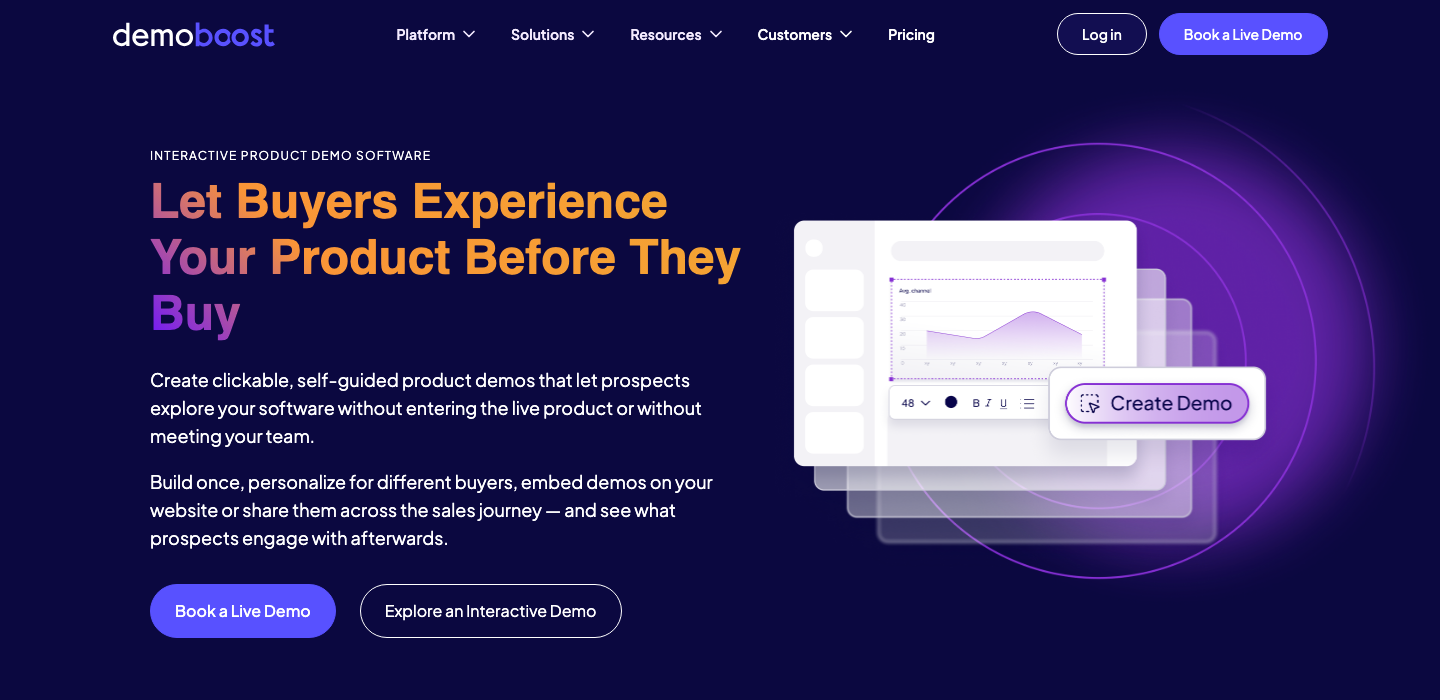
Building blocks. You click through your product once and Demoboost turns the capture into an interactive demo or a sandbox, using HTML capture or screenshots depending on what you need. Screens are linked into a guided flow with hotspots, branching and forms. Wingman, the AI assistant, adapts copy, data, graphs and language from a prompt, and AI avatars narrate demos without a recording.
Notable features. The live overlay sits on top of your real product and swaps text, images and data through a selector, so it works with any web product. AI translation, part of Growth, covers more than 170 languages, and it's applied to interface text, guides and speaker notes. Sales rooms and demo hubs bundle several demos per buyer.
Integrations. Salesforce, HubSpot, Pipedrive, Slack, Google Analytics 4, Mixpanel, Segment and ad platforms such as LinkedIn Ads. Salesforce and HubSpot sync need the Growth plan; webhooks start on Essentials.
Reviews. Demoboost has a 4.8 rating from 123 reviews on G2. G2's summary points to ease of use and responsive support, with occasional screen-capture glitches.
Price. Start Up costs $375 a month billed annually for 2 seats. Essentials costs $600 a month for 5 seats and adds mobile demos and AI avatars. Growth costs $1,200 a month for 10 seats and adds sandboxes and CRM sync. The live overlay is Enterprise only. Demoboost doesn't offer a self-serve free trial, so you'll talk to sales first.
When Demoboost fits:
- Choose Demoboost when EU data hosting is a requirement in your security reviews.
- Choose Demoboost when you need mobile demos, sandboxes and videos without buying three tools.
When to skip Demoboost:
- Skip Demoboost when you need CRM sync on a budget. Here it starts at $1,200 a month.
- Skip Demoboost when you'd rather test a tool on your own before a sales call.
7. Reprise: Best for Technical Evaluations in Enterprise Sales
Reprise is an enterprise demo platform, founded in 2020, that solves a problem the lighter tools don't touch: showing a complex product in depth without going near production. It sells three products, and you'll find the old names Replay, Replicate and Reveal only in its URLs now.
Three ways to demo. Product Tours are captured with the Reprise Chrome extension in your own browser session and edited in a visual editor, with custom CSS and JavaScript if needed. Application Clones record the front end plus the requests and responses behind a workflow, so a prospect clicks through a working copy while "nothing reaches production". Data Injection overlays prospect-specific data on the live app during a call and restores the real data when you switch it off.
AI angle. The Reprise MCP server, launched in June 2026, gives AI assistants such as Claude or ChatGPT more than 100 demo-building tools. A rep can ask for a personalized demo built from call notes and CRM data. SSO and role-based access come with every package.
Integrations. Salesforce, HubSpot, Marketo, Google Analytics and a data API.
Ratings. Reprise has a 4.4 rating from 175 reviews on G2, the lowest score in this list. Navattic's comparison page, written by a competitor, lists a steep learning curve as the main drawback. That fits a tool built for demo engineers rather than marketers.
Price. Reprise sells one package with an annual platform fee plus per-user licenses, and it doesn't publish numbers. Vendr reports a median of about $31,600 a year. A "build your first demo free" page exists, but Reprise doesn't state any limits for it.
When Reprise fits:
- Choose Reprise when you sell a complex product and buyers ask for a hands-on environment.
- Choose Reprise when sales engineers spend hours resetting demo environments before every call.
When to skip Reprise:
- Skip Reprise when your team's small or needs results this week.
- Skip Reprise when a guided website tour is all you're after.
8. Saleo: Best for Live Demos on Your Real Product
Saleo is a live-demo platform from Atlanta, founded in 2021 and owned by Consensus since June 2026, though it's still sold under its own brand. Saleo doesn't replace an interactive demo. It fixes the live demo, where sales engineers show the real product but with empty or messy demo data.
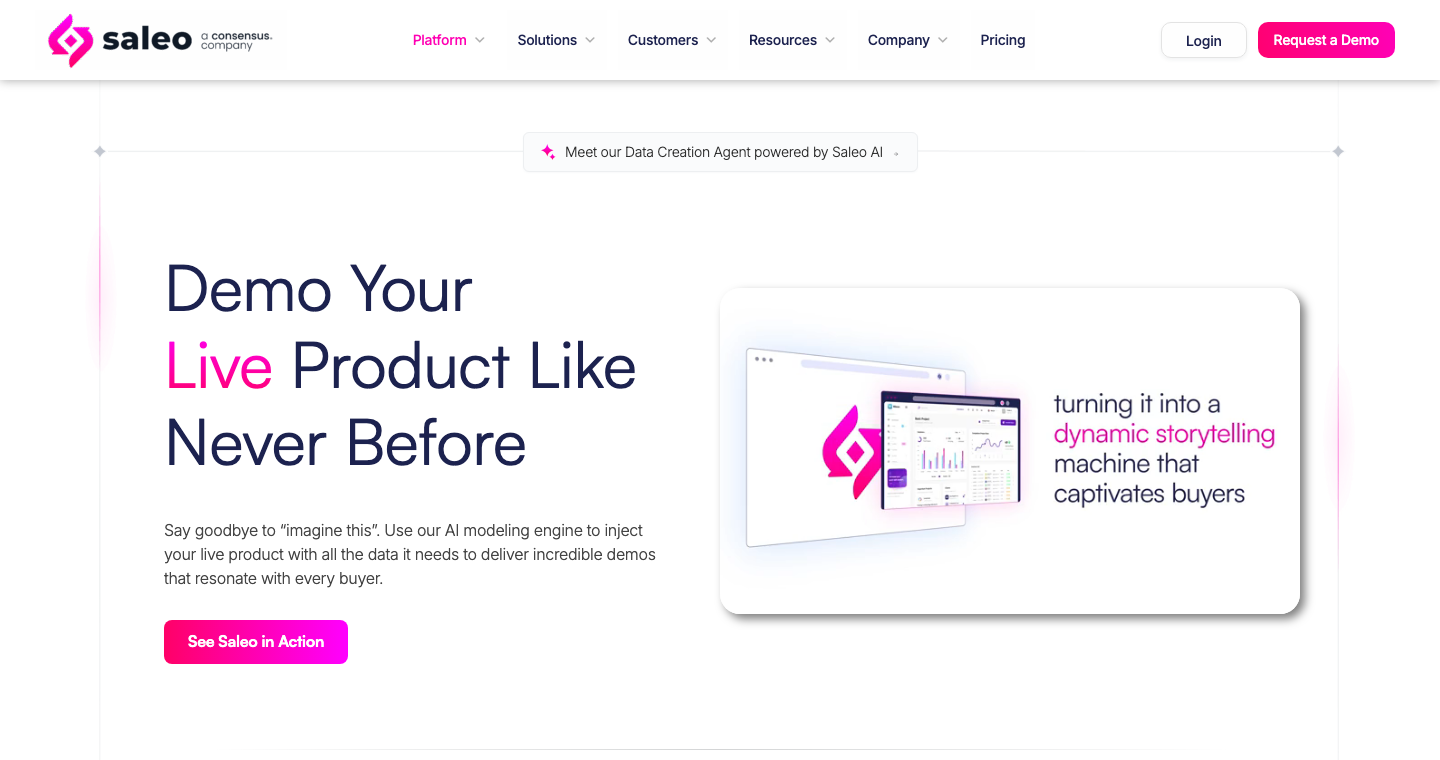
Under the hood. The Saleo Chrome extension overlays realistic data on your native product during the call: tables, graphs, text and images. Every feature of the real product keeps working, because Saleo doesn't replace the app itself. You choose a full takeover of the data, a partial takeover or a hybrid that adds to existing data, and Saleo states it needs no backend access to your production data. Demo Sync updates thousands of demos from one template. Saleo Capture adds guided tours and lite sandboxes for buyers who'd rather explore alone.
AI features. The Data Creation Agent generates industry-specific demo data from a prompt and injects it into the product. The AI Demo Agent, launched in January 2026, gives buyers an autonomous, multilingual demo with co-browsing.
Integrations. Salesforce, NetSuite, Workday, Microsoft Dynamics 365, ServiceNow, Jira, Slack and Seismic, among others.
Ratings. G2 shows Saleo at about 4.9 from more than 200 reviews. We could see those figures only in search results, so we can't confirm the current count.
Price. Saleo sells four products (Saleo Live, AI Demo Agent, Capture and Partner Portal) on request only. There's no free plan, and there isn't a trial either.
When Saleo fits:
- Choose Saleo when your sales engineers run live demos of a complex product every day.
- Choose Saleo when demo data is the reason live demos fall flat.
When to skip Saleo:
- Skip Saleo when your buyers want to explore on their own first. You'll get more from a self-guided tool.
- Skip Saleo when you prefer an independent vendor. Saleo's roadmap now sits inside Consensus.
9. Guidde: Best for Training and How-To Videos
Guidde is an AI video documentation tool, not a classic demo platform. It's on this list because its Interactive Demo mode turns the same capture into a click-through demo. That helps customer success and training teams who already document workflows in Guidde.
How it works. You record a workflow with the browser extension, desktop app or mobile app, and Guidde's AI writes a step-by-step script, a voiceover and captions. In Interactive Demo mode, Guidde's AI creates hotspots from your clicks and the video pauses at each step until the viewer clicks. Hotspots can jump to other steps, so there's simple branching too.
Good to know. Videos export as MP4, GIF, PowerPoint, PDF and, on Enterprise, SCORM for learning systems. Viewers are free; you'll only pay for creators. Magic Mic turns your spoken notes into a clean voiceover.
Integrations. Slack, Gmail, Zendesk, Confluence, Notion, Salesforce, ServiceNow and more. Broadcast, an Enterprise feature, embeds videos inside tools such as Salesforce and Zendesk.
Ratings. G2 shows Guidde at about 4.8 from roughly 80 reviews, visible to us only in search results.
Price. Free covers up to 25 videos. Pro costs $19 a month per creator billed annually ($29 monthly). Business costs $39 a month per creator for up to 5 creators, and it's the plan that includes Interactive Demo mode. There's a 7-day Business trial.
When Guidde fits:
- Choose Guidde when onboarding and support content matter more to you than marketing demos.
- Choose Guidde when you need training videos and simple click-throughs from one recording.
When to skip Guidde:
- Skip Guidde when you need lead capture, account identification or CRM sync for a website demo.
- Skip Guidde when you're relying on HTML capture with editable text and data.
How Much Does Interactive Demo Software Cost?
Interactive demo software costs nothing on the free plans of Arcade, Navattic and Guidde, $19 to $50 a month per creator on self-serve plans and about $160 to $600 a month for a five-person team that needs HTML capture. Sales-led platforms such as Consensus, Reprise and Saleo are quote-only. Vendr reports median deals of about $31,600 a year for Reprise and about $53,000 for Consensus.
Seat prices hide the real bill. That's why this table prices the same team for every tool: five people who build demos, on annual billing. The last column shows whether that plan includes HTML capture.
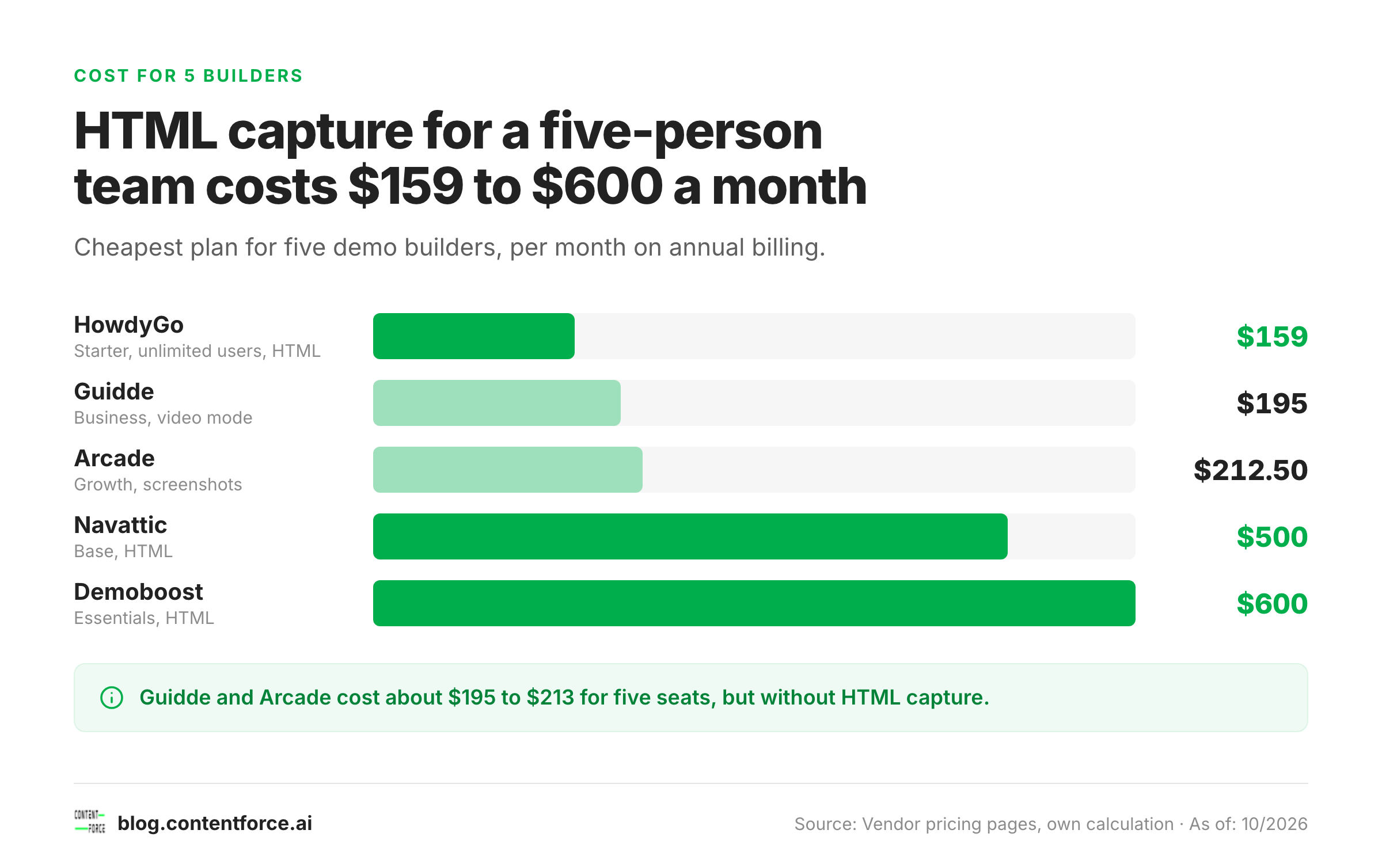
| Tool | Cheapest plan for 5 builders | Cost per month (billed annually) | HTML capture included |
|---|---|---|---|
| HowdyGo | Starter (unlimited users) | $159 | Yes |
| Guidde | Business, 5 creators | $195 | No (video with click-through mode) |
| Arcade | Growth, 5 seats | $212.50 | No |
| Navattic | Base, 5 seats | $500 | Yes |
| Walnut | Ignite, 3 editors and 3 presenters | $575 | Yes |
| Demoboost | Essentials, 5 seats | $600 | Yes |
| Consensus, Reprise, Saleo | Quote | Not published | Varies |
Arcade and Guidde costs are seat prices multiplied by five. Walnut's Ignite plan has 3 editor seats rather than 5, so a team of five builders would need Accelerate or a custom quote.
Three cost traps show up on the pricing pages, and they're easy to overlook. First, the cheapest plan rarely includes HTML capture, so check that column before you compare entry prices. Second, CRM sync often sits a tier higher than you'd expect: HowdyGo puts CRM sync on Pro ($399 a month), Arcade lists native Salesforce on Enterprise and Demoboost puts CRM sync on Growth ($1,200 a month). Third, AI features increasingly run on credits, as at Walnut and Arcade's video product, so heavy AI use can push the bill up.
The ROI case rests on two numbers you already have: how many live demos your team runs that a self-guided demo could replace, and how many website visitors leave before they talk to sales. Most free plans let you test both for a few weeks, so you won't have to commit to a contract first.
What AI Does in Interactive Demo Software Now
AI in interactive demo software now does four jobs: it drafts the demo, rewrites demo data for each prospect, lets outside AI assistants build demos and, in the newest products, talks to buyers as a demo agent. Every tool in this list sells at least the first job, though they don't all do it equally well.
- Drafting. Navattic Copilot, Arcade's AI copy, Guidde and HowdyGo's Howdy AI write tooltips, scripts, voiceovers and translations from your captures.
- Personalizing. Walnut AI Mode and Demoboost's Wingman change logos, figures and terms across every screen from one prompt, and Saleo's Data Creation Agent generates industry-specific demo data.
- Building from your AI assistant. Navattic, Arcade and Reprise run MCP servers, so Claude or ChatGPT can build or edit demos and pull analytics.
- Talking to buyers. Walnut's AI Buyer Xpert, Saleo's AI Demo Agent, the Consensus agents and Navattic Agents qualify visitors, answer questions and show demo screens.
Pricing for AI demo agents isn't settled yet, and it's changing fast. Walnut meters Buyer Xpert per answered conversation, and Navattic prices its agents by conversations and agents. If an agent is part of the deal, ask how a long conversation counts against the limit before you sign.
Free AI video makers are a different category. Arcade's AI video product starts with 250 free credits and Guidde's free plan covers 25 videos, but neither one's a replacement for an interactive demo with lead capture and analytics.
How to Choose Interactive Demo Software
Choose interactive demo software by where the demo will live, who builds it and which plan unlocks the features you need, not by the entry price. These six checks narrow most shortlists to two tools.
- Decide where the demo lives. Website tours need lead capture, account identification and fast loading. Sales follow-ups need per-buyer links and rep alerts. Onboarding needs help-center embeds and exports.
- Decide whether you need HTML capture. You'll need it if you edit numbers or personalize per account, and then only plans that include it belong on the list.
- Check the CRM plan gate. Look up the exact plan that unlocks HubSpot or Salesforce, because a HubSpot integration on the entry plan doesn't mean Salesforce is there too.
- Count your demo builders. Per-seat pricing suits two or three builders. Flat team plans (HowdyGo, Navattic Base, Demoboost Essentials) suit larger teams.
- Plan for demo upkeep. Every captured demo goes stale when your UI changes, and it won't fix itself. Reviewers of Navattic and Walnut both mention reworking demos after product releases, so name an owner and favour tools with find-and-replace or AI edits across screens.
- Prepare for security review. HTML capture can copy real customer data into a demo. Look for blur and redaction tools, SSO on the plan you buy and data residency if your buyers are in the EU.
Test before you buy, flat-out. It's free. Arcade, Navattic and Guidde have free plans, HowdyGo offers a 14-day trial and Guidde a 7-day Business trial. Build the same three-step demo in your top two tools, then compare how long it took and how the result looks on a phone.
Demos work best as one part of a wider funnel. Our guides to AI marketing tools and B2B SEO that builds pipeline cover how to bring buyers to the page where your demo sits.
Interactive Demo, Demo Video or Live Demo: When Each One Wins
A demo video wins at the top of the funnel, an interactive demo wins during evaluation and a live demo wins in complex deals with many technical questions. Most B2B teams end up using all three, though they'll use them at different stages.
Video suits social posts, launch pages and training, where people want to watch a short clip without clicking. Guidde and Arcade's video product cover that end, and Consensus uses branching video so each buyer picks what to see.
Interactive demos suit the moment a buyer asks what the product actually looks like, either on your website or after a first call. The buyer clicks through at their own pace, and you see which steps they finished.
Live demos are still the best format when a buyer's questions go beyond any script, and that won't change soon. Here the weak point is rarely the presenter. It's usually the demo data, which is the gap Saleo, Reprise's Data Injection and Demoboost's overlay fill. If your team writes scripts and talk tracks for these calls, our list of AI workflow tools covers ways to automate the prep work.
Interactive Demo Software FAQ
Is there free interactive demo software?
Arcade, Navattic and Guidde all have free plans. Guidde's covers up to 25 videos, Arcade's allows 1 published demo and Navattic's includes 1 HTML demo. HowdyGo has no free plan but offers a 14-day trial.
What are some examples of interactive demos?
Most vendors in this list show example demos of their own product on their websites. Navattic's 2026 guide walks through the demos of Lattice, Vitally and Notion, where Notion groups its demos by team use case.
What is the difference between an interactive demo and demo automation?
An interactive demo is the clickable product tour itself, while demo automation is everything around it. That wider system personalizes demos per account, tracks who engaged and alerts sales, as Consensus and Walnut do.
Do interactive demos need a lead form?
Interactive demos don't need a lead form, and many top demos don't use one. Navattic's 2026 report found that 66% of top-performing demos were ungated, and account identification can name the visiting company without a form.
Which interactive demo tools integrate with HubSpot and Salesforce?
All 9 tools connect to at least one of the two CRMs, but they don't unlock it on the same plan. Walnut includes both from Ignite and Navattic includes Salesforce from Base, while HowdyGo puts CRM sync on Pro and Demoboost puts both on Growth.
Can you build interactive demos of desktop or mobile apps?
You can build them, though usually as screenshot or video demos rather than HTML, because HTML capture works on browser-based apps. Navattic uses media captures for desktop and mobile apps, and Demoboost includes mobile demos from its Essentials plan.
How long does it take to build an interactive demo?
A simple screenshot demo takes minutes, and you'll usually finish it in one sitting, but a polished HTML demo with copy and branching usually takes a few hours. Sandboxes take longer; HowdyGo says a typical sandbox takes under 30 minutes to build, which is a vendor estimate.