
The strongest ChatGPT alternatives right now are Claude for writing and reasoning, Google Gemini for anything that touches Gmail or Docs, and Perplexity for sourced research. Each one’s got a free tier, so you can test all three this afternoon without paying anything.
ChatGPT is no longer the only assistant with a serious free plan. Ten of them are, and several beat ChatGPT outright on one specific job. You don’t need to pick one and commit.
This guide compares ten alternatives on the four things that actually decide the choice: what the free tier gives you, what the first paid plan costs in US dollars, which model sits behind it, and what happens to your conversations afterwards. Every price here was checked on the vendor’s own page on 6 September 2026.
Two things this guide does differently. Prices carry their billing basis, because “$17 per month” means something different when it’s an annual prepayment than when it’s a monthly charge, and most roundups quietly drop that distinction. And every tool gets a data row, so you can see which vendors train on your conversations by default before you paste a client brief into one.
The 10 best ChatGPT alternatives at a glance
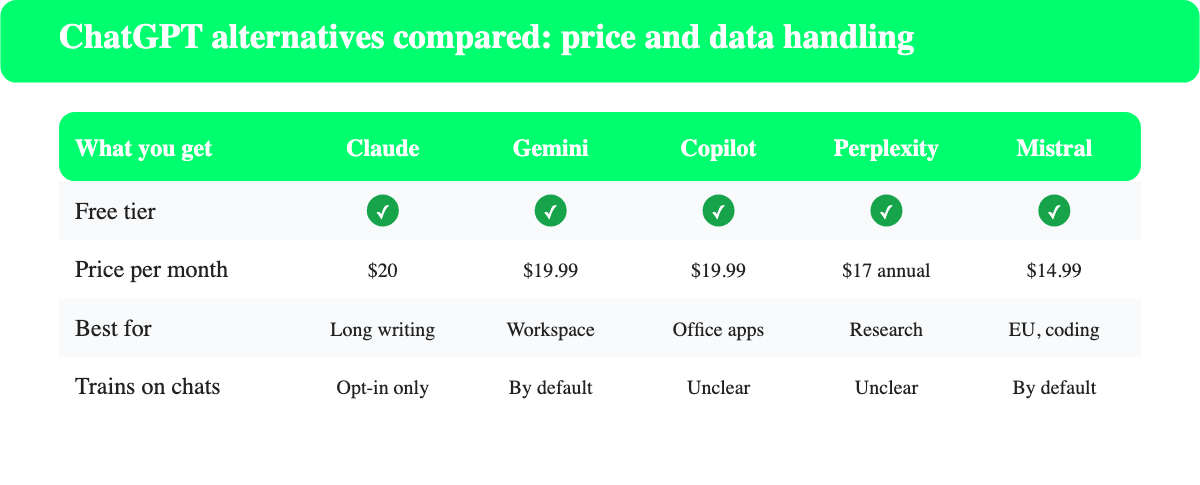
Ten assistants are worth your time in 2026, and the table sorts them by what each one is genuinely best at. Compare the free column first, because every one of them runs a free tier, so the shortlist costs nothing to test.
| Tool | Free tier | Entry paid price (USD) | Billing basis (USD) | Best for |
|---|---|---|---|---|
| Claude | Yes | $20 per month (Pro) | Monthly, $17 on annual | The alternative for long writing and reasoning |
| Google Gemini | Yes | $19.99 per month (Google AI Pro) | Monthly | Gmail, Docs and Drive work |
| Microsoft Copilot | Yes | $19.99 per month (Microsoft 365 Premium) | Monthly, $199.99 per year | Word, Excel and Outlook |
| Perplexity | Yes | $17 per month (Pro) | Annual billing | Research with citations |
| DeepSeek | Yes | Usage-based API only | Pay as you go | Free reasoning at zero cost |
| Grok | Yes | $40 per month (X Premium+) | Monthly, $395 per year | Live news and X posts |
| Mistral Vibe | Yes | $14.99 per month (Pro) | Monthly | European vendor, coding agent |
| Meta AI | Yes | n/a | n/a | Casual questions inside Meta apps |
| HuggingChat | Yes | n/a | n/a | Open-source models, no paywall |
| Pi | Yes | n/a | n/a | Talking a problem through |
Four of the ten have no paid plan at all.
That’s the part most comparison posts bury, and it changes the shape of the decision. You aren’t choosing between subscriptions. You’re choosing which free tool to keep open in a second tab, and only then deciding whether any of them is worth $20.
Why people look for a ChatGPT alternative in 2026
People leave ChatGPT for four reasons: price, privacy, a missing capability, or a workflow that lives somewhere else. Price is the loudest one, and it’s rarely the real one.
OpenAI now runs four consumer tiers. Free costs nothing and runs GPT-5.6 Luna with limited uploads and deep research. Go costs $8 per month and OpenAI’s own pricing page notes that this plan may include ads. Plus is $20 per month and unlocks the advanced reasoning models. Pro starts at $100 per month.
That ladder matters, because a $20 Plus subscription is no longer expensive by category standards. Claude Pro is the same $20. Google AI Pro is $19.99. Microsoft 365 Premium is $19.99. If money’s your only complaint, switching saves you nothing. That’s worth sitting with before you cancel anything.
The reasons that hold up are narrower than the price complaint, and each one points at a specific tool.
- You need sources you can click, which is Perplexity’s whole design.
- You need the assistant inside Gmail, Docs, Word or Excel, which points at Gemini or Copilot.
- You want a vendor outside the United States, which is where Mistral sits.
- You want your chats kept out of model training by default, which changes the shortlist completely.
- You want zero cost with no upgrade nag, which HuggingChat and DeepSeek both deliver.
Free daily limits are the other honest reason. ChatGPT’s free plan caps uploads, image generation and deep research, and a heavy user hits those walls by mid-afternoon. Running two free assistants side by side doubles your ceiling for nothing.
What ChatGPT still does better than the alternatives
ChatGPT still wins on breadth, on the ecosystem around it, and on being the default everyone else has to explain themselves against. Naming that honestly is the only way a comparison’s worth reading.
Four things are genuinely harder to replace, and none of them is about raw model quality.
- Custom GPTs. Nothing on this list has an equivalent library of user-built assistants that anyone can share with a link.
- Voice. ChatGPT’s advanced voice mode is still the most natural of the lot, and Gemini is the only one close.
- The all-rounder problem. Claude writes better and Perplexity researches better, yet ChatGPT is second-best at both, which is why it stays installed.
- Third-party support. Every tutorial, template and integration on the internet assumes ChatGPT first.
The honest framing is that you’re rarely replacing ChatGPT. You’re adding a second tool that beats it at the one job you do most, then deciding later whether the original subscription still earns its $20.
How to pick a ChatGPT alternative
Pick on the job you do most often, not on benchmark scores. Benchmarks move every few weeks while your workflow stays the same for years. Pick on the work.
Four questions get you to an answer in about five minutes, and they are worth answering in order.
- Where does the work live? If your documents are in Google Drive, Gemini removes a copy-paste step that no other tool can. If they’re in SharePoint and Excel, Copilot does the same.
- Do you need to cite what you find? Research that ends up in a report needs footnotes. Perplexity gives them by default, while general assistants give them only when you ask.
- How sensitive is the material? Client contracts and medical notes belong on a tool where training is off by default or can be switched off in one click.
- What’s your real monthly budget? Anything under $20 and the free tiers plus one paid subscription will cover you.
Test with a task you already know the answer to. Feed the same real brief to two assistants and compare, rather than trusting a leaderboard. That takes twenty minutes and it’s the only benchmark that reflects your work.
Claude
Claude is the assistant built by Anthropic, a US AI company founded in 2021, and it’s the closest thing to a drop-in replacement for ChatGPT Plus. It handles long documents better than anything else on this list, and the prose it produces needs less editing than anything except a human draft. That second part is why writers switch.
The model family runs Haiku for speed, Sonnet for everyday work, and Opus for hard reasoning, with Fable and Mythos on top. Free accounts get web search, memory across conversations, file creation and code execution, plus connectors through remote MCP.

Where Claude beats ChatGPT: long-form editing. Give it a 12,000 word draft and it keeps the argument straight to the end, instead of drifting into summary halfway through. Where it loses: there’s no image generation at all, and web search is competent rather than excellent. Those are real gaps if your work is visual, and irrelevant if it isn’t.
The pricing has one wrinkle worth knowing. Pro at $20 is the monthly rate, but paying $200 up front for the year drops it to $17 per month, and Anthropic bundles Claude Code, Claude Cowork and Claude Design into that same Pro plan rather than selling them separately. For a developer that bundling alone closes the gap to a more expensive competitor. For the full rundown on the company, the model lineup and how the plans compare, see our complete guide to Claude AI.
Free tier: chat on web, desktop and mobile, web search, memory, file creation, code execution.
Paid: Pro is $20 per month billed monthly, or $17 per month if you pay $200 up front for the year. Max starts at $100 per month for five times the Pro usage. Team is $25 per seat per month, $20 on annual billing.
Best for: writers, analysts and anyone who works in long documents.
Google Gemini
Gemini is Google’s assistant, and its advantage isn’t the model, it’s the address bar. The same account already holds your mail, your calendar and your files, so Gemini answers questions about them without an upload step.
The free plan runs Gemini 3.6 Flash and includes 15 GB of storage across Gmail, Drive and Photos. Paid plans are sold as Google AI subscriptions rather than as a chatbot: Google AI Plus at $4.99 per month doubles the free usage limits, Google AI Pro at $19.99 per month gives four times the free limits plus the Pro model and Deep Research, and Google AI Ultra starts at $99.99 per month.
Where Gemini beats ChatGPT: anything that starts with “in my inbox” or “in that spreadsheet”. Video too, since Google Flow ships with the paid plans. Where it loses: the writing still reads like a search result more often than it should, and you’ll edit more than you would with Claude. The gap has narrowed, though it hasn’t closed.
Watch the tier names, because they cause real confusion. Google sells these as Google One AI subscriptions bundled with cloud storage, so the same $19.99 buys both the Pro model and 5 TB of Drive space. If you already pay Google for storage, the effective price of the assistant is lower than the sticker suggests.
Free tier: Gemini app with 3.6 Flash, standard usage limits.
Paid: $4.99, $19.99 or from $99.99 per month.
Best for: anyone whose working day happens inside Google Workspace.
Microsoft Copilot
Copilot is Microsoft’s assistant and the direct replacement for what used to be called Bing Chat. The consumer app at copilot.microsoft.com is free, which surprises people who assume Microsoft charges for everything. It doesn’t.
The paid route changed in 2026. Copilot Pro as a standalone subscription is gone, folded into Microsoft 365 Premium at $19.99 per month or $199.99 per year with a one-month free trial. That plan gives the subscription owner extensive AI usage, Copilot features that are exclusive to Premium, and up to 6 TB of cloud storage across six people at 1 TB each.
Where Copilot beats ChatGPT: it sits inside Word, Excel, PowerPoint and Outlook. Asking Excel to explain its own pivot table is a different experience from pasting the data somewhere else.
Where it loses: the AI features only apply to the subscription owner, not to the five people you share the plan with. Read that footnote before you buy for a family.
The free app is better than its reputation. It runs the same chat interface, handles web search and image generation, and costs nothing, so the paid upgrade is really about Copilot appearing inside the desktop apps rather than about the chat itself getting smarter.
Free tier: full Copilot chat on web and mobile.
Paid: $19.99 per month or $199.99 per year through Microsoft 365 Premium.
Best for: Office users, and anyone who already pays Microsoft for storage.
Perplexity
Perplexity is an answer engine rather than a chatbot, and the difference shows in the output. Every answer arrives with numbered sources you can open, which makes it the fastest way to research something you’ll later have to defend.
Perplexity doesn’t run a single model. Depending on the mode you pick you get Sonar 2, which Perplexity builds in-house, or GPT-5.6 Terra, Gemini 3.8 Flash and Claude Sonnet 5 from the other labs. The free plan allows three Pro searches a day and one Research query a month, which is enough to judge it but not enough to work with.
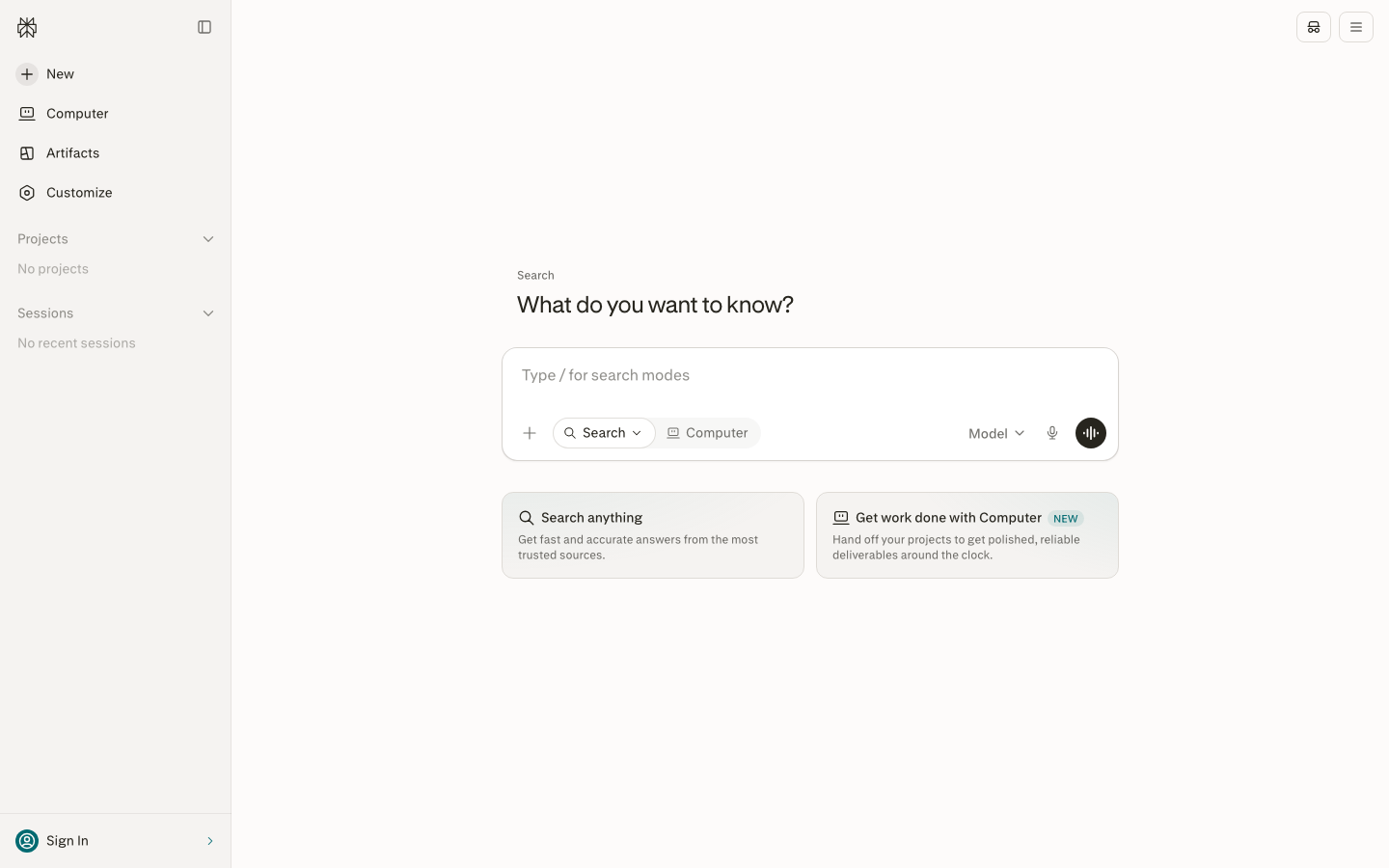
Where Perplexity beats ChatGPT: citations, and recency. Ask about something that happened this morning and it’ll have read the coverage. Where it loses: creative writing and long drafting. It’s built to answer, not to compose, and you’ll feel that the moment you ask for a blog post.
One pricing detail to read carefully. Perplexity’s own page quotes Pro at $17 per month billed annually rather than as a monthly rate, so the comparison against a $20 monthly ChatGPT Plus subscription is not quite like for like. Budget for the annual commitment, or check the monthly rate at checkout before you decide it’s the cheap option.
Free tier: three Pro searches per day, one Research query per month.
Paid: Pro is $17 per month on annual billing. Max is $167 per month on annual billing.
Best for: researchers, journalists, analysts, students writing anything with a bibliography.
DeepSeek
DeepSeek is the Chinese lab whose models forced the whole industry to rethink pricing, and its consumer chat is free. The current release is DeepSeek-V4-Pro, which the company describes as significantly stronger on agent tasks and available across web, mobile and API.
Free means free here. There’s no consumer subscription to upsell you to, and the only paid product is usage-based API access.
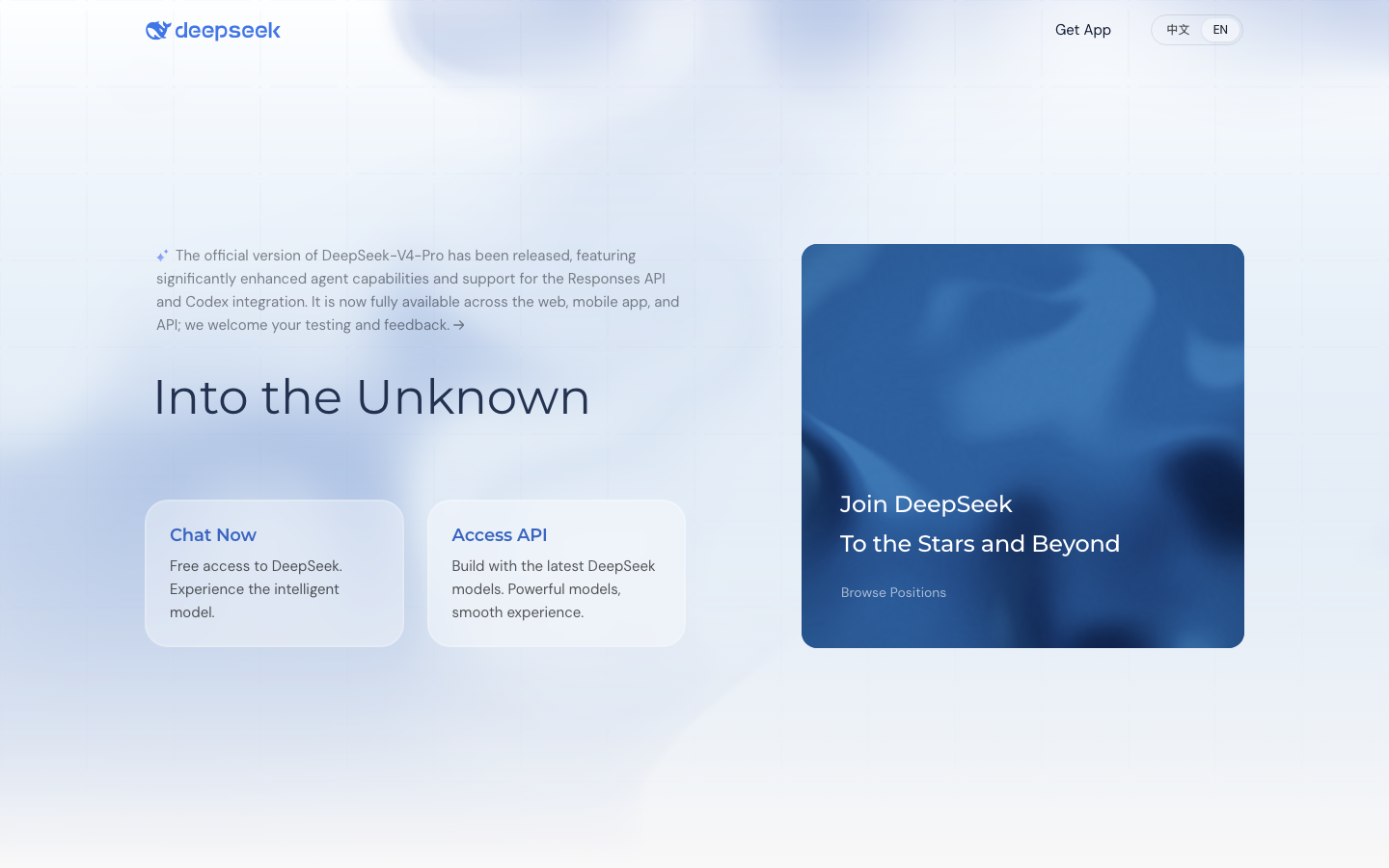
Where DeepSeek beats ChatGPT: cost, flat-out. You get reasoning-grade answers for nothing.
Where it loses: the data question. DeepSeek’s privacy policy names Hangzhou DeepSeek Artificial Intelligence Co., Ltd. as the controller and states that personal data is collected, processed and stored in the People’s Republic of China. You do have a stated right to opt out of your data being used to train the models, though the storage location isn’t something a setting changes.
That distinction matters more than it first sounds. A training opt-out changes what happens to your text. A storage jurisdiction changes which legal system can compel access to it, and no toggle in the app moves the servers. For a hobby project that’s irrelevant. For anything under a client NDA it’s the whole decision.
Free tier: full chat access with DeepSeek-V4-Pro.
Paid: API only, usage-based.
Best for: personal projects, learning, anything that isn’t confidential.
Grok
Grok is xAI’s assistant and its distinguishing feature is live access to X. It searches the web and the X firehose at once, so breaking news reaches it before it reaches a model that refreshes on a crawl schedule.
The free tier at grok.com covers ordinary use. The paid route runs through X: Premium+ costs $40 per month or $395 per year on the web and includes SuperGrok, which raises the limits on the newest models and adds Grok Bot, voice mode and Imagine for images and video at up to 2K resolution and fifteen seconds.
Where Grok beats ChatGPT: real-time social context. For anything trending, it’s the better tool, full stop. Where it loses: $40 per month is double what Claude, Gemini and ChatGPT charge, and you’re buying a social network subscription you probably don’t want. The free tier is the sensible entry point here.
xAI also ships a multi-agent mode where several agents work a problem in parallel and each shows its reasoning before the results merge into one cited answer. It’s the most interesting thing on the free tier, and it’s the clearest argument for trying Grok even if you’d never pay $40 for X.

Free tier: chat, search and image generation with usage limits.
Paid: $40 per month or $395 per year via X Premium+.
Best for: journalists, traders, anyone tracking a live story.
Mistral Vibe
Mistral Vibe is the French lab Mistral AI’s assistant, and it was called Le Chat until recently. The company’s own product page now reads “Mistral Vibe (formerly Le Chat)”, so half the comparison posts you’ll read still use the old name.
The free plan gives limited messages and web searches, limited coding sessions, image generation and $10 per month in API credits. Pro is $14.99 per month, which makes it the cheapest paid tier of any assistant here, and verified students pay $5.99. Team is $24.99 per user per month.
Where Mistral beats ChatGPT: it’s a European vendor with a real coding agent, and Pro costs a quarter less than Plus.
Where it loses: the ecosystem is thinner. Fewer integrations, fewer third-party guides, a smaller community when you’re stuck.
The rename is worth flagging because it breaks searches. Anything written before mid-2026 calls this product Le Chat, and the help centre article confirming the change is titled “Le Chat is now Vibe”. If a comparison you’re reading still says Le Chat, it hasn’t been checked recently.

Free tier: limited messages, web search and coding sessions, plus $10 per month in API credits.
Paid: Pro $14.99 per month, Team $24.99 per user per month.
Best for: European teams, developers, budget-conscious daily users.
Meta AI
Meta AI is Meta’s free assistant, reachable at meta.ai and inside WhatsApp, Instagram and Messenger. There’s no paid tier, which makes it the least complicated entry on this list.
It answers general questions, generates images and holds a conversation. What it doesn’t do is professional work. There aren’t real document uploads, there’s no project organisation, and coding support is thin.
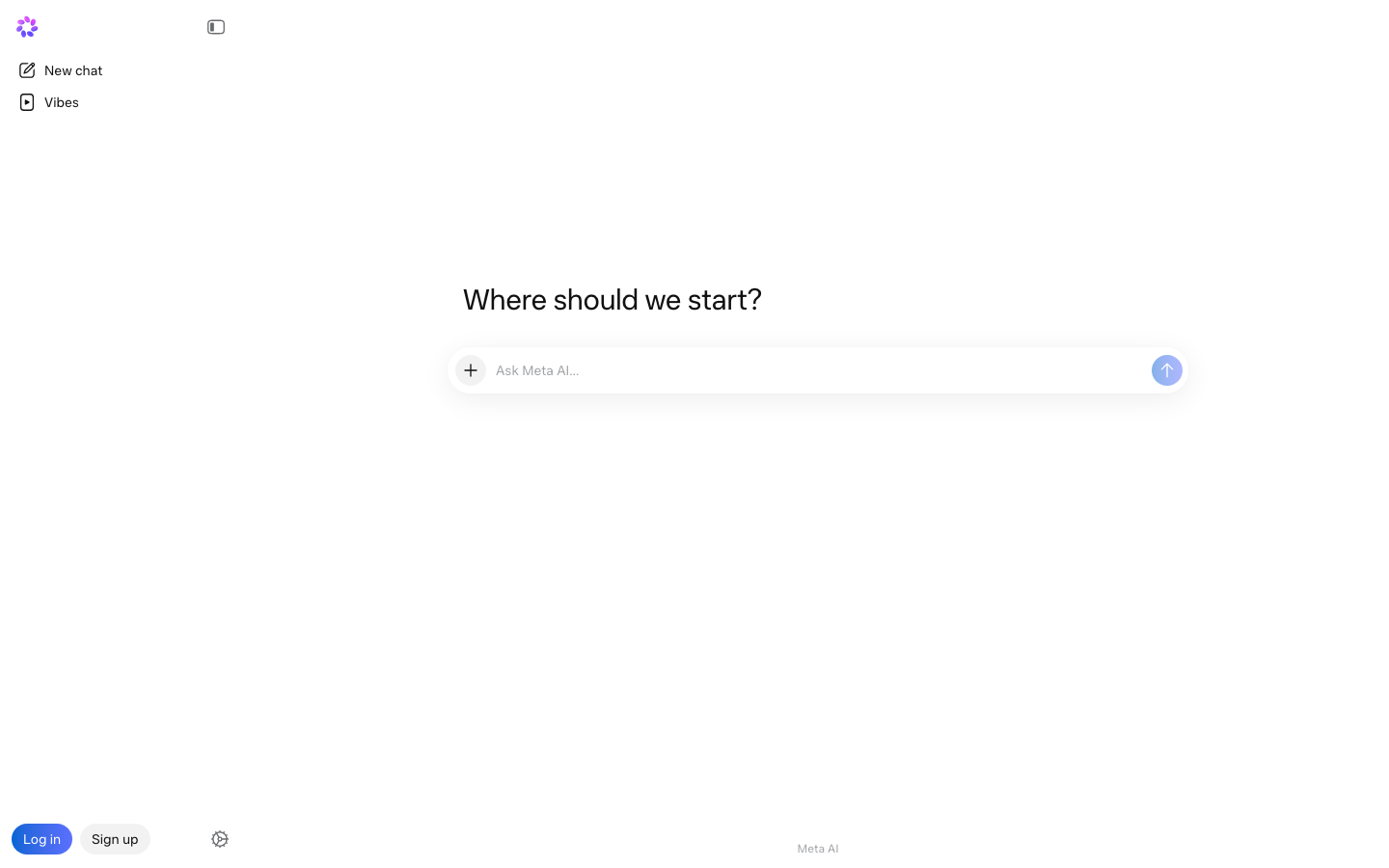
Where Meta AI beats ChatGPT: it’s already in the app you’re using. Asking a question inside a WhatsApp thread beats switching apps. Where it loses: everywhere else. Treat it as a convenience, not a workhorse.
Free tier: everything, since there’s nothing else.
Paid: n/a.
Best for: quick questions while you’re already inside Meta’s apps.
HuggingChat
HuggingChat is Hugging Face’s free chat interface to open-source models, and it currently offers 139 of them. A router called Omni picks the model for each request, or you can choose one yourself, which is something no commercial assistant lets you do.
Recent additions include GLM-5.3-Flash, a 320 billion parameter multimodal mixture-of-experts model. The whole thing costs nothing and there’s no upgrade path, because there’s nothing to upgrade to. You do need a free Hugging Face account now, since the chat sits behind a login rather than being open to anyone with the URL.
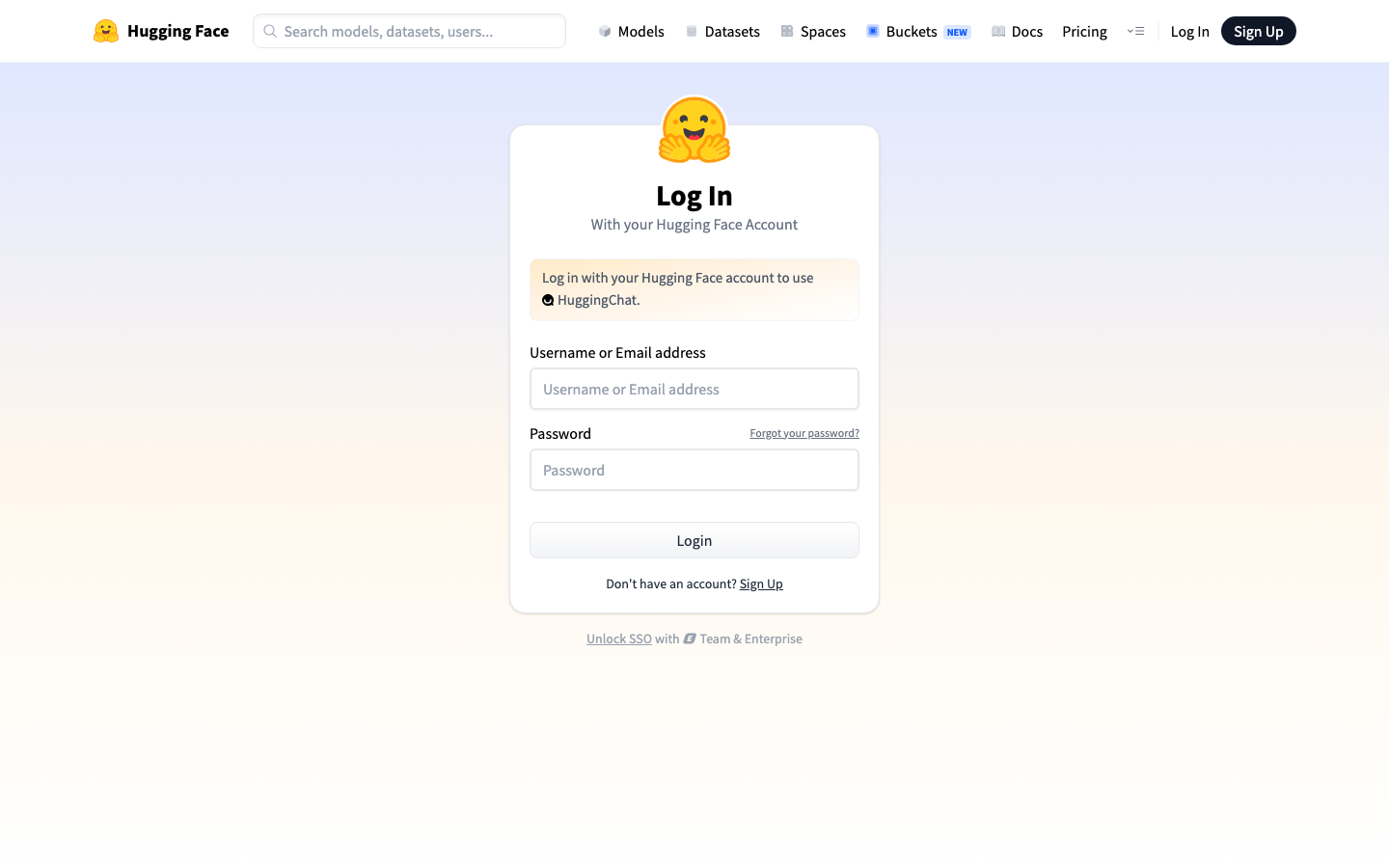
Where HuggingChat beats ChatGPT: model choice. If you want to compare how three different open models answer the same prompt, this is the only place to do it in one interface.
Where it loses: polish, speed and reliability. It’s a showcase for open models rather than a product with a support desk, and you’ll notice the difference on a slow day.
It’s also the cheapest way to sanity-check an answer. Run the same prompt through two open models with different training data and the places where they disagree are usually the places where a single assistant would’ve quietly hallucinated.
Free tier: 139 models, image generation, web tools, MCP connectors.
Paid: n/a.
Best for: developers and anyone curious about open-source models.
Pi
Pi is Inflection AI’s personal assistant and it’s built for conversation rather than output. Where the other nine tools optimise for a deliverable, Pi optimises for the back-and-forth. That makes it the odd one out, and occasionally the right choice.
It’s free with no subscription tier. Inflection’s privacy policy states that your inputs may be used to develop and train its models and that you can opt out of model training in your account settings, along with a separate opt-out for inferring emotion from your voice.
Where Pi beats ChatGPT: thinking out loud. Working through a difficult decision or rehearsing a hard conversation is what it’s for, and the pacing is noticeably gentler than a productivity assistant’s. Where it loses: no file uploads, no coding, no research depth. It’s a narrow tool by design and it doesn’t pretend otherwise.
Free tier: unlimited conversation, voice mode.
Paid: n/a.
Best for: talking something through rather than producing a document.
What can you use instead of ChatGPT for free?
DeepSeek, HuggingChat, Meta AI and Pi are completely free with no paid tier at all, and Claude, Gemini, Copilot, Perplexity, Grok and Mistral Vibe all run usable free plans on top of that. All ten need nothing more than an email address to start.
The free plans aren’t equal, though, and the differences decide which one you keep. Four of them stand out for opposite reasons.
- Best free plan overall: Claude. Web search, memory, file creation and code execution on a free account is more than most paid tools offered two years ago.
- Best free plan with no limits to hit: DeepSeek. No daily cap to route around and no upsell.
- Most restrictive free plan: Perplexity, at three Pro searches a day. It’s a demo rather than a working tier.
- Best free plan for images and video: Grok, since Imagine is included at the free level with limits.
Running two free assistants in parallel is the cheapest upgrade available. When one hits its daily ceiling, move the conversation to the other. If your work is mostly writing, our roundup of AI writing tools covers the narrower options that sit alongside a general assistant.
Free daily limits compared
Free tiers fail in different ways, and knowing which wall you’ll hit decides which one you keep. Perplexity stops you after three Pro searches a day, while DeepSeek and HuggingChat have no consumer cap to work around at all.
Three patterns show up across the ten, and each one fails you in a different way.
- Hard daily counters. Perplexity publishes its free allowance as three Pro searches per day and one Research query per month. You’ll know exactly when you’ve run out.
- Soft usage windows. Claude, Gemini and Grok throttle on a rolling window rather than a fixed count, so the ceiling moves with how heavy your prompts are. Long documents burn through it faster than short questions.
- No ceiling at all. DeepSeek, HuggingChat, Meta AI and Pi have nothing to upgrade to, so there’s no incentive to meter you.
Free plans also differ on what they exclude rather than how much they allow. Claude’s free tier includes web search, memory and code execution, which several paid competitors reserve for subscribers. Mistral’s free plan hands you $10 per month in API credits on top of the chat, which is unusual and useful if you write scripts.
Which ChatGPT alternative is best for coding?
Claude is the best general assistant for coding, and Mistral Vibe is the best cheap one. Neither is an IDE, which matters if you want completions rather than conversation.
For explaining and reviewing code
Claude handles long files without losing context, which is the practical difference when you paste in a 2,000 line module and ask why a test fails. Claude Code ships with the $20 Pro plan rather than as a separate purchase.
For coding on a budget
Mistral Vibe includes all-day coding in the CLI, IDE or on the web on the $14.99 Pro plan, plus $30 per month in API credits. For a solo developer that combination is hard to beat on price.
For free coding help
DeepSeek’s reasoning models handle algorithmic problems well and cost nothing. HuggingChat lets you compare open coding models directly, though the answers vary more.
For agentic work that runs on its own
Claude Code and Mistral Vibe both run in a terminal and can execute multi-step tasks without you approving every line. Grok’s multi-agent mode does something similar inside the chat window, splitting a hard problem across parallel agents that each show their reasoning.
What none of these replace is an editor integration. If you want inline completions as you type, that’s a different category of tool, and a chat assistant sits alongside it rather than instead of it.
How each ChatGPT alternative handles your data
Each ChatGPT alternative handles your data differently, and only Claude keeps consumer chats out of model training unless you opt in. It’s the column most comparison posts skip, so the specifics matter.
| Tool | Are your chats used to improve the models? | Control you get |
|---|---|---|
| Claude | Only if Model Improvement is switched on in Privacy Settings | Incognito chats are never used, even with the setting on |
| Google Gemini | A subset of chats is reviewed by human reviewers to improve Google services | Turn off Keep Activity or use temporary chats. Reviewed chats are kept up to three years and are not deleted when you delete your activity |
| Mistral Vibe | Yes on Free, Pro and Team, by default | Opt out any time in settings. Enterprise is opted out by default |
| DeepSeek | Yes, and personal data is stored in the People’s Republic of China | A stated right to opt out of training. Storage location does not change |
| Pi | Yes, inputs may be used to develop and train the models | Opt out of model training in account settings |
| Microsoft Copilot | n/a | n/a |
| Perplexity | n/a | n/a |
| Grok | n/a | n/a |
| Meta AI | n/a | n/a |
| HuggingChat | n/a | n/a |
The rows marked n/a aren’t a clean bill of health. Those vendors don’t publish a single plain-language answer to the training question on their consumer help pages, so we’re not going to invent one. Check the setting inside the app before you paste anything sensitive.
One rule survives all of this. Anything you’d redact from an email to a stranger doesn’t belong in a consumer chat window on any of these tools, period.
Which ChatGPT alternative should you use?
The ChatGPT alternative you should use is the one that matches the person you are at work, because that decides the answer faster than any feature list. The routing table below covers the situations that come up most.
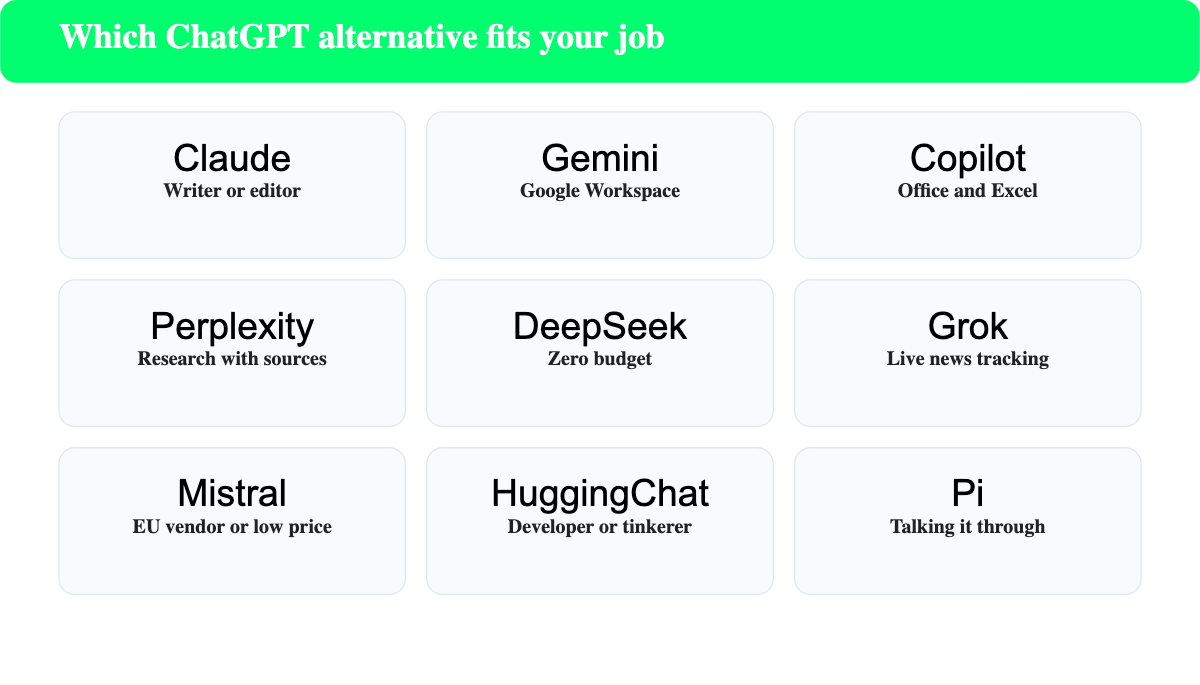
| If you are | Use | Why |
|---|---|---|
| A writer or editor | Claude | Holds long documents and needs the least editing |
| A Google Workspace user | Google Gemini | Reads your mail and files without an upload |
| An Office user | Microsoft Copilot | Works inside Word, Excel and Outlook |
| A researcher or student | Perplexity | Numbered sources on every answer |
| On a zero budget | DeepSeek | No cap, no upsell, strong reasoning |
| Tracking live news | Grok | Searches X and the web at once |
| In the EU or price-sensitive | Mistral Vibe | European vendor, cheapest Pro tier |
| Just asking quick questions | Meta AI | Already inside WhatsApp and Instagram |
| A developer or tinkerer | HuggingChat | 139 open models, pick your own |
| Working through a decision | Pi | Built for conversation, not output |
Two combinations cover most people. A writer pairs Claude with Perplexity and pays for one of them. An analyst inside Microsoft pairs the free Copilot app with Perplexity and pays for neither until the free limits start to bite. Neither pairing needs the $100 tier that every vendor now advertises at the top of its pricing page.
Most people end up running two. A general assistant for drafting and thinking, plus Perplexity when something needs a source. That pair costs $37 per month at most, and often nothing at all.
If what you actually need is not a chat window but a system that keeps published articles current, that’s a different category again. ContentForce analyses existing posts, drafts the update, shows you a diff and publishes it, starting at €49 per month as an EUR list price with a seven-day free trial. Our guide to content refresh explains the workflow whether or not you use a tool for it.
Frequently asked questions
Is there a better AI than ChatGPT?
There’s a better AI than ChatGPT for almost any specific job, though no single tool beats it across the board. Claude writes better, Perplexity researches better, and Gemini works better inside Google, while ChatGPT remains the strongest all-rounder.
Who is the biggest competitor of ChatGPT?
Google Gemini is the biggest competitor by reach, since it ships to every Google account holder by default. Claude is the biggest competitor by capability among people who use assistants for professional work.
Are these ChatGPT alternatives free to use?
All ten run a usable free tier and four of them (DeepSeek, HuggingChat, Meta AI and Pi) have no paid plan at all. The free tiers differ a lot in daily limits, so the useful question is how far each one gets you before it stops.
Can I use several ChatGPT alternatives at the same time?
You can use several ChatGPT alternatives at the same time, and most heavy users do exactly that. Two free accounts effectively double your daily allowance and give you a second opinion on anything that matters.
Is it hard to switch from ChatGPT to another assistant?
Switching takes about ten minutes, since every tool here accepts the same plain-language prompts. What doesn’t transfer is your chat history and any custom GPTs, so export anything you want to keep before you cancel.
Which ChatGPT alternative handles images?
Grok, Gemini, Mistral Vibe and Meta AI all generate images, and Grok adds video at up to 2K and fifteen seconds. Claude generates no images at all, which is its most obvious gap.
Do any ChatGPT alternatives keep my data out of training?
Claude keeps consumer chats out of model training unless you switch Model Improvement on yourself, and its incognito chats stay out either way. Mistral, DeepSeek and Pi train on your input by default and each offers an opt-out.
Do I have to cancel ChatGPT to use an alternative?
You don’t have to cancel anything, and most people shouldn’t at first. Run the alternative alongside ChatGPT for a fortnight, notice which window you open by reflex, then cancel whichever one you stopped reaching for.
Which ChatGPT alternative works best inside Gmail and Google Docs?
Google Gemini is the only assistant with native access to Gmail, Docs, Drive and Vids, and the paid Google AI Pro plan extends that across the suite. Every other tool on this list needs you to upload or paste the content first.
Are open-source ChatGPT alternatives good enough for real work?
Open models handle summarising, drafting and routine code well, though they still trail the commercial flagships on long multi-step reasoning. HuggingChat is the easiest way to judge that yourself, since it runs 139 of them behind one interface at no cost.
Which ChatGPT alternative is cheapest?
Mistral Vibe Pro at $14.99 per month is the cheapest paid plan on this list, and students pay $5.99. If you’re willing to stay on a free tier, DeepSeek costs nothing and hasn’t got a usage cap to work around.
The short version
Try Claude first if you write, Gemini first if you live in Google, and Perplexity alongside whichever you pick. All three are free to test, and the trial will tell you more than any comparison table. This one included.
For the wider landscape beyond chat assistants, our list of the best AI tools covers the specialist categories, and the AI tools for research guide goes deeper on the citation side.

2 thoughts on “10 Best ChatGPT Alternatives Compared (Free and Paid)”