
Tool list · 11 tools
Best Free Keyword Research Tools in 2026 (Tested and Compared)

Google Search Console, Google Keyword Planner and the Ahrefs Keyword Generator are three of the best free keyword research tools for most SEO work. This list covers 11 free tools tested against four checks: usable search volume, a difficulty signal, clear free access, and stated data freshness. AlsoAsked and Google Trends round out the picks for questions and trend timing.
Google Search Console, Google Keyword Planner and the free Ahrefs keyword tools are the three free picks that cover most of what keyword research needs. Search Console shows what your site already ranks for, Keyword Planner shows search volume estimates, and Ahrefs adds keyword ideas with volume estimates.
This guide covers 11 free keyword research tools and what each one gives you without paying. For each tool we state the free access we could confirm on the vendor's own page, and we mark the limits we could not confirm so you know what to check before you start.
What We Looked for in a Free Keyword Research Tool
A free keyword tool earns a place here when it passes four checks. Each check is something you can test yourself in a few minutes. If you need the fundamentals first, see our full keyword research guide.
- Search volume: The tool shows a number you can act on, not only a wide range.
- Difficulty or competition: The tool gives some signal of how hard a keyword is to rank for.
- Clear free access: You can see what is free before you create an account or enter payment details.
- Data freshness: The vendor says when its data was last updated.
Best Free Keyword Research Tools at a Glance
Google Search Console, Google Keyword Planner and Ahrefs cover most early-stage research, and the other eight tools fill specific gaps. The table lists all 11 tools with the job each one does best and what its free access includes.
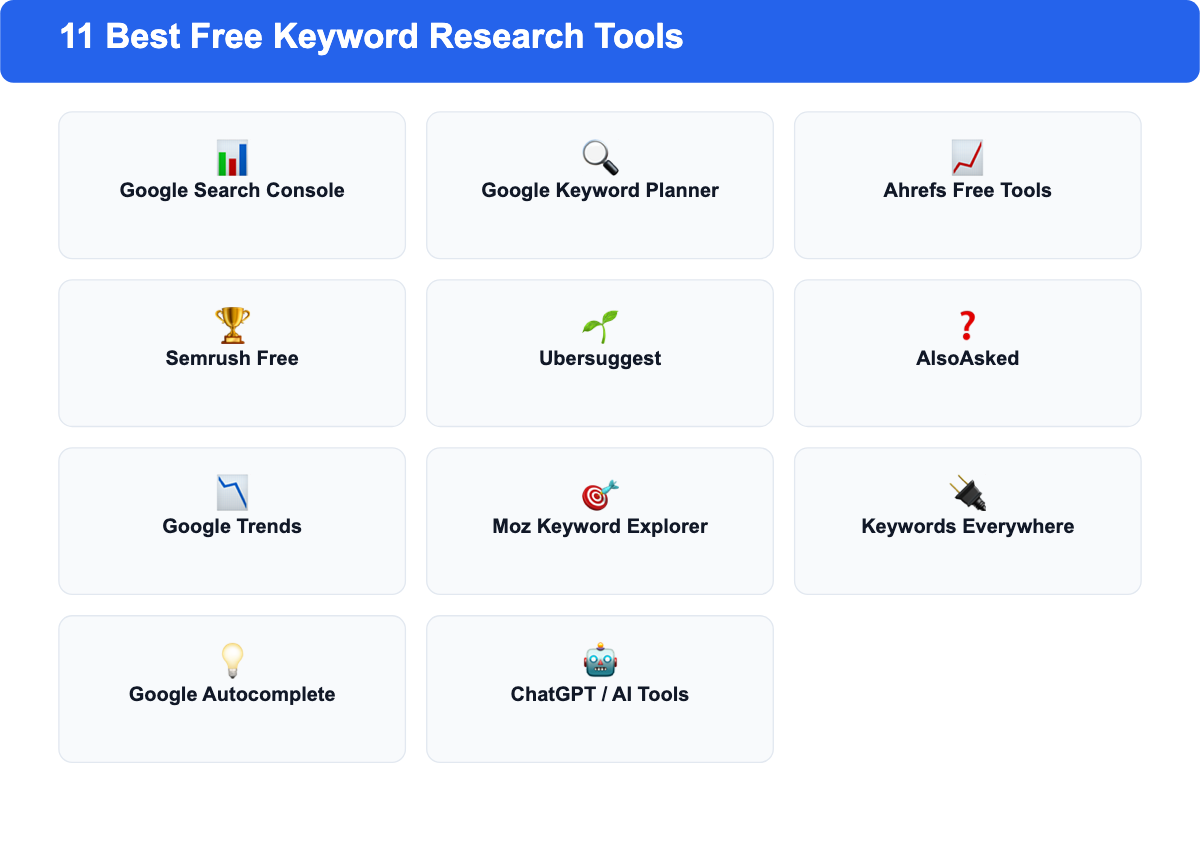
| Tool | Best For | Free Access | Standout Feature |
|---|---|---|---|
| Google Search Console | Keywords your site already ranks for | Free for any site you verify | Performance report with queries, impressions and positions |
| Google Keyword Planner | Search volume estimates and new ideas | Free with a Google Ads account | Monthly search volume and cost estimates |
| Ahrefs Keyword Generator | Quick keyword ideas with volume estimates | Free tool on Ahrefs' website | Keyword ideas from a large query database |
| Semrush free keyword tools | Keyword ideas and volume checks | No sign-up required for the free tools | Keyword tool and volume checker |
| Ubersuggest | Beginners | Free tier, limits to check on the vendor page | Keyword ideas and content ideas |
| AlsoAsked | Question-based keywords | 3 free searches per day, no account needed | Question-tree map built from Google's People Also Ask data |
| Google Trends | Seasonal and rising topics | Free | Compare search interest for several terms over time |
| Moz Keyword Explorer | Monthly keyword planning | Free tier, limits to check on the vendor page | Priority score that combines volume and difficulty |
| Keywords Everywhere | Research during normal browsing | Free basic data | Metrics shown beside Google results |
| Google Autocomplete | Long-tail phrases | Free | Real search suggestions as you type |
| ChatGPT, Gemini and Perplexity | Seed ideas and angles | Free tiers available | Brainstorming and question generation |
SEO Title Generator: eight title tag variations, sized for the SERP and intent-matched. Free, no signup.
The Best Free Keyword Research Tools
Each tool below has its free access first, then its best use and a practical tip. Where we could not confirm a free limit on the vendor's page, we say so.
1. Google Search Console: Best for Tracking What You Already Rank For
Search Console is free, and you don't pay for any site you verify. Its Performance report lists the queries that already bring impressions and clicks, with average position for each one.
- Best for: established sites that want to find keywords ranking on page two, positions 11 to 20.
- Pro tip: Filter for queries in positions 11 to 20 and update the page that already ranks for them. These are the cheapest gains.
2. Google Keyword Planner: Best for Search Volume Estimates
Keyword Planner is part of Google Ads. Google's help page describes it as a way to find keyword ideas and see estimates of monthly searches and costs, and you use it through a Google Ads account.
- Best for: checking whether a topic has enough search demand before you write about it.
- Pro tip: Enter a competitor's URL instead of a seed word to see the keywords their page targets.
3. Ahrefs Free Keyword Tools: Best for Quick Keyword Ideas
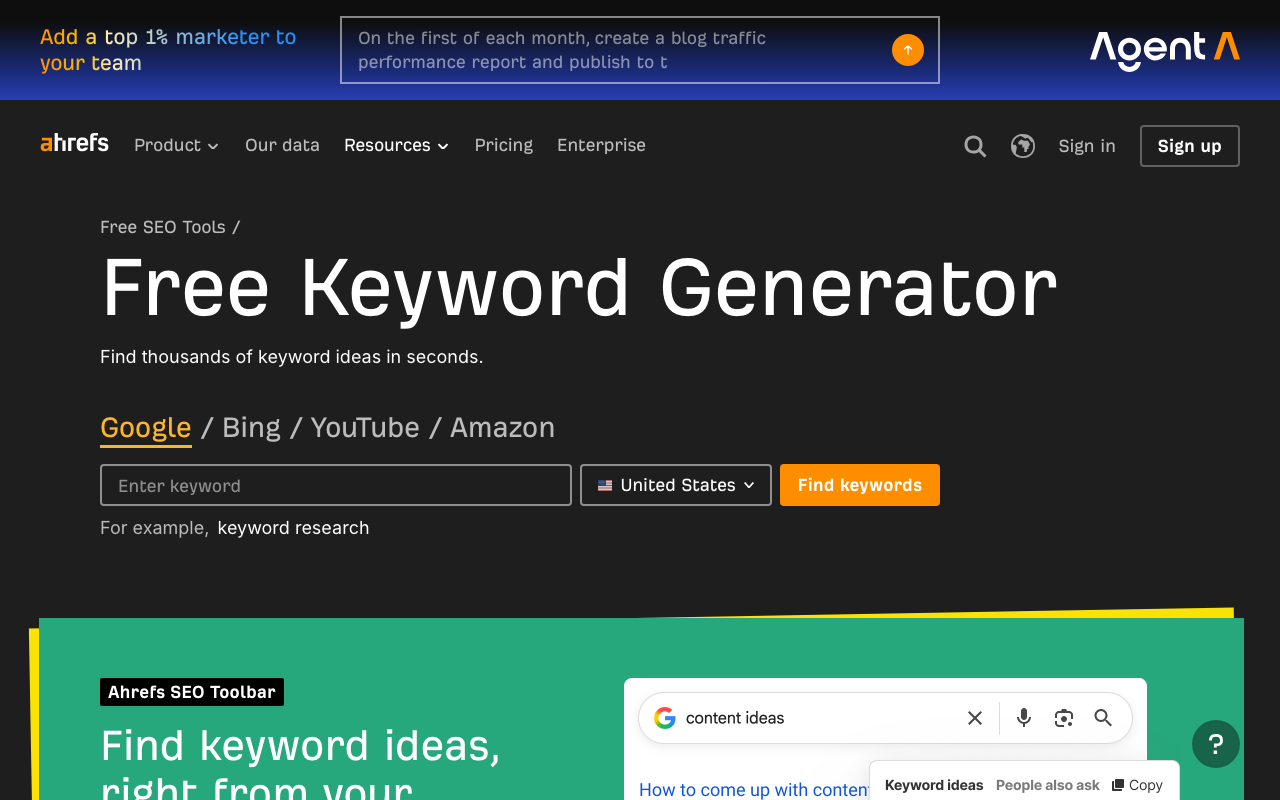
Ahrefs offers a free Keyword Generator that returns keyword ideas with search volume estimates for the country you select. The headline on Ahrefs' page promises 100 or more keyword ideas, and the page does not state a separate per-search cap. For more ways to use Ahrefs without a paid plan, see our guide to free Ahrefs alternatives. To see what that same volume data looks like applied to the biggest search terms in the US, check our ranked list of the most searched keywords on Google.
- Best for: finding variations of a seed phrase in one country.
- Pro tip: Run the same seed in two countries to see whether the demand is local or broad.
4. Semrush Free Keyword Tools: Best for Keyword Ideas and Volume Checks
Semrush's free tools page lists a Keyword Tool and a Keyword Search Volume Checker, and it states that no sign-up is required for them. If you want more than the free tools give you, our free Semrush alternatives roundup covers the next step up.
- Best for: a second opinion on volume estimates from Ahrefs or Keyword Planner.
- Pro tip: Use the volume checker on your final two or three candidates, not on a long list.
5. Ubersuggest: Best for Beginners
Ubersuggest combines keyword ideas with content ideas for a seed topic. It offers a free tier. We did not confirm its current daily or monthly limit on the vendor page, so check that page before you plan a research session around it.
- Best for: beginners who want keyword ideas and content prompts in one place.
- Pro tip: Use the content ideas to see which formats already work for a topic before you pick a keyword.
6. AlsoAsked: Best for Question-Based Keywords
AlsoAsked maps the questions people ask around a keyword, pulled from Google's "People Also Ask" data, and shows how those questions branch into related follow-ups. AnswerThePublic used to be the default pick for this job, but NP Digital acquired it and removed its free tier in 2024; its Starter plan now costs €13.33 a month billed annually on its EU pricing page, with no free tier listed. AlsoAsked fills the same role and gives non-registered users 3 free searches per day, no account required.
- Best for: FAQ sections, question-led headings, and finding long-tail content angles from second- and third-level questions.
- Pro tip: Export the full question tree for your main topic; the deeper branches usually make better standalone article ideas than the root question.
7. Google Trends: Best for Seasonal and Rising Topics
Google Trends is free. It shows relative search interest over time, breaks interest down by region, and lists rising related queries.
- Best for: checking whether a topic is growing, flat or fading, and when to publish seasonal content.
- Pro tip: Compare up to five terms at once to see which spelling or phrasing people use most.
8. Moz Keyword Explorer: Best for Monthly Keyword Planning
Moz Keyword Explorer offers a free tier with a priority score that combines volume, difficulty and opportunity. The free allowance is limited, and we did not confirm the exact figure on Moz's page, so check it before you plan around it.
- Best for: a short list of keywords that you compare head to head each month.
- Pro tip: Save your free searches for the decisions you cannot make with other tools.
9. Keywords Everywhere: Best Browser Extension
Keywords Everywhere is a browser extension that shows keyword metrics beside Google results and other pages. Basic data is free, and detailed metrics use credits.
- Best for: passive research while you browse the results for a term you are already writing about.
- Pro tip: Turn on the extension only on the search results pages you check often, so the data does not distract you.
10. Google Autocomplete and Related Searches: Best for Long-Tail Discovery
Autocomplete and the Related Searches block at the bottom of Google's results are free and show phrases people actually type. Google's suggestions reflect real searches, which makes them useful for long-tail phrases.
- Best for: long-tail variations and the wording real users choose.
- Pro tip: Add a letter or a placeholder after your seed phrase to see suggestions that the plain search does not show.
11. ChatGPT, Gemini and Perplexity: Best for Keyword Brainstorming
Free tiers of ChatGPT, Gemini and Perplexity can generate seed ideas, group them by intent and draft question lists. They can't check search volume or difficulty, so treat their output as a starting list.
- Best for: seed ideation and content angles before you check demand with a volume tool.
- Pro tip: Ask for questions grouped by funnel stage, then validate the best ones in Keyword Planner or Ahrefs.
Free vs. Paid Keyword Research Tools: What You Give Up
Free tools cover demand, rankings and ideas well. Paid tools add depth, history and scale. The table compares the two on the points that affect decisions most; see our guide to keyword difficulty for what that score does and does not tell you.
| Tool type | Search volume | Keyword difficulty | Competitor research | Rank tracking | Historical data |
|---|---|---|---|---|---|
| Free tools (Keyword Planner, Search Console) | Estimates, often in ranges | Limited or not shown | Limited | Search Console only | Limited |
| Paid tools (Ahrefs, Semrush) | Exact figures in most paid plans | Shown in paid plans | Full competitor keyword profiles | Automated tracking for chosen keywords | Multi-year trend data in most plans |
Ahrefs' Lite plan starts at €119 per month billed annually, and Semrush's SEO plan is €112.52 per month billed annually, both on their pricing pages. Prices depend on the country and billing period, so check the page for your region before you budget.
You should upgrade to a paid tool when one of these three things happens.
- You hit a free search or report limit on a regular basis, and the limit slows your research.
- You need a feature the free tools do not offer, such as keyword difficulty for most keywords or tracking across many keywords.
- Your SEO work grows beyond one site or one content plan, and you need competitor data across several domains.
Can You Use ChatGPT for Keyword Research?
Yes, ChatGPT and similar AI tools can help you generate keyword ideas, but they can't replace a keyword tool. They produce plausible phrases without checking whether people search for them.
AI tools handle three tasks well, as the list below shows.
- They generate 30 to 50 specific question ideas from one seed topic in a few seconds.
- They group ideas by stage of the buyer journey.
- They suggest content angles you may not have considered.
AI tools have two clear limits.
- They can't give you verified search volume or keyword difficulty.
- They can't show whether a phrase is how real users word their searches.
Validate the AI list in Keyword Planner or Ahrefs before you commit to any phrase.
How to Do Keyword Research Using Only Free Tools
A free workflow ends with a shortlist of keywords, each with a volume estimate and a competition check, built in six steps. Each step uses one of the tools above.
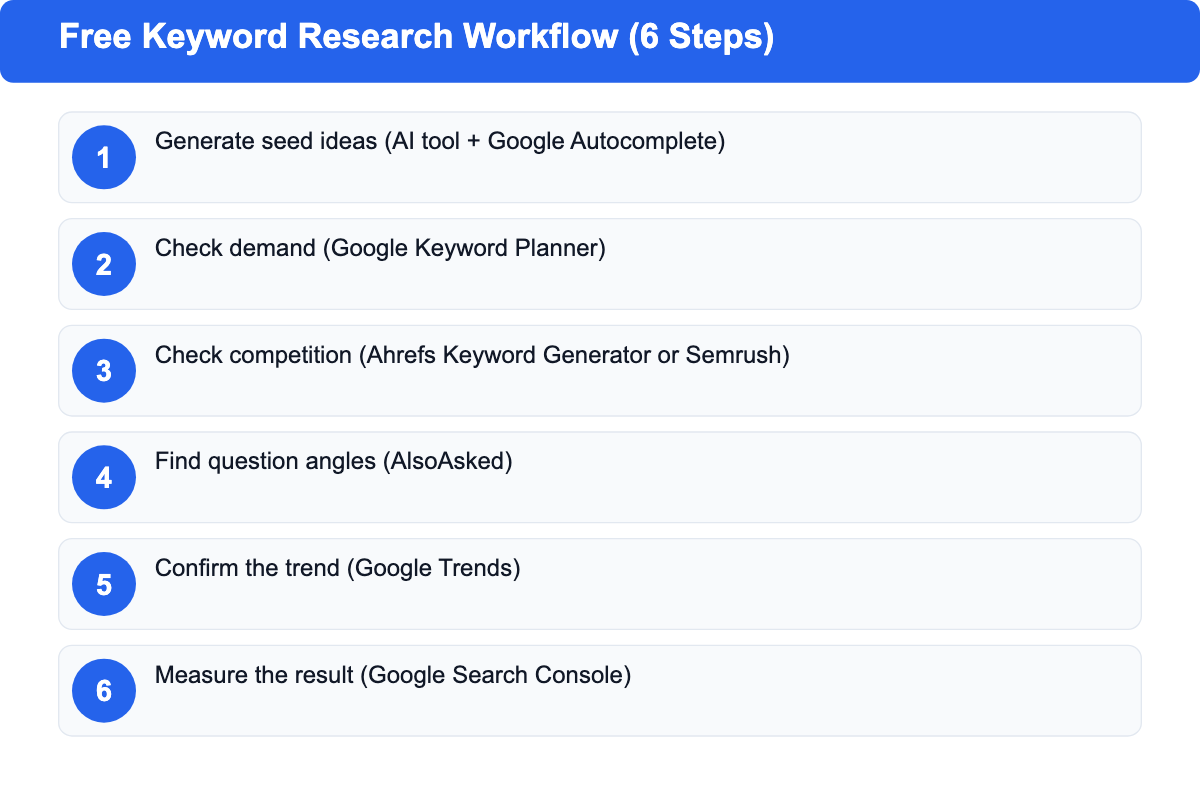
- Generate seed ideas. Ask an AI tool for 30 to 50 questions on your topic, then add phrases from Google Autocomplete.
- Check demand. Run your top candidates through Google Keyword Planner and drop any phrase with very low estimated volume.
- Check competition. Run the remaining candidates through the Ahrefs free Keyword Generator or the Semrush volume checker, and compare the two.
- Find question angles. Run your final two or three picks through AlsoAsked to find the questions readers ask.
- Confirm the trend. Check Google Trends to confirm the topic is flat or growing before you commit to it.
- Measure the result. After you publish, use Search Console to see which queries the page ranks for and where it sits in positions 11 to 20.
Frequently Asked Questions
What is the best completely free keyword research tool?
Google Search Console is, without question, the best completely free keyword research tool for a site that already has content, because it shows the real queries your pages earn. For a new site with no rankings yet, Google Keyword Planner is the better starting point for finding search demand.
Is Google Keyword Planner free?
Yes, Keyword Planner is free to use, and it's part of a Google Ads account you don't pay to open. Without active campaign spend, Google may show search volume as ranges rather than exact figures.
Can you do keyword research without paid tools?
Yes, you can do solid keyword research with free tools alone. Search Console, Keyword Planner, Google Trends and the free Ahrefs and Semrush keyword tools together cover the core workflow. Free tools suit research on a handful of keywords at a time, not large keyword databases.
Which free tool gives the most accurate search volume?
Google Keyword Planner uses Google's own search data, which makes it the most direct source for volume estimates among the free tools. Use a second tool to compare estimates before you make a big content decision.
Is Ubersuggest free?
Ubersuggest offers a free tier, but its daily limits change, so check the current allowance on its website before you plan research around it.
When should you switch to a paid keyword research tool?
Switch when free limits slow your work every week, when you need keyword difficulty for most of your list, or when you track competitors across several domains. Those three triggers cover most cases where a paid plan pays for itself.