

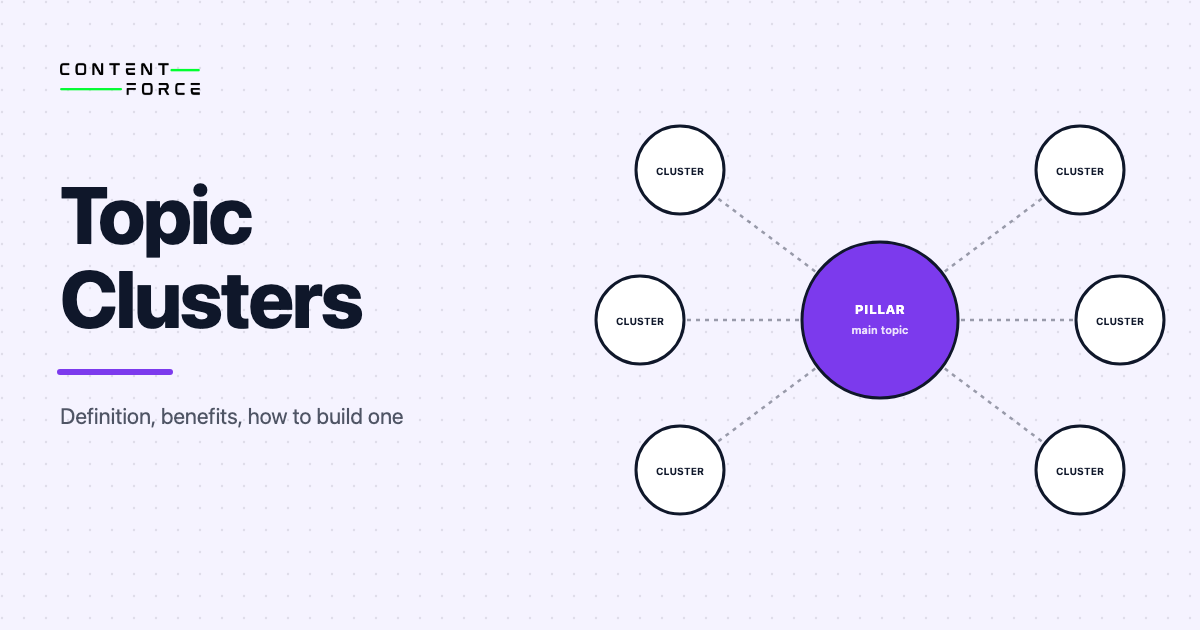
A topic cluster is a group of interlinked web pages organized around a single core topic. It consists of one pillar page that provides a broad overview, multiple cluster pages that each cover a specific subtopic in depth, and internal links connecting every piece back to the pillar. Search engines use these connections to understand how comprehensively a site covers a subject, which is why a well-organized topic cluster consistently drives more organic traffic than a collection of isolated, unconnected posts.
HubSpot introduced the topic cluster model in 2017 as a structured alternative to publishing one-off keyword-targeted blog posts. The core insight: instead of publishing dozens of loosely related articles and hoping each one ranks individually, you build a cohesive content architecture where every piece reinforces topical authority across the entire cluster. The strategy works because it mirrors how search engines, and now large language models, assess expertise and relevance.
What Is a Topic Cluster?
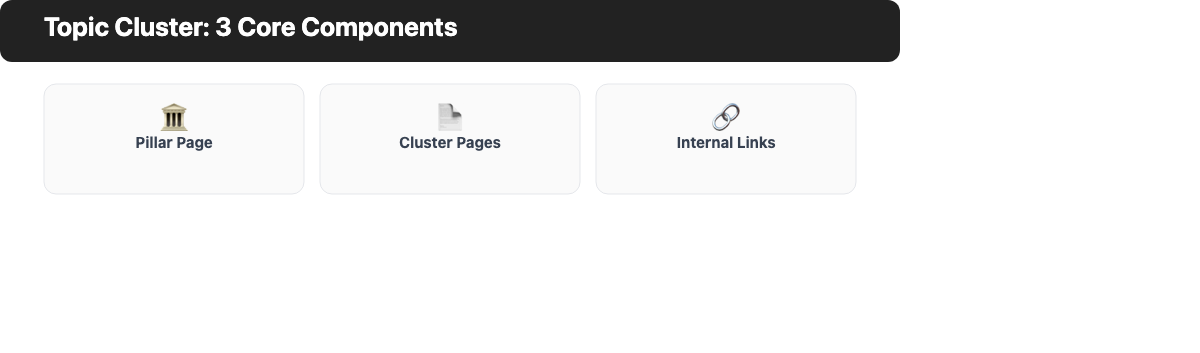
A topic cluster is built from three core components:
- Pillar page: A comprehensive page covering a broad topic at a high level. It answers the main question without going too deep on any single subtopic. The pillar page links out to every cluster page in the group.
- Cluster pages: Individual pages, each covering one specific subtopic in depth. For a content marketing pillar, cluster pages might cover keyword research, email newsletters, social media strategy, or content audits. Every cluster page links back to the pillar.
- Internal links: The connective tissue that makes the cluster work. Links flow in both directions: pillar to cluster and cluster back to pillar. Some cluster pages also link to each other when it adds value for the reader.
The result is a content network that signals to search engines that a site covers a topic comprehensively. This is the foundation of topical authority, the ranking signal that rewards expertise and depth over breadth.
Topic clusters are sometimes called content clusters, hub-and-spoke content models, or pillar-cluster models. The terminology varies, but the structure is the same.
What Is a Pillar Page?
A pillar page is the centerpiece of a topic cluster. It covers the core topic broadly, giving readers an overview of every major subtopic without going deep on any single one. A typical cluster page might be 800 to 1,500 words. A pillar page is often 2,000 to 4,000 words, because it needs to introduce enough subtopics to support an entire cluster and link out to every one.
The pillar page targets a high-volume head term (for example, “content marketing”). The cluster pages target the long-tail variations and subtopic queries that branch from that head term. Together, they give a site comprehensive keyword coverage across the full topic space.
| Pillar Page | Cluster Page | |
|---|---|---|
| — | — | — |
| **Topic** | Broad core subject | One specific subtopic |
| **Depth** | Overview of many subtopics | Deep dive on one angle |
| **Length** | 2,000 to 4,000+ words | 800 to 1,500 words |
| **Target keyword** | Head term (high volume) | Long-tail keyword |
| **Internal links** | Links out to all cluster pages | Links back to the pillar |
The pillar page does not need to be the most detailed page on the site. Its job is to cover breadth and provide clear pathways into the depth that lives on each cluster page.
Benefits of Topic Clusters for SEO
Higher Rankings and Topical Authority
Topic clusters help establish topical authority, meaning search engines see a site as a reliable, comprehensive source on a subject. When every cluster page links back to the pillar and the pillar links out to all cluster pages, search engines can map the full topic space a site covers. Pages across the cluster benefit from shared authority signals, which means they tend to rank higher than they would as standalone posts.
According to research widely cited in the SEO industry, websites that organize content into topic clusters see measurable improvements in organic rankings and traffic within three to six months of completing a well-structured cluster.
Better Visibility in AI Search
AI search tools, including Google’s AI Overviews and large language models, favor sources that demonstrate comprehensive, authoritative coverage. A well-structured topic cluster signals exactly that. When an AI system builds an answer about keyword research or content strategy, it is more likely to cite a site that has 10 or 15 interconnected, in-depth pages on the subject than a site with one isolated article. Building topic clusters is one of the most practical steps a content team can take to improve their visibility in AI-generated search results.
Improved Internal Linking
Topic clusters create a natural, systematic internal linking structure. Each cluster page links back to the pillar and the pillar links out to every cluster page. This bidirectional link network distributes link equity across all pages in the cluster. A single backlink to any cluster page lifts authority across the entire group, not just that one URL.
Without a cluster structure, internal linking often feels forced or inconsistent. With one, every new piece of content has a clear home in the architecture and an obvious set of pages to link to.
Clearer Content Strategy
Building a topic cluster forces you to map content coverage before you start writing. This prevents two of the most common content problems: keyword cannibalization (multiple pages competing for the same search intent) and content gaps (subtopics with no coverage at all). A cluster map shows exactly which subtopics exist and which ones are still missing.
Better User Experience
Readers who land on a cluster page can navigate to the pillar page for a broader overview, or to adjacent cluster pages for related deep dives. This reduces bounce rate and increases pages per session, both positive engagement signals. A site organized around topic clusters feels authoritative and easy to navigate, which matters as much for readers as it does for search engines.
How to Build a Topic Cluster (Step by Step)
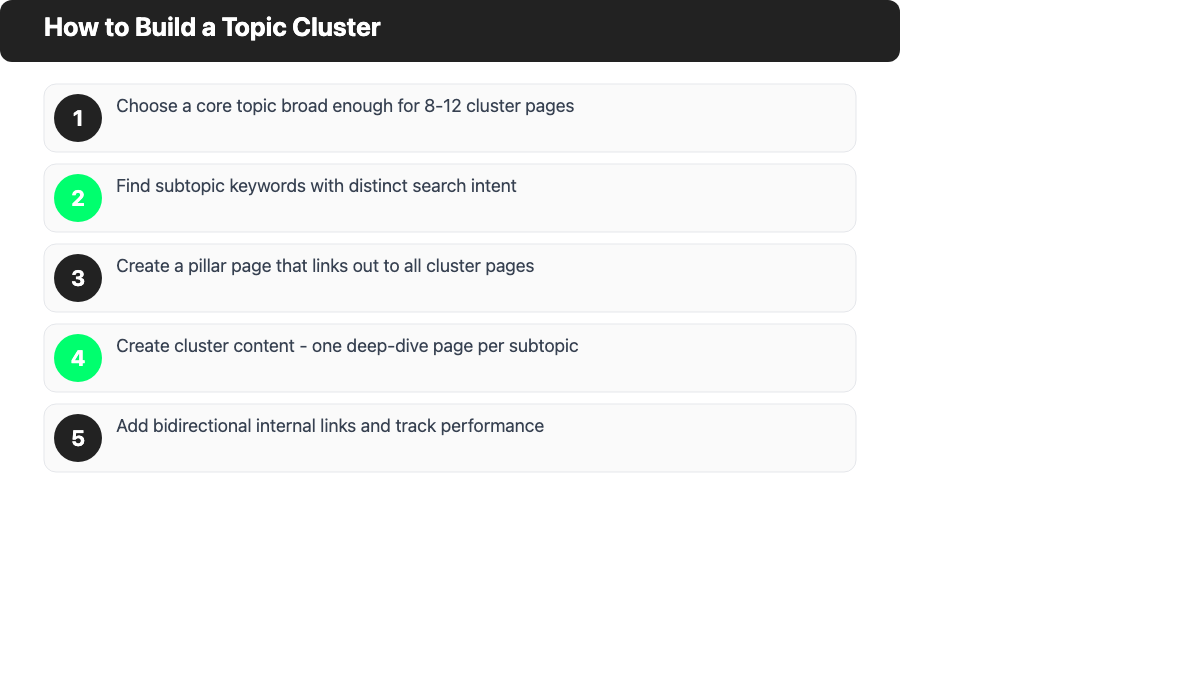
Step 1: Choose Your Core Topic
Start with a topic that is broad enough to support at least 8 to 12 cluster pages but focused enough to have a clear scope. “Marketing” is too broad. “SEO content strategy” or “email marketing” works. The core topic should be directly relevant to what your product or service does and should map to a real head-term keyword with search volume.
Step 2: Find Subtopic Keywords
Use keyword research to identify the specific questions and subtopics your audience searches for within the core topic. Each subtopic becomes a cluster page. Prioritize subtopics with distinct search intent and real search volume.
Look for question-based queries (how, what, why), comparison queries, and deeper technical subtopics. Group related queries so each cluster page covers a cluster of related terms rather than a single keyword.
Step 3: Create Your Pillar Page
Write a pillar page that introduces every major subtopic you identified in Step 2. Keep each section at overview depth. The pillar page should answer the main question and direct readers to cluster pages for more detail. Add internal links to every cluster page you plan to publish.
Step 4: Create Cluster Content
Write a dedicated cluster page for each subtopic. Each page should go deep on its specific angle, cover the subtopic thoroughly, and link back to the pillar page. Where relevant, link between cluster pages. Prioritize cluster pages with the highest search volume or strongest commercial relevance first.
Step 5: Add Internal Links and Track Performance
Once cluster pages are live, check that internal links are in place in both directions. Use Google Search Console to monitor impressions, rankings, and click-through rates across the entire cluster. Track which pages are gaining traction and use that data to decide which subtopics to expand or where gaps remain.
Topic clusters are not a one-time project. Strong clusters grow over time as new subtopics emerge, existing cluster pages get updated, and the pillar page evolves to reflect what the cluster now covers.
Topic Cluster Examples
Content marketing cluster: A content marketing platform builds a pillar page on “What Is Content Marketing?” and surrounds it with cluster pages on blog writing, email marketing, social media content, content audits, content gap analysis, and measuring ROI. Every cluster page links back to the pillar, and the pillar links out to all of them.
Healthline’s allergy cluster: Healthline’s “Everything You Need to Know About Allergies” pillar page provides a broad overview of allergy symptoms, causes, and types, then links to more specific cluster pages covering seasonal allergies, food allergies, allergy testing, and treatment options. Each cluster page links back to the main allergy guide. This structure has helped Healthline build strong, durable rankings across the entire allergy topic space.
SEO content strategy cluster: An SEO tool provider might build a pillar page on “What Is SEO Content Strategy?” with cluster pages covering topical authority, keyword research, content audits, topical maps, and keyword cannibalization. Each subtopic page adds depth the pillar page deliberately omits.
Common Topic Cluster Mistakes
Making the pillar page too narrow. If the pillar page focuses on one specific angle, it becomes a cluster page, not a pillar. The pillar needs to be broad enough to logically own every cluster page in the group. A pillar page about “email subject line best practices” is too narrow to support a cluster; “email marketing” is the right scope.
Skipping internal links. A topic cluster without internal links is just a collection of pages. The links are the cluster. Missing even a few key links breaks the architecture and reduces the SEO value of the entire group.
Building a cluster of two or three pages. Search engines need to see comprehensive coverage to recognize a cluster. Most practitioners recommend a minimum of eight to ten cluster pages to build meaningful topical authority.
Keyword cannibalization within the cluster. If multiple cluster pages target the same or very similar queries, they compete rather than complement each other. Map search intent carefully during the keyword research phase to ensure each cluster page has a distinct focus. See our guide to keyword cannibalization for how to identify and fix it.
Not monitoring performance. Topic clusters work over time, not overnight. Without tracking rankings and traffic across the cluster in Google Search Console, it is hard to know which pages need improvement, which subtopics are missing, and which areas are driving the most value.
Frequently Asked Questions
What is the difference between a topic cluster and a content silo?
A content silo is a structural approach where related pages are grouped under the same directory or category, often with strict rules about cross-linking between silos. A topic cluster is defined by the internal linking pattern: the bidirectional links between a pillar page and its cluster pages. Topic clusters can exist within silos, but they focus on linking architecture rather than URL structure. Most modern SEO practitioners prefer the topic cluster model because it is more flexible and directly drives the topical authority signals that search engines respond to.
How many pages does a topic cluster need?
There is no fixed minimum, but most practitioners recommend at least 8 to 10 cluster pages around one pillar. Clusters with 15 to 20 pages are common in competitive topic areas. What matters more than a specific number is comprehensive coverage: every major subtopic within the core subject should have a dedicated cluster page.
Do topic clusters work for small websites?
Yes. Topic clusters are particularly valuable for small or newer sites because they allow you to concentrate content effort and link equity in one focused area rather than spreading thin across many disconnected topics. A small site with one well-built cluster of 10 pages will typically outperform the same site with 40 unrelated posts.
How long does it take to see results from topic clusters?
Most sites see measurable ranking improvements within three to six months of completing a well-structured cluster, though results vary by competition level, domain authority, and content quality. AI search visibility tends to respond faster than traditional search rankings once a cluster reaches sufficient depth.
What tools can help me build topic clusters?
Keyword research tools like Ahrefs and Google Keyword Planner help identify subtopics and search volumes. Google Search Console is essential for tracking cluster performance after launch. Content optimization platforms help audit coverage gaps and maintain the cluster as it grows.
